A teleprompter is a screen that displays a script near a camera lens, letting a speaker read while still appearing to maintain eye contact. It can be a studio rig with reflective glass, a tablet holder, or a simple app on a phone. For creators, trainers, executives, and news-style presenters, it reduces missed lines and cuts retakes. Video use is already common in business, with Wyzowl reporting that 91% of businesses use video as a marketing tool [source: Wyzowl].
TLDR: A teleprompter helps a person read a script while looking natural on camera. For a 5-minute video at about 150 words per minute, it can keep roughly 750 words moving at a steady pace without constant pauses. A solo course creator, for example, might cut a recording session from 60 minutes to 35 minutes by avoiding repeated script checks. The best choice depends on setup: BIGVU for mobile video, PromptSmart Pro for voice tracking, Elgato Prompter for desk studios, and Speakflow for browser-based teams.
How a Teleprompter Works
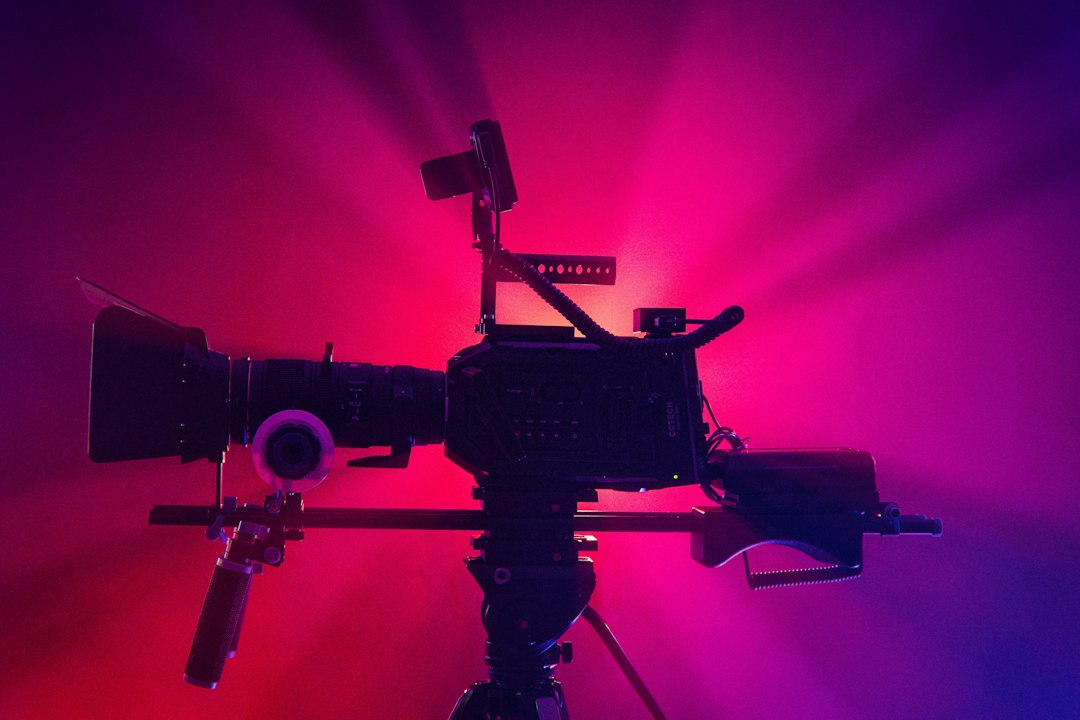
A classic teleprompter uses a monitor placed below or above the camera. The words reflect onto angled glass in front of the lens. The speaker sees the text, but the camera sees through the glass. That trick creates the clean “looking into the lens” effect seen in news, sales videos, training clips, and webinars.
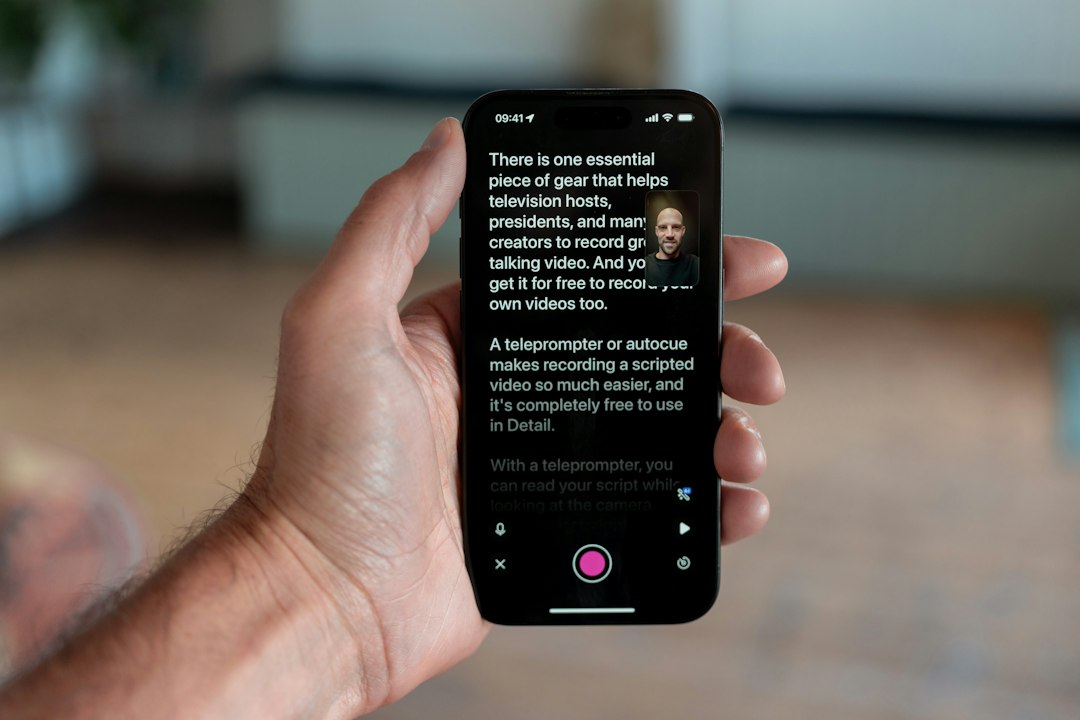
App-based versions are simpler. They scroll text on a phone, tablet, laptop, or browser window. Some sit beside the lens. Others pair with a beam splitter rig. The closer the text sits to the lens, the more natural the eye line looks.
Why People Use Teleprompters
- Fewer retakes: The speaker does not need to memorize every line.
- Cleaner delivery: Pacing stays steady and less robotic.
- Better eye contact: The audience sees a direct gaze.
- More accurate messaging: Legal, product, or training terms stay correct.
- Less editing: Fewer pauses mean fewer cuts later.
The catch is that a poor teleprompter setup can look worse than no prompter at all. If the text is too far from the lens, the speaker’s eyes visibly move side to side. If the scroll speed is wrong, the delivery feels rushed or oddly sleepy.
Best Teleprompter Apps and Tools Compared
| Tool | Best For | Standout Feature | Main Annoyance |
|---|---|---|---|
| BIGVU | Mobile creators and marketers | Teleprompter, recording, captions, and basic editing in one app | The interface can feel crowded when a user only wants to read a script |
| PromptSmart Pro | Speakers who vary their pace | VoiceTrack scrolls with the speaker’s voice | Voice tracking can stumble with strong accents or noisy rooms |
| Teleprompter Premium | iPhone, iPad, and Mac users | Clean script control, remote options, and mirror mode | Best value comes inside the Apple ecosystem |
| Speakflow | Remote teams and browser users | Web-based scripts, collaboration, and voice-controlled scrolling | Internet dependence can be annoying during live recording |
| Elgato Prompter | Streamers and desk studios | Built-in screen, no tablet required | It costs more than basic tablet rigs |
| Elegant Teleprompter | Android users on a budget | Simple floating teleprompter window | It lacks polish compared with paid studio tools |
Best for Mobile Video: BIGVU
BIGVU is a strong pick for social videos, sales clips, and quick updates. A user can paste a script, record with the front camera, add captions, and export a polished clip. It suits people who want fewer apps in the workflow.
Honestly, it feels like BIGVU sometimes tries to do too much. A creator opening the app for a basic 90-second talking-head clip may spend extra time closing prompts and scanning menus. Still, its all-in-one style is useful for non-editors.
Best for Natural Pacing: PromptSmart Pro
PromptSmart Pro is known for voice-controlled scrolling. Instead of forcing the speaker to match a fixed speed, the script follows the spoken words. That helps presenters who pause, add emphasis, or speak with emotion.
It works best with clear audio. In a loud room, the app may lag or jump. A lavalier mic can help. So can a quiet room with soft surfaces.
Best Hardware Option: Elgato Prompter
Elgato Prompter is made for creators who record at a desk. It has its own display, so it does not need a spare phone or tablet. It can show scripts, chat, notes, or a video call near the lens.
That makes it handy for streamers, coaches, and remote presenters. The setup is cleaner than balancing a tablet on a cheap stand. The price is the tradeoff. For occasional use, a low-cost tablet rig may be enough.
Best Browser-Based Choice: Speakflow
Speakflow runs in a browser, which helps teams that share scripts. It supports remote-style recording workflows and voice scrolling. Writers and presenters can work from the same script without passing files around.
The weak spot is connection dependence. If Wi-Fi drops, the session gets messy. For high-stakes recordings, teams should keep a local script copy ready.
How to Choose the Right Teleprompter
- For TikTok, Reels, and Shorts: BIGVU or a simple mobile teleprompter app works well.
- For lectures and courses: PromptSmart Pro or Teleprompter Premium gives better script control.
- For YouTube desk setups: Elgato Prompter offers a tidy, permanent option.
- For remote teams: Speakflow keeps scripts easy to share and update.
- For tight budgets: Elegant Teleprompter or a basic tablet rig can do the job.
A good setup also needs the right font size. Most presenters should use large text, short line widths, and enough spacing. Smaller text causes obvious eye movement. Long paragraphs also make the speaker sound as if reading from a contract.
Teleprompter Tips for Better Delivery
- Use short sentences. They sound more natural on camera.
- Mark pauses. Simple line breaks help the speaker breathe.
- Set the screen close to the lens. This improves eye contact.
- Practice once before recording. Even two minutes helps.
- Avoid perfect reading. A tiny stumble can sound more human.
The best teleprompter is not always the most expensive one. It is the one that fits the recording style, camera position, and speaker’s pace. For many people, an app is enough. For frequent video work, dedicated hardware saves setup time and reduces frustration.
FAQ
What is a teleprompter used for?
A teleprompter is used to display a script while a person speaks to a camera or audience. It helps with eye contact, pacing, and accuracy.
Can a phone be used as a teleprompter?
Yes. A phone can run a teleprompter app and display scrolling text. For best results, it should sit close to the camera lens.
Are teleprompter apps better than hardware teleprompters?
Apps are cheaper and easier to start with. Hardware teleprompters usually look more natural because the text appears directly in front of the lens.
What is the best teleprompter app for beginners?
BIGVU is a friendly choice for beginners who want recording and captions in one place. Teleprompter Premium is also strong for Apple users.
Do teleprompters make speakers look fake?
They can if used poorly. Large text, a close lens position, and natural pauses make speech feel more relaxed.

Where Should We Send
Your WordPress Deals & Discounts?
Subscribe to Our Newsletter and Get Your First Deal Delivered Instant to Your Email Inbox.