Use Gift Wrapper for WooCommerce when you want each gift wrap style to have its own price, image, and short description. It keeps things simple for shoppers. It also gives store owners control without custom code. This matters because online shoppers already leave carts often, with Baymard reporting an average cart abandonment rate of about 70% [source: Baymard].
TLDR: Gift Wrapper for WooCommerce lets you turn wrapping choices into paid add-ons with their own names, prices, photos, and details. For example, you can offer Gold Paper for $3, Luxury Box for $8, and Eco Wrap for $2. If 100 customers buy gifts each month and 25% choose a $4 wrap, that is an extra $100 monthly from a tiny checkout option. Simple, useful, and easy to understand.
Why individual gift wrap options matter
Gift wrap is not just “paper around a box.” Shoppers care about how the gift feels.
A birthday gift may need bright colors. A wedding gift may need a soft, premium box. A holiday order may need red ribbon and a cute tag.
So one flat gift wrap option feels lazy. Honestly, it feels like a missed sale when every wrap style has the same boring label.
Gift Wrapper for WooCommerce helps fix that. You can show different wrapping types as real choices. Each one can have a unique:
- Price
- Description
- Image
- Name
That means shoppers can pick the wrap that matches the moment.
How the plugin handles wrapping types
The smart part is simple. Gift wrapping options can be set up like WooCommerce products.
That gives you a familiar setup screen. No strange control panel. No mystery buttons. No “why is this hidden under four tabs?” nonsense.
You create a wrap option. You add a product image. You write a short description. You set a price. Then the plugin can show that option to the shopper.
This is great for stores that sell gifts, flowers, jewelry, books, candles, toys, cosmetics, or handmade goods.
Set different prices for each wrap
Not all wrapping costs the same.
A paper sleeve is cheap. A thick gift box costs more. A fabric wrap may cost even more. Your prices should match that.
With Gift Wrapper for WooCommerce, you can price each wrapping type on its own. This makes your offer clearer.
Here is a simple pricing setup:
- Classic Paper Wrap: $2
- Holiday Wrap: $3
- Premium Gift Box: $7
- Eco Friendly Wrap: $4
- Luxury Ribbon Box: $10
This helps customers choose based on budget. It also helps you protect your margins.
It drives me a bit mad when stores offer “gift wrap” for one price, then use the same cheap wrap for every order. Shoppers notice. Especially when the gift costs $150.
Add descriptions that sell the feeling
A good wrap description does not need to be long.
In fact, short is better.
Tell shoppers what they are getting. Mention the mood. Mention the material. Mention the best use.
Examples:
- Classic Paper Wrap: Neat paper wrap with a simple ribbon. Great for birthdays and small gifts.
- Eco Friendly Wrap: Recycled paper with natural string. A clean pick for earth friendly shoppers.
- Luxury Gift Box: Sturdy box with satin ribbon. Best for jewelry, candles, and premium gifts.
That is enough. No poetry needed.
Clear descriptions reduce doubt. Less doubt means fewer abandoned choices at checkout.
Use images so shoppers can see the upgrade
Images sell gift wrap fast.
A shopper may skip a $7 gift box if they only see text. But show them a clean box with ribbon, and suddenly it feels worth it.
Use bright, simple photos. Keep the background clean. Show the wrap clearly.
Good image ideas include:
- Flat lay photos of wrap styles
- Close ups of ribbon and paper texture
- Gift boxes next to matching tags
- Seasonal wrapping sets
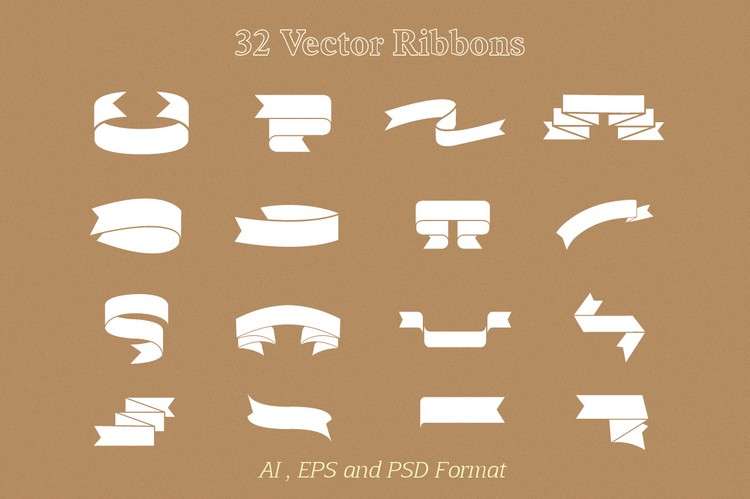
Try to make all images the same size. This keeps the shop clean. Uneven images make the gift wrap area feel messy.
Where this helps most
This plugin is handy when customers buy gifts for other people.
Think about these cases:
- Mother’s Day: Add floral paper and soft ribbon.
- Christmas: Offer red, green, gold, and snowflake wraps.
- Weddings: Add white boxes and elegant ribbon.
- Corporate gifts: Offer clean black or kraft packaging.
- Kids’ birthdays: Use bright colors and playful designs.
You can also test which wrap sells best. If the $6 gift box gets picked more than the $2 paper wrap, that tells you something useful.
A simple setup plan
Start with three wrapping types. Do not overthink it.
- Create a low cost option.
- Create a mid price option.
- Create a premium option.
- Add one clear photo for each.
- Write one short description for each.
- Check the cart and checkout flow.
Then watch what happens.
If nobody buys the premium wrap, change the image first. Then change the description. Then test the price.
Expect to waste time if you add ten wrap styles on day one. Too many choices slow people down. Three to five options is usually enough.
Best practices for better gift wrap sales
- Use clear names. “Luxury Gold Box” is better than “Option 3.”
- Keep prices easy. Use clean amounts like $3, $5, or $8.
- Match the season. Swap images for holidays.
- Keep descriptions short. One or two sentences is fine.
- Show real photos. Mockups are okay, but real photos feel more trusted.
Small feature, nice extra revenue
Gift wrapping is a small add-on. But it can feel big to the customer.
People buying gifts want the order to feel special. They want less work. They want the package to arrive ready to give.
Gift Wrapper for WooCommerce makes that easy. You can set individual prices, descriptions, and images for each wrapping type. Your shoppers get better choices. Your store gets a simple upsell.
And best of all, nobody has to email you asking, “Can you wrap this nicely?”