
Photo: Bogdan Popa/autoevolution
It’s back. Android Auto for phone screens is back. Not thanks to Google, which has no intention to re-release a version of Android Auto specifically optimized for mobile devices, but courtesy of a developer who released the whole project as a free app.
Before anything else, I just want to answer a question that everybody on reddit seems to have: why would anyone need such an app?
Android Auto is a phone projection system, meaning that your smartphone must be connected to a compatible car head unit to run the app. The mobile device is the brain of the system, while the head unit shows the UI and provides users with methods to interact with their apps, most commonly via touch.
However, the big requirement here isn’t the mobile device, which we all have in our pockets, but an Android Auto head unit in your car. Many new-generation vehicles do come with such head units, as Android Auto and CarPlay have become extremely popular in the automotive space. But at the same time, many older-generation vehicles lack this functionality, and the only options in this case are the more expensive aftermarket upgrades.
This means you must spend hundreds of dollars on stand-alone Android Auto screens or head unit upgrades that also come with another shortcoming: they need professional installation, so you’ll end up spending even more dollars.
That’s why Android Auto for phone screens was a fantastic idea.

Photo: Bogdan Popa/autoevolution
The dedicated app released by Google allowed users to turn their smartphones into ad-hoc Android Auto screens. Instead of having your phone connected to a head unit, the phone became the head unit, running the familiar Android Auto interface directly on its screen. Instead of just having Google Maps on your mobile phone, you could get the whole Android Auto, therefore avoiding the ridiculous costs of hardware upgrades.
Google changed its mind in 2022 when it decided to kill off Android Auto for phone screens. The company did not release a replacement, despite originally launching a driving mode in Google Maps, but this half-baked solution was gradually phased out.
So right now, users who want to run Android Auto on their phones directly have no official option. Third-party alternatives do exist, and this week, another project joined the club.
PhoneAuto is a free app that has no ads, doesn’t require an account, and “leaves nothing on your phone,” as the developer explains on reddit. The project is documented here on GitHub.

Photo: Bogdan Popa/autoevolution
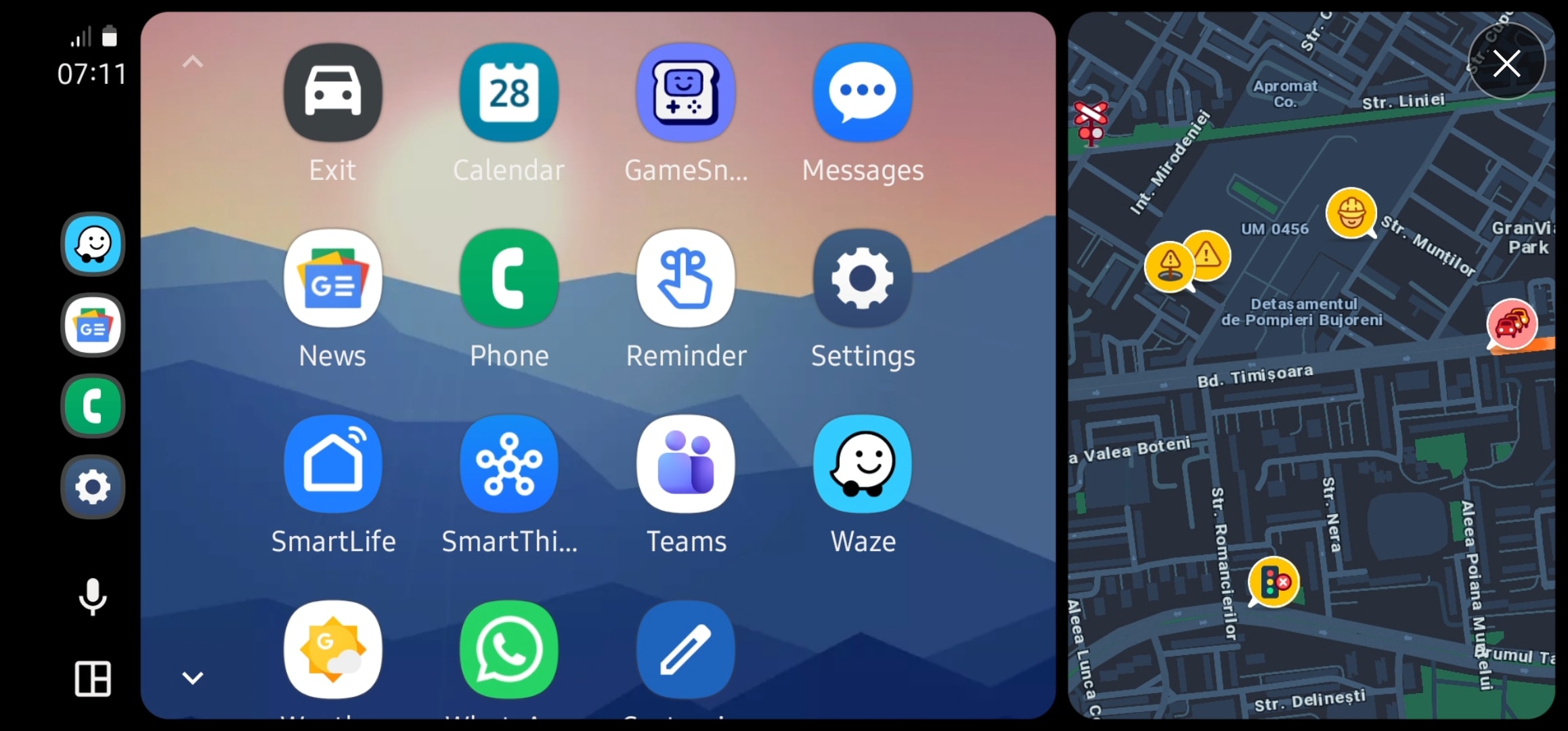
Compared to Android Auto for phones, which was a more limited experience, PhoneAuto brings the actual Android Auto experience to your mobile device. You get everything you’d get on a factory-installed head unit, including the app dashboard, the Coolwalk screen, and even the cellular signal icon.
It works in both portrait and landscape modes, and the developer explains that everything should work, including the assistant. So yes, it’s not a half-baked Android Auto version but the actual, fully-featured application that all of us already have in our cars.
While there are a bunch of small things that need further polishing – such as support for foldables – the application seemingly works properly. It’s not yet posted on the Google Play Store – though such a version is currently in review – so you must install it from GitHub.

Photo: Bogdan Popa/autoevolution
You’ll notice a January 19 expiration date, as the developer used a similar approach like the one you can find on TestFlight on iPhones. Beta builds expire, so you must either install a newer beta by then or switch to the Google Play Store version.
Setting up PhoneAuto on your mobile device involves enabling developer mode on Android Auto and starting the head unit server. You’ll also need to shut it down manually when you close the app.
Android Auto for phone screens has long been a very popular app that Google retired in its frenzy of killing off products that people loved. While the driving mode migrated from Google Assistant to Google Maps was supposed to replace it, nothing worked as simply as users expected from an Android Auto experience.
PhoneAuto and OpenHeadunit are restoring the functionality that Google should offer as a first-party experience, as it’s obvious that users need a way to run Android Auto without an actual head unit.

Photo: Bogdan Popa/autoevolution
Someone on reddit highlights the most obvious use case: on a motorcycle, when aftermarket upgrades aren’t even possible, so turning a mobile phone into a head unit with Android Auto, which is supposed to provide a safer way to interact with mobile apps and also get full-screen navigation and access to music, is the best choice.
Open Headunit has been around for a while, so PhoneAuto will probably survive, too, with the developer promising further updates that will improve the experience regardless of the phone brand and model. You need at least Android 13 to run the app – though it could also work on older versions, though this has not been verified – and no other requirements should prevent you from trying it out.