Are you willing to pay $50 more for the upgrades?

RATING : 8.6 / 10
- High-contrast display with crisp text
- Aluminum back cover a color-matched front are both upgrades
- Speedy performance
- Auto-adjusting front light
- More expensive than the previous model was at launch
- Wireless charging ditched for new accessories
- Signature Edition features don’t feel like must-haves
We may receive a commission on purchases made from links.
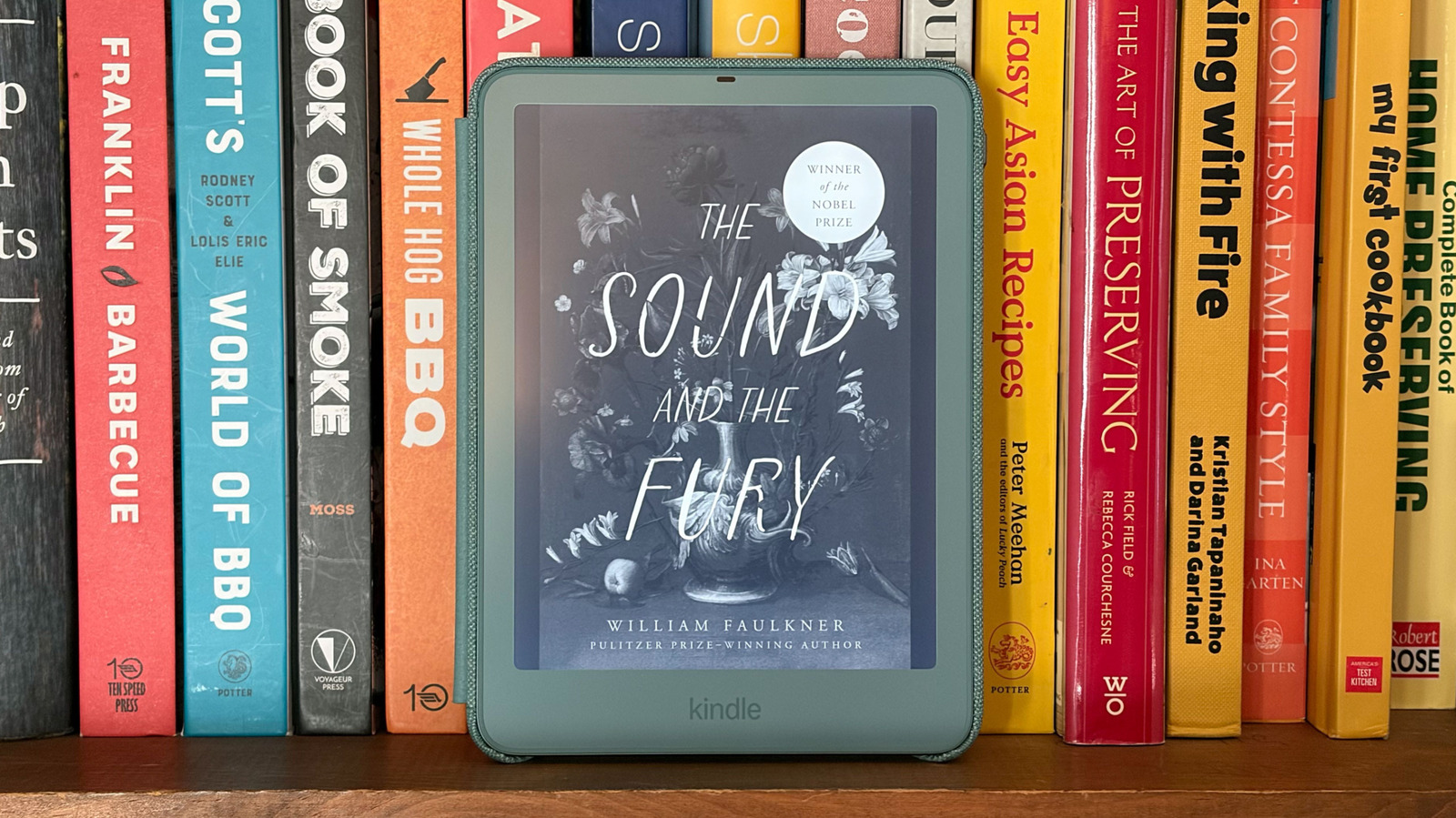
There’s no denying the chokehold Amazon has on the ereader industry. Its library is massive and its entire lineup of Kindles are consistently reliable devices that meet readers with varying budgets and needs. As part of the company’s 2026 lineup, the Kindle Paperwhite Signature Edition ($250) sits squarely in the middle in terms of both capabilities and price. Amazon saw fit to refine an already compelling mix of design and performance, with key changes to how you use this Paperwhite as well. But as we noted with the 2024 Signature Edition, the best premium ereader may not offer any exclusive features that you can’t live without.
Design changes
Amazon didn’t try to reinvent the wheel with its updates to the more premium Paperwhite. There’s now an aluminum back, but overall, it’s still an IPX8 waterproof design with a high-contrast, 300 dpi display (more on the screen changes later) and 32GB of storage. The company did color match the front bezels on the Seaglass Green version so it matches the back panel. This is certainly a welcome change as it definitely looks better than previous models that had colorful cases but with gray fronts. The 2026 model is also one millimeter thinner than its predecessor — a variation you’re unlikely to notice, but one Amazon will gladly tout.
Amazon also moved the power button to the top right edge, a location that will be more familiar for anyone who uses a smartphone. I honestly prefer it there, because even though I’ve been using a regular Kindle Paperwhite since 2024, I never got used to the power button on the bottom edge. Now, the USB-C port is the only component that still resides there.
Perhaps the biggest change on the 2026 Paperwhite Signature Edition is the introduction of pogo pins on the back cover. Amazon ditched the 2024 model’s standard wireless charging (via Qi-compatible and Amazon accessories) in favor of this arrangement. The four pins accommodate new accessories, most notably the Page Turn Cover ($80) with physical page-turn buttons, and there’s also a $60 charging stand with an unknown shipping date. I should note that both of these accessories also work with the Kindle Colorsoft Signature Edition, which has the requisite pogo pins onboard as well.
Reading experience
In my opinion, the Paperwhite line offers the best reading experience on a Kindle. I don’t need a color screen, but I do prefer the adjustable warm light and larger display over the standard Kindle. Of course, the IPX8 waterproofing is also nice to have, as I like to take the Paperwhite to the beach, and you can certainly feel safe using it during a bath or at the pool.
To further enhance the overall experience, Amazon employs an oxide-thin film transistor backplane and offers a contrast ratio that it says is its highest yet. The company promises deeper blacks and crisper text on the 2026 Signature Edition compared to the previous version, although my eyes are unable to discern the difference in either of those. I couldn’t distinguish between the sharpness on my 2024 Paperwhite and this new Signature model either, but I could tell them apart by the slightly warmer overall glow of the latest release, even when the Warmth slider on both Paperwhites was set to 0. Still, the Paperwhite display continues to offer the best ereader performance among the company’s lineup for my money.
The auto-adjusting front light feature returns, using an ambient sensor to increase the brightness in daylight or dim it at night without you having to do so yourself. Of course, you can disable this feature and swipe the slider as you see fit. There’s also a new double tap gesture that allows you to turn pages by double tapping on the left and right sides. Two taps on the right edge to go to the next page, or two taps on the left to go back. I didn’t use this very much, probably because I’m conditioned to just tap once on the sides of the display to turn pages (which still works here). I’ll also mention there’s an accelerometer in this 2026 version for automatic screen rotation, but I don’t have much use for it, so I left rotation locked during the bulk of my testing.
One area I wasn’t able to test in the two weeks I’ve been using the new Paperwhite Signature Edition is battery life. Amazon says you can expect up to 12 weeks of battery life on a charge, and with past Kindle devices, I’ve left them unused for months and come back to enough juice for multiple reading sessions. Simply put, Kindles last for what seems like forever, and that’s not going to change here.
My 2024 Paperwhite has never been sluggish when it comes to downloading books or searching, but the 2026 Signature Edition seems to be slightly quicker with both of those tasks. They both wake up with equal quickness though, which is more important to me than how adept these devices are at navigating menus.
Kindle alternatives
If you don’t like the Paperwhite, there’s likely to be something else to suit your needs in Amazon’s own lineup. Of course, the company’s advantage over other ereaders is its massive library that’s accessible right on its Kindle devices. There’s also the Kindle Unlimited Kindle+ subscription that gives you access to millions of books, magazines and comics for $12 a month. That integration and convenience gives Amazon a leg up on its competition.
If you prefer a non-Amazon ereader, the most recent one we’ve tested is the Boox Go 6 (Gen II). The Android-based device gives you access to more reading apps than a Kindle would, plus there’s a microSD card slot and stylus support. This model has shorter battery life than some ereaders and there’s no water resistance, so there are some trade-offs. I’ll also note that we named the Kobo Clara Colour the best overall ereader in our buyer’s guide. You do have to contend with a limited library here, and the screen isn’t as sharp or bright as we’d like. There’s still a lot to like though, from the snappy processor to the color display and access to local libraries.
Wrap-up
While the price of the 2024 version eventually went up (like everything else these days), the 2026 Kindle Paperwhite Signature Edition is $50 more than that model was at launch. It’s clear the changes Amazon made add more polish to an already winning formula, but as someone who typically uses a regular Paperwhite, there’s nothing here I can’t live without.
The regular $200 version still packs the high-contrast display, which is the most essential element of what the Paperwhite has to offer. Unless you’re someone who needs the extra storage, or just likes the idea of pogo-pin accessories and double tapping to turn pages, the Paperwhite Signature Edition is more of a splurge than an essential purchase.