The best WordPress SEO plugin is the one that matches your site, not the one with the longest feature list. For most sites, a single all-in-one plugin (Rank Math, Yoast SEO, AIOSEO, or SEOPress) covers titles, sitemaps, schema, and redirects. Specialist plugins then fill the gaps: speed, internal links, analytics, and AI-search controls.
The brief has changed over the last few years. Online search is no longer only ten blue links. Google’s AI Overviews and AI Mode, ChatGPT, Perplexity, and others now answer questions directly, so a modern WordPress AI SEO plugin is expected to help with both classic rankings and visibility in AI answers.
To get quick answers, here is a short checklist:
- Best free all-in-one: Rank Math or SEOPress.
- Best for beginners: Yoast SEO.
- Best for WooCommerce and local SEO: AIOSEO.
- Best lightweight, set-and-forget: Slim SEO or The SEO Framework.
- Best for AI SEO / GEO controls (llms.txt, Markdown, AI crawlers): JetGEO.
- Best for speed: WP Rocket (paid) or WP Fastest Cache (free).
- Best for schema: Schema Pro, alongside your SEO plugin.
To learn more about each plugin and its features, pros and cons, read further. In this article, I compare 17 plugins, explain what AI SEO on WordPress really means, and show where each tool fits.
What Is SEO, and Why Do You Still Need It?
SEO (Search Engine Optimization) is the practice of making your site easy for search engines to crawl, understand, and rank, so people can find it. It covers content quality, site structure, page speed, mobile usability, structured data, and trust signals. SEO does not guarantee any specific position. It raises the odds that your pages qualify for one.
SEO vs. GEO: what is the difference?
GEO (Generative Engine Optimization) aims to get your content used or cited inside AI-generated answers, while SEO aims to rank your link in a results list. You will also see AEO (Answer Engine Optimization), AI SEO, and, sometimes, AIO (AI optimization) used for the same idea. The industry has not settled on one name, and plugin vendors use them interchangeably. In this article, “AI SEO” and “GEO” mean the same thing.
| SEO | GEO / AEO / AI SEO | |
| Goal | Rank a link | Be cited as the answer |
| Who receives it? | A person reading a results page | An AI system building a response |
| Main tactics | Content, keywords, links, technical health | Clear answers, entities and structured data, crawler access |
| Where it happens | Google, Bing, and other search results | AI Overviews, AI Mode, ChatGPT, Perplexity |
Google’s own position is that these are not separate disciplines. Danny Sullivan, Google’s Search Liaison, put it in a WordPress-focused talk like this: “Good SEO is good GEO.” Google’s documentation on AI features in Search adds that no extra files or special markup are required to appear in AI Overviews or AI Mode. A page just needs to be indexed and eligible to show a snippet.
Why is SEO still needed in the age of AI search?
Even though it might look like AI search takes over, SEO is still fundamental. Because search still sends far more traffic than AI assistants do, and AI answers still pull from pages that search engines can crawl and trust. The latest numbers tell us the following:
- Organic search is roughly 108 times larger than AI traffic. In a 40-site sample for April 2026, organic search made up about 20.45% of visits and AI traffic about 0.19%, according to Aleyda Solis research.
- AI search is still a fraction of a percent of traffic for a major SEO site. Ahrefs reported that AI search accounted for about 0.5% of traffic to ahrefs.com.
- Zero-click behavior is a real risk. Bain estimates it may cut organic website traffic by 15% to 25%, and Seer Interactive found that brands cited in AI Overviews earned two to five times the organic click-through rate of uncited brands.
- AI adoption is growing fast. Nearly half of U.S. adults now use AI chatbots, up from 33% in 2024, according to a 2026 Pew Research Center survey.
- AI visitors can convert well. Similarweb data reports AI-referred visitors to U.S. retail sites converting 42% better than non-AI traffic in March 2026, with AI traffic up 393% year over year in Q1 Adobe reports.
So, SEO is the foundation, and GEO is a layer on top. Skipping SEO means AI tools have less to find.
Top tips: where to start
- Make sure your pages are crawlable, indexed, and fast.
- Answer real questions clearly, near the top of the page.
- Add structured data where it earns rich results.
- Allow the crawlers you want, and measure who actually visits.
- Keep one all-in-one SEO plugin, not two.
For a hands-on checklist, see our guides on on-page SEO and how to prepare a WordPress site for AI search engines.
In this guide, we focus on SEO plugins, but if you’d like to learn more about the jobs the GEO plugin covers and how to choose one in 2026, refer to our WordPress AEO plugin 2026 article.
Why Do You Need SEO Plugins for WordPress?
WordPress has a solid SEO base, but it does not manage most optimization tasks for you. A good plugin automates them, and sometimes one tool replaces hours of manual work. SEO plugins help you:
- generate XML sitemaps (WordPress core also has a basic one, but plugins give far more control);
- set titles, meta descriptions, and Open Graph tags from templates;
- add schema (structured data) for rich results;
- manage redirects and 404 errors;
- set canonical URLs and noindex/nofollow rules;
- optimize images, alt text, and internal links;
- connect Google Search Console and analytics;
- speed up pages with caching and file optimization;
- publish AI-facing files such as llms.txt and control AI crawlers.
There are plenty of options: free, freemium, and paid, with basic or very broad feature sets. To make the choice easier, I grouped them as all-in-one suites and specialist plugins.
How Do the 17 Best WordPress SEO Plugins Compare?
Before proceeding to the detailed description of each plugin, you can have a look at the comparison table to get a general understanding of what each plugin is for, whether it’s free or paid, and how the community values it.
| Plugin | Type | Pricing | Best For | Rating |
| Yoast SEO | All-in-one | Freemium | Beginners who want guidance while writing | 4.8 |
| Rank Math | All-in-one | Freemium | Power users who want many features in the free plan | 4.8 |
| AIOSEO | All-in-one | Freemium | WooCommerce stores and local SEO | 4.7 |
| SEOPress | All-in-one | Freemium | Agencies, white label, privacy-first sites | 4.8 |
| The SEO Framework | All-in-one (lightweight) | Freemium | Clean, automated, ad-free SEO | 4.9 |
| Squirrly SEO | All-in-one + guidance | Freemium | Non-experts who want step-by-step SEO goals | 4.6 |
| Slim SEO | All-in-one (lightweight) | Freemium | Zero-configuration, fast sites | 4.7 |
| SureRank | All-in-one | Freemium | Newer, bloat-free alternative | 4.7 |
| SmartCrawl | All-in-one | Freemium | WPMU DEV users and SEO health reports | 4.8 |
| Schema Pro | Schema | Premium | Rule-based schema across many pages | 4.6 |
| Internal Link Juicer | Internal links | Freemium | Automatic internal linking on content-heavy sites | 4.7 |
| Strive Calendar | Content planning | Freemium | Planning and refreshing content | 5 |
| Independent Analytics | Analytics | Freemium | Privacy-friendly stats inside WordPress | 4.8 |
| XML Sitemap Generator for Google | Sitemaps | Free | Sites without an all-in-one SEO plugin | 4.8 |
| WP Fastest Cache | Speed | Freemium | Simple free caching | 4.9 |
| WP Rocket | Speed | Premium | Easy Core Web Vitals improvements | 4.6 |
| W3 Total Cache | Speed | Freemium | Advanced users who want deep cache and CDN control | 4.5 |
NOTE
Do not run two all-in-one SEO plugins at once. They can output duplicate meta tags, conflicting canonical tags, and competing sitemaps. Pair one all-in-one plugin with specialist tools instead.
9 Best All-in-One WordPress SEO Plugins
Yoast SEO (Freemium)
🏆 Best for beginners who want in-editor guidance.
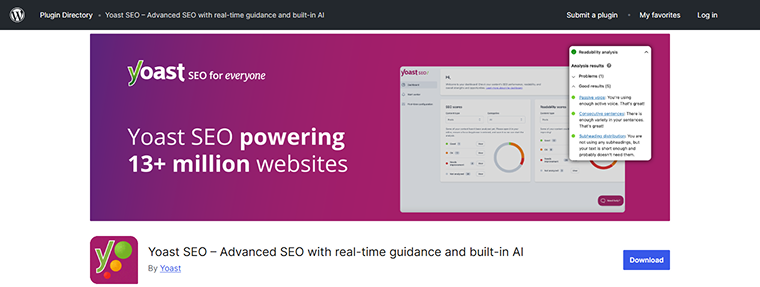
Yoast SEO is the most installed SEO plugin in the WordPress directory, with more than 10 million active installations and a 4.8 rating from nearly 28,000 reviews. Its traffic-light system rates SEO and readability as you write, and it handles sitemaps, schema, canonical URLs, and breadcrumbs automatically. Recent versions also lean into AI search with llms.txt management, and Premium adds AI tools for titles and meta descriptions.
Top free features:
- real-time SEO, readability and inclusive-language analysis;
- automatic XML sitemaps, canonical URLs and Schema.org structured data;
- breadcrumbs, FAQ and How-to blocks with schema;
- bulk editor for titles, meta descriptions and focus keyphrases;
- llms.txt management;
- integrations with Elementor, Semrush, Wincher, Google Site Kit, and WooCommerce (via the paid extension).
Top premium features:
- AI Generate (titles and meta descriptions), AI Optimize, AI Summarize, and an AI Content Planner;
- up to five focus keyphrases, internal-link suggestions, and a redirect manager;
- social previews, IndexNow, and a bot blocker for AI crawlers;
- schema aggregation for AI agents (NLWeb);
- Local, Video, and News SEO included, plus 24/7 support.
Pros:
- long track record, huge user base, and strong documentation;
- the free version covers the essentials.
Cons:
- advanced features (redirects, multiple keyphrases) need Premium;
- full support is for paying customers only.
Price: Yoast SEO offers free plans and various paid plans from $6.69 up to $40/month.
Rank Math (Freemium)
🏆 Best for power users who want a feature-rich free plan.
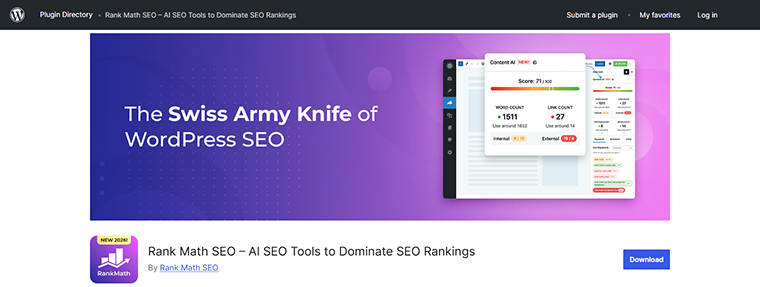
Rank Math has more than 4 million active installs and a 4.8 rating from about 7,400 reviews. It packs on-page analysis, a schema generator, Google Search Console data, and keyword tracking into modular settings. A free redirect manager and 404 monitor are part of the offering. One-click import brings settings over from Yoast and AIOSEO.
Top free features:
- on-page SEO analysis with a setup wizard;
- schema markup generation and SEO-optimized breadcrumbs;
- Google Search Console integration;
- keyword rank tracking;
- bulk editing of SEO fields;
- one-click import from Yoast and AIOSEO.
Top premium features:
- Content AI and a larger set of built-in AI tools for writing and optimization;
- advanced WooCommerce SEO and analytics;
- agency licensing for client sites.
Pros:
- one of the most complete free tiers;
- fast and easy to migrate to.
Cons:
- many options can overwhelm beginners;
- AI features rely on paid credits and cloud connections.
Price: besides a free plan, Rank Math offers plans from €8.99/month to €64.99/month.
AIOSEO (All in One SEO) (Freemium)
🏆Best for WooCommerce stores and local SEO.
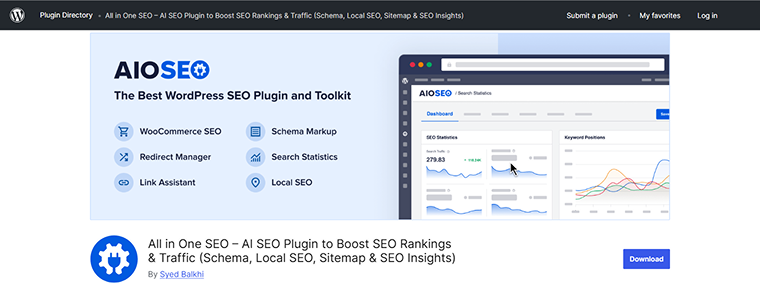
AIOSEO has been around since 2007 and has more than 3 million installs and a 4.7 rating. Its WordPress.org listing now positions it as an AI SEO plugin built for ChatGPT, AI Overviews, and Perplexity, as well as classic search. The free Lite plan gives you the TruSEO analysis, sitemaps, and schema, while the modules for local SEO, WooCommerce, redirects, and the Link Assistant sit in Pro.
Top free features:
- TruSEO on-page score, smart title, and meta templates;
- XML sitemap suite;
- schema markup and breadcrumbs;
- AI title and description generation, plus SEO revision history with rollback;
- Google Search Console insights in the dashboard.
Top premium features:
- local SEO module for multiple locations;
- WooCommerce SEO and product schema;
- Link Assistant for automatic internal linking;
- redirection manager and 404 handling;
- keyword rank tracking and Search Statistics.
Pros:
- polished setup wizard and migration tools;
- strong eCommerce features.
Cons:
- the best modules are paid;
- the admin shows upgrade prompts.
Price:
- free Lite plan;
- four plans from Basic to Elite starting at $99.00/year.
SEOPress (Freemium)
🏆 Best for agencies and privacy-conscious sites.
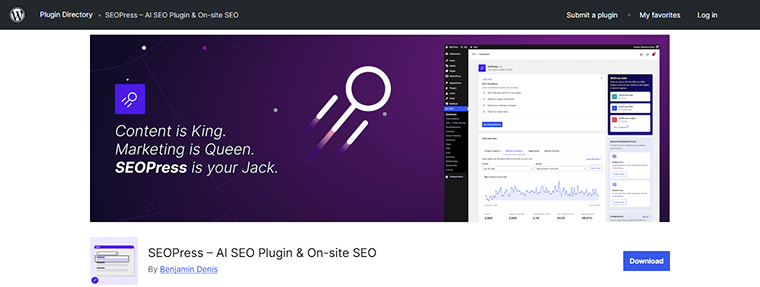
SEOPress is a privacy-first, white-label SEO plugin trusted by more than 350,000 sites. It advertises no tracking and no upsells in the admin, and it offers one SEO metabox that works across Gutenberg, Elementor, Divi, Bricks, and other builders. Recent versions added llms.txt and “agent readiness” in the free plan, and PRO lets you bring your own OpenAI, Gemini, or Claude key for AI metadata.
Top free features:
- titles, meta descriptions, XML sitemaps, redirections, and breadcrumbs;
- Google Search Console integration and Image SEO (auto title, alt, caption);
- llms.txt and agent-readiness support;
- import/export of settings between sites.
Top premium features:
- AI metadata generation (bring your own AI key);
- schema types, WooCommerce and EDD SEO;
- accessible breadcrumbs and a technical site audit;
- optional Insights add-on to track keywords and backlinks.
Pros:
- white label and no admin ads;
- works with every major page builder.
Cons:
- smaller community than Yoast or Rank Math;
- keyword tracking is a separate add-on.
Price: free. Paid plans range from $49/year to $149/year.
The SEO Framework (Freemium)
🏆 Best for automated, no-clutter SEO.
The SEO Framework prefills all critical meta tags for you and follows WordPress and search engine guidelines. Despite what older versions of this article said, it does not use AI to write meta tags. It uses rule-based automation. It has a 4.9 rating, sends no data to the developers, and sets no cookies, and it hides its own branding so it blends into your dashboard.
Top features:
- automatic titles, descriptions, canonical URLs, and Open Graph tags;
- XML sitemaps and Schema.org JSON-LD output;
- Multisite support and an Incognito mode that hides code comments;
- an optional AMP extension.
Pros:
- no ads or tracking;
- fast, with sensible defaults.
Cons:
- fewer on-page coaching features than Yoast or Rank Math;
- some recommendations assume SEO knowledge.
Price: free. Paid plans range from $7/month to $27/month.
Squirrly SEO (Freemium)
🏆 Best for non-experts who want guided SEO.
Squirrly positions itself as an AI SEO assistant for non-experts. It has a 4.6 rating from 675 reviews. According to the plugin’s own site, it offers a live content assistant, AI guidance with next SEO goals, SEO audits, and Google Analytics integration. The WordPress.org listing also mentions local SEO, rank tracking, and technical SEO. The directory version installs the free edition.
Top features:
- SEO Live Assistant for content optimization;
- recommended next SEO goals;
- SEO audit and rank tracking tools;
- local and technical SEO support.
Pros:
- helpful guidance for beginners;
- the free version is usable.
Cons:
- the interface can feel busy;
- heavier use needs a paid plan.
Price: free. Paid plans vary between $19.99/month and $71.99/month.
Slim SEO (Freemium)
🏆 Best for zero-configuration SEO.
Slim SEO does the SEO basics automatically: meta tags, an XML sitemap at domain.com/sitemap.xml, JSON-LD schema, and breadcrumbs, with no setup wizard. It also uses AI to help write meta titles and descriptions. It has a 4.7 rating, around 60,000 installs, and recent updates, so the “rarely updated” criticism from the earlier version of this article no longer applies.
Top features:
- auto-generated titles, descriptions, Open Graph, and Twitter Cards;
- automatic schema and XML sitemap;
- breadcrumbs with flexible styling;
- AI-assisted meta titles and descriptions.
Pros:
- light and fast;
- fully automated.
Cons:
- fewer coaching tools;
- advanced options are in the Pro add-ons.
Price: free. Paid plugin pricing starts at $59/year.
SureRank (Freemium)
🏆 Best for a newer, streamlined alternative.
SureRank, from the Astra team at Brainstorm Force, launched in 2025 and already has more than 300,000 installs. It includes meta tags, social previews, XML sitemaps, schema, Image SEO, Google Search Console connection, and WooCommerce support, plus a quick SEO checkup. It can migrate settings from Yoast, Rank Math, and AIOSEO. The rating (4.7) rests on a small number of reviews, so give it time.
Top features:
- site-level and page-level SEO analysis;
- schema, sitemap, and social previews;
- one-click migration from other SEO plugins;
- import/export of settings.
Pros:
- clean, quick setup;
- comes from an established plugin company.
Cons:
- fewer tutorials than older plugins;
- still maturing.
Price:
- free;
- Annual plans from $149 to $249;
- Lifetime plans from $599 to $999 once.
SmartCrawl (Freemium)
🏆 Best for SEO health checks and reports.
SmartCrawl from WPMU DEV combines an SEO checker, content analysis, 301 redirects, and XML sitemaps with a one-click setup. It has a 4.8 rating from 169 reviews. WPMU DEV’s blog highlights a free custom schema type builder, breadcrumbs, and a Lighthouse SEO scan. The Pro version adds scheduled audits and URL crawls.
Top features:
- one-click setup and real-time content analysis;
- schema builder, breadcrumbs, and a Lighthouse SEO scan;
- 301 redirects and XML sitemaps.
Top premium features:
- scheduled SEO audits and crawls;
- automatic linking and location-based redirects;
- automated SEO reports.
Pros:
- useful audit and reporting tools;
- fits teams already using WPMU DEV.
Cons:
- smaller user base (20,000+);
- best features are paid.
Price: free. Paid yearly plans range from $50 to $100.
5 Best Specialist WordPress SEO Plugins
Specialist plugins solve one problem. Use them alongside your all-in-one plugin.
Schema Pro (Premium)
🏆 Best for applying schema by rule across many pages.
Schema Pro, from Brainstorm Force, is a dedicated structured data plugin. You pick a schema type, choose the pages it applies to, and map fields such as title, featured image, author, and date. Its docs say it works alongside any SEO plugin, and it supports 20+ types, including Article, Product, FAQ, Recipe, Event, Course, Local Business, Job Posting, Person, Review, Software Application, and Video Object. Remember that Google says no special schema is needed for its AI features. Schema still matters for rich results.
Top features:
- point-and-click setup with rules for where each schema applies;
- field mapping from page data and custom fields;
- schema types for products, events, courses, FAQs, and more;
- compatible with Yoast and other SEO plugins (turn off duplicate schema output).
Pros:
- saves time on large sites;
- no coding.
Cons:
- overlaps with Rank Math, AIOSEO, and SEOPress schema modules;
- does nothing for other SEO tasks.
Price: Annual plan for $79/year and Lifetime for $249 once.
Internal Link Juicer (Freemium)
🏆 Best for automatic internal linking at scale.
Internal Link Juicer builds links between your posts automatically from keywords you configure. It runs on its own index for speed, so content is not rewritten in the database. It has a 4.7 rating from 531 reviews and 90,000+ installs. Team roles let editors manage keyword rules without full admin access.
Top features:
- keyword-based automatic links;
- link statistics and per-page controls;
- role-based access for teams;
- works with content generated through shortcodes.
Pros:
Cons:
- you must define keywords per page;
- review the links it creates for relevance.
Price: free. Paid plans vary from $69.99/year to $1299.00/year according to the number of domains.
Strive Calendar (Freemium)
🏆 Best for planning, publishing, and refreshing content.
Strive is an editorial calendar for WordPress. It now has a free “Lite” version on WordPress.org, so the earlier “no free version” note was outdated. Lite gives you a calendar, pipeline board, editorial statuses, reusable checklists, and local editorial readiness checks. Pro adds safe revisions of published articles, editorial briefs, internal-link opportunities, and Refresh Radar for finding articles due for updates.
Top features:
- visual Strive calendar and pipeline view;
- custom editorial statuses and per-post checklists;
- safe revisions: edit a published post privately, then republish without changing its URL (Pro);
- Refresh Radar to schedule content updates (Pro).
Pros:
- tidy, usable interface;
- AI is optional and uses your WordPress AI connection.
Cons:
- indirect SEO impact only;
- refresh and revision tools need Pro.
Price: free. The Pro plan costs $9 per month.
Independent Analytics (Freemium)
🏆 Best for privacy-friendly analytics inside WordPress.
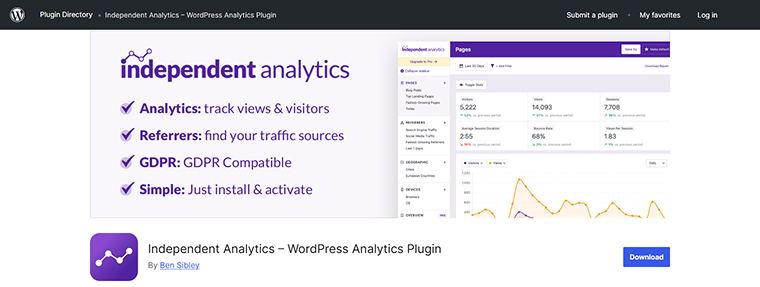
You cannot improve SEO without measuring it. Independent Analytics is a Google Analytics alternative that stores data on your own server, uses no cookies, and shows reports in the WordPress dashboard. The free plugin includes views, visitors, and referrer reports. Pro adds UTM campaign tracking, real-time analytics, click tracking, eCommerce and form tracking, and email reports.
Pros:
- GDPR-friendly and quick to start;
- no external account.
Cons:
- fewer data points than Google Analytics;
- advanced tracking is Pro.
Price:
- free;
- Annual plans from $49/year to $199/year;
- Lifetime plans from $147 to $597 once.
XML Sitemap Generator for Google (Free)
🏆 Best for sites without an all-in-one SEO plugin.
The XML Sitemap Generator for Google plugin creates XML, HTML, and RSS sitemaps, including image, video, and news sitemaps, and supports custom post types, taxonomies, and WooCommerce. It notifies major search engines about new content.
Good to know: all-in-one plugins already create sitemaps, and so does WordPress core. If you use Yoast, Rank Math, AIOSEO, or similar, you do not need this plugin as well.
Pros:
- free and straightforward.
Cons:
- redundant next to a full SEO plugin.
Price: free.
3 Best WordPress Speed Plugins for SEO
Page speed and Core Web Vitals feed into the page experience that search engines evaluate, and fast pages are also easier for crawlers to fetch. Use one caching plugin.
WP Fastest Cache (Freemium)
🏆 Best for simple free caching
WP Fastest Cache is a lightweight caching plugin with a 4.9 rating from about 4,200 reviews. The free version handles page caching, HTML and CSS minification, GZIP compression, browser caching, combined CSS/JS, and Cloudflare compatibility. Premium adds mobile cache, image optimization, WebP conversion, JavaScript deferral, lazy load, database cleanup, and Delay JS.
Pros:
- easy, with a small settings surface.
Cons:
- more advanced optimizations are Premium.
⚠️ Do not run it alongside another cache plugin.
Price: free. Lifetime plans range from $49 to $300.
WP Rocket (Premium)
🏆 Best for easy Core Web Vitals improvements.
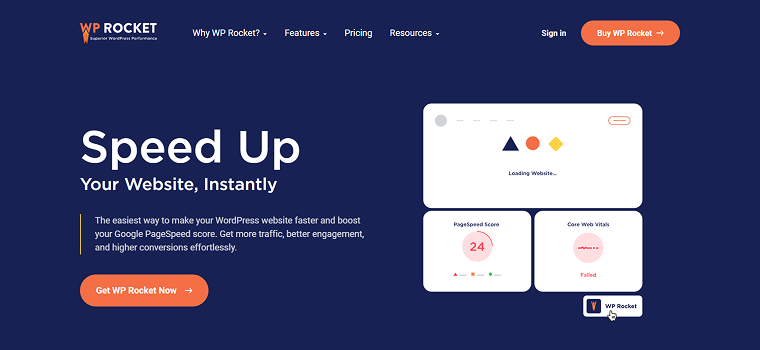
WP Rocket is a premium WordPress plugin designed to significantly enhance website performance through automated caching and file optimization. You can read more about the plugin in our review article.
Top features:
- page cache (including mobile cache);
- remove Unused CSS;
- delay JavaScript execution, deferred JavaScript, and lazy load;
- it requires little configuration and works with CDNs such as Cloudflare;
- results still depend on your theme, hosting, and third-party scripts.
Pros:
- beginner-friendly, with strong Core Web Vitals tools.
Cons:
- no free version, and aggressive JavaScript options sometimes need exceptions.
Price: 1-year and 3-year plans from €4.16 to €20.83 per month.
W3 Total Cache (Freemium)
🏆 Best for developers who want deep cache and CDN control.
W3 Total Cache is a host-agnostic performance framework with over a million installs. Its listing says it improves SEO, Core Web Vitals, and load times through caching and CDN integration. It supports page, object, database, and browser caching, minification, and CDN management, and there is now a Pro edition.
Pros:
- very flexible, and works with many hosts and CDNs.
Cons:
- might feel complex for beginners.
Price:
- free;
- annual plans from $99/year to $500/year;
- custom bulk licenses.
Hosting matters too: see our guides on Cloudflare for WordPress and the fastest WordPress hosting providers. Make sure your CDN or firewall is not blocking the crawlers you want.
How Do I Choose a WordPress SEO Plugin?
Check these seven points before you install anything:
- Features: define the problem first (meta tags, schema, redirects, speed, AI controls), then check that the plugin covers it.
- Compatibility: confirm it works with your page builder, theme, WooCommerce, and other plugins.
- Price: note what the free version really includes and what you would pay for.
- Active installs: the number is on the plugin’s directory page. Many installs with very few reviews deserve a closer look.
- Reviews: read WordPress.org reviews, plus third-party sites such as G2 or Trustpilot.
- Security and updates: pick a plugin that is updated often and tested with the latest WordPress version.
- Support: free plugins rely on forums, so check how quickly developers reply.
Switching plugins? Use the importer inside the new plugin (Rank Math, AIOSEO, and SureRank all offer one) or follow the migration guide of the plugin you are leaving. Take a backup first.
Top tips for most sites:
- Pick one all-in-one SEO plugin and stick with it — don’t try to mix several SEO plugins on one site.
- Add a caching plugin and an analytics tool.
- Add schema, internal linking, and AI SEO tools only where you need them.
FAQ
There is no single winner. Rank Math and SEOPress give the most in their free plans, Yoast SEO is the easiest for beginners, and AIOSEO is strong for WooCommerce and local SEO. Choose by your site’s needs, not by the longest feature list.
You can optimize without one if you follow Google Search Central guidelines, but it takes coding skills and time. A plugin automates sitemaps, meta tags, schema, and redirects, so most sites benefit from one.
It is a plugin that helps your site work with AI search through AI-assisted writing and metadata, llms.txt, Markdown versions of pages, AI crawler rules, or crawler logs. It does not guarantee citations in AI answers. JetGEO focuses on access and control, while plugins such as Yoast, Rank Math, AIOSEO, and SEOPress add AI features to a broader toolkit.
Yes. In recent studies, organic search sends far more traffic than AI platforms (about 108 times more in one April 2026 sample), and AI answers still rely on crawlable, trusted pages.
No. Two all-in-one plugins can create duplicate meta tags, canonical conflicts, and competing sitemaps. Combine one all-in-one plugin with specialist tools instead.
Usually simple. Most plugins import titles, descriptions, and settings from your old one. Back up your site first and spot-check key pages afterward.
Sum Up
SEO still comes first, and AI SEO builds on it. Start with one reliable all-in-one plugin, speed up your pages, measure results, and add AI-search controls such as llms.txt, Markdown, and crawler rules when they make sense for your content.
Good SEO is good GEO — and greater visibility means more opportunities for your business. Now you’re ready, young Padawan! Go forth and optimize! ⚡️