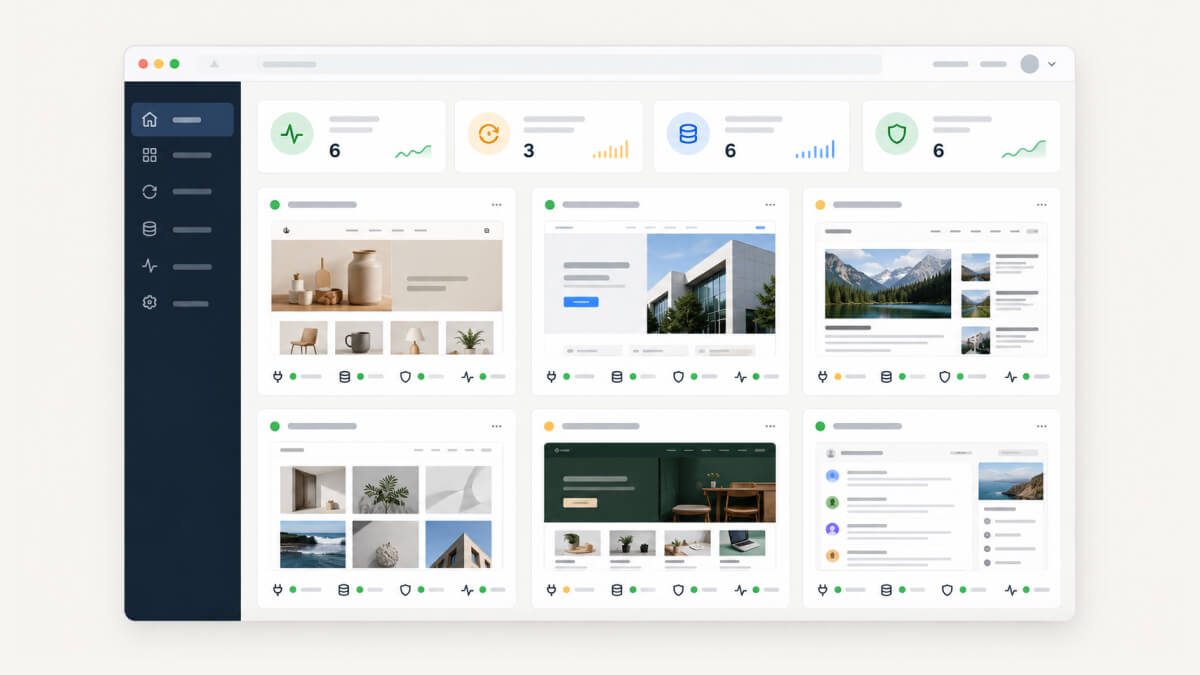
Once you look after more than a handful of WordPress sites, the work stops being about any one site. It’s the same plugin update on 30 installs, the same backup check, the same monthly report, and the same nagging worry that something broke overnight and a client will notice before you do.
That’s the problem a site management tool solves. You connect every site to one dashboard, then update, back up, monitor and report on all of them from there. The category has also moved quickly lately, with pricing drifting from “free dashboard, pay for each extra” towards flat per-site rates, and the newer tools adding AI assistants that can queue up work across dozens of sites at once.
Below I’ve ranked the best tools I’d consider in 2026, with what each one costs, who it suits and where it falls short.
If you only have a minute, this is the short version.
| How it’s priced | Free option | Best for | |
|---|---|---|---|
| WP Umbrella | €1.99 (~$2.19) per site/month with core features included, plus optional Security and Hourly Backups add-ons | 14-day trial | Agencies that want one predictable cost per site |
| MainWP | Self-hosted. Pro costs $29/month, $199/year, or $599 lifetime | Free on unlimited sites | Owning your data and avoiding per-site fees |
| ManageWP | Free core, with add-ons from $1 to $2 per site/month or bundles covering up to 100 sites | Free on unlimited sites | A generous free tier where you pay only for what you switch on |
| WP Remote | Essential $1.99, Premium $4.99, and Advanced $19.99 per site/month | Free plan | Security-heavy portfolios and WooCommerce stores |
| WP Foreman | $1.99 per site/month for sites 2 to 100, dropping to $1.79 and then $1.59 at volume | First site free, forever | Approve-first automation with every feature included |
| WPMU DEV Hub | Included with a WPMU DEV membership, from $15/month billed annually | 30-day money-back guarantee | Agencies already on, or moving to, WPMU DEV plugins and hosting |
Every tool on this list will update plugins across your sites and log you into wp-admin with one click, so those basics didn’t decide anything. What separated them was everything that happens around an update, and what it costs once you switch on the features a client care plan actually needs.
I looked at five things for each one:
- Real cost per site with backups, uptime monitoring and white-label reports turned on, because a free tier that charges for all three isn’t really free.
- Backups, including where they’re stored, how long they’re kept, and whether you can restore a single file or only the whole site.
- Update safety, which covers a backup before every update, visual before-and-after checks, and a rollback when something breaks.
- What the client sees, such as branded reports and any client-facing dashboard.
- Track record, because a management tool holds keys to every site you look after, and how long a company has been maintaining it matters.
The ranking reflects which tool I’d point a typical freelancer or small agency towards first. Your situation may well put a lower-ranked tool at the top of your own list, and the “best for” line on each entry is there to help with that.
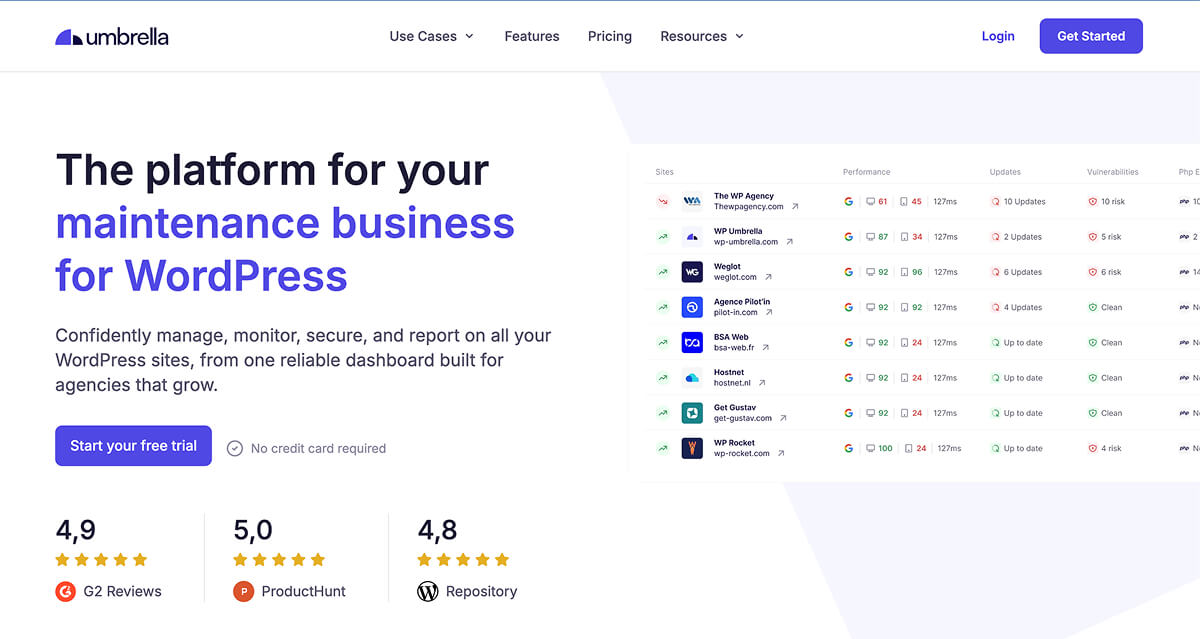
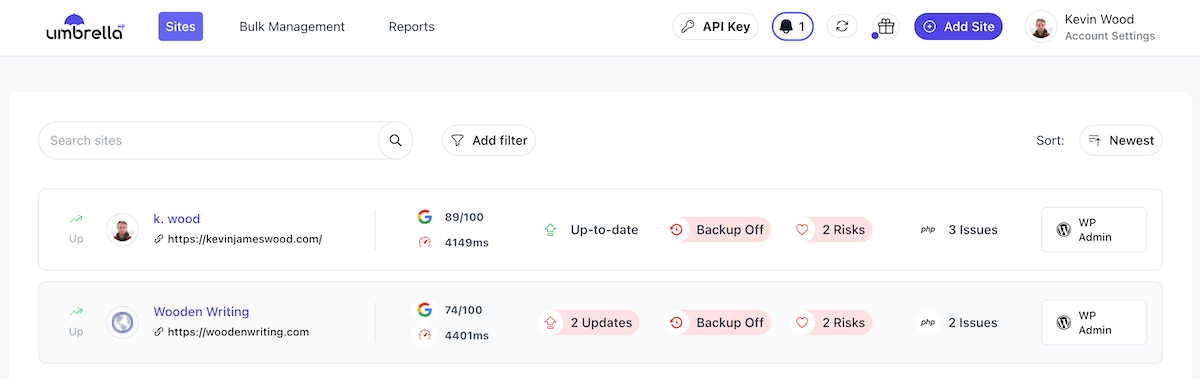
WP Umbrella gets featured first because it does the thing most agencies actually want from a management tool, which is to make maintenance boring and predictable. You pay one flat rate per site, every core feature comes with it, and there’s no tier system to work out before you can price a care plan.
It’s a French company that hosts on its own servers in France, which matters if you have EU clients who ask where their data goes. It also isn’t a newcomer anymore. WP Umbrella says it’s installed on more than 100,000 sites and used by over 5,000 agencies, as of October 2026.
If you want a closer look at the dashboard itself, our WP Umbrella review walks through it feature by feature.
WP Umbrella’s Key Features
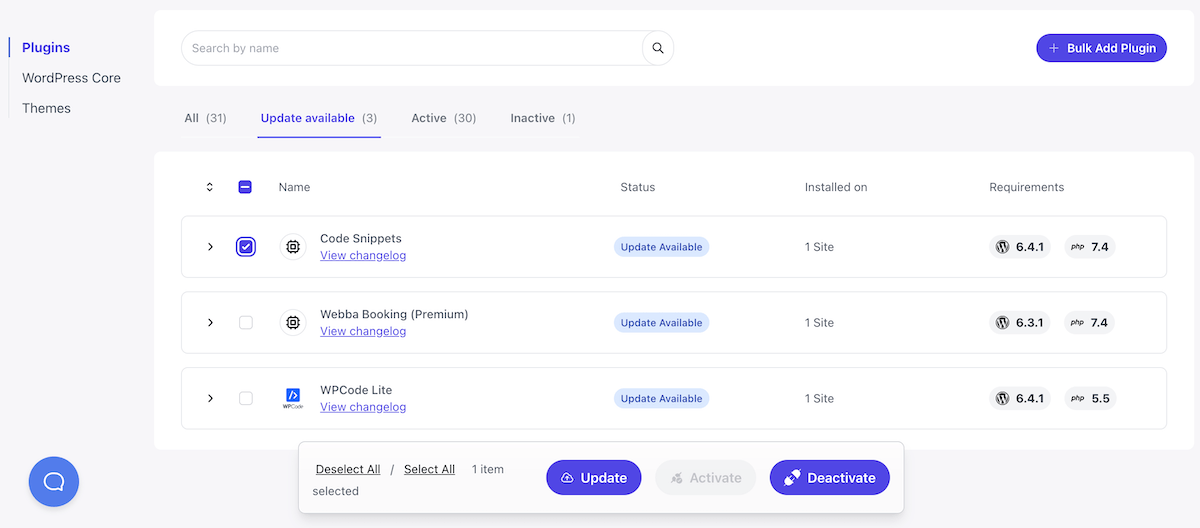
- Safe bulk updates with built-in checks and an automatic rollback if an update breaks something.
- Encrypted incremental backups, taken daily, weekly and monthly and kept for 50 days on EU-based infrastructure.
- Vulnerability monitoring that checks every site against the Patchstack database every six hours, with one-click fixes.
- Monitoring for uptime, PageSpeed, PHP errors, and SSL and domain expiry.
- White-label client reports, plus an MCP server and public API if you want to build your own workflows on top.
WP Umbrella’s Pricing
It costs €1.99 (~$2.19) per site per month, with unlimited team members at no extra cost. Two add-ons are optional, which are a Security add-on at €2 per site (a Patchstack-powered firewall with virtual patching, daily malware scans and an activity log) and Hourly Backups at €2.49 per site. There’s a 14-day free trial with no card needed, and the team will migrate your sites from another tool for free.
WP Umbrella’s Pros and Cons
Pros
- One price per site makes care plans easy to cost, whether you manage 5 sites or 500.
- EU hosting and GDPR compliance are built in rather than bolted on.
- Free migration lowers the cost of switching from ManageWP or anything else.
Cons
- There’s no free plan, only a trial.
- Backups are kept for 50 days, which is shorter than some alternatives here.
- The activity log and firewall sit in the paid Security add-on.
Best For
WP Umbrella is ideal for freelancers and agencies who want a modern, all-in-one dashboard with a cost per site they can quote with confidence.
WP Remote: Best for Security and WooCommerce Sites

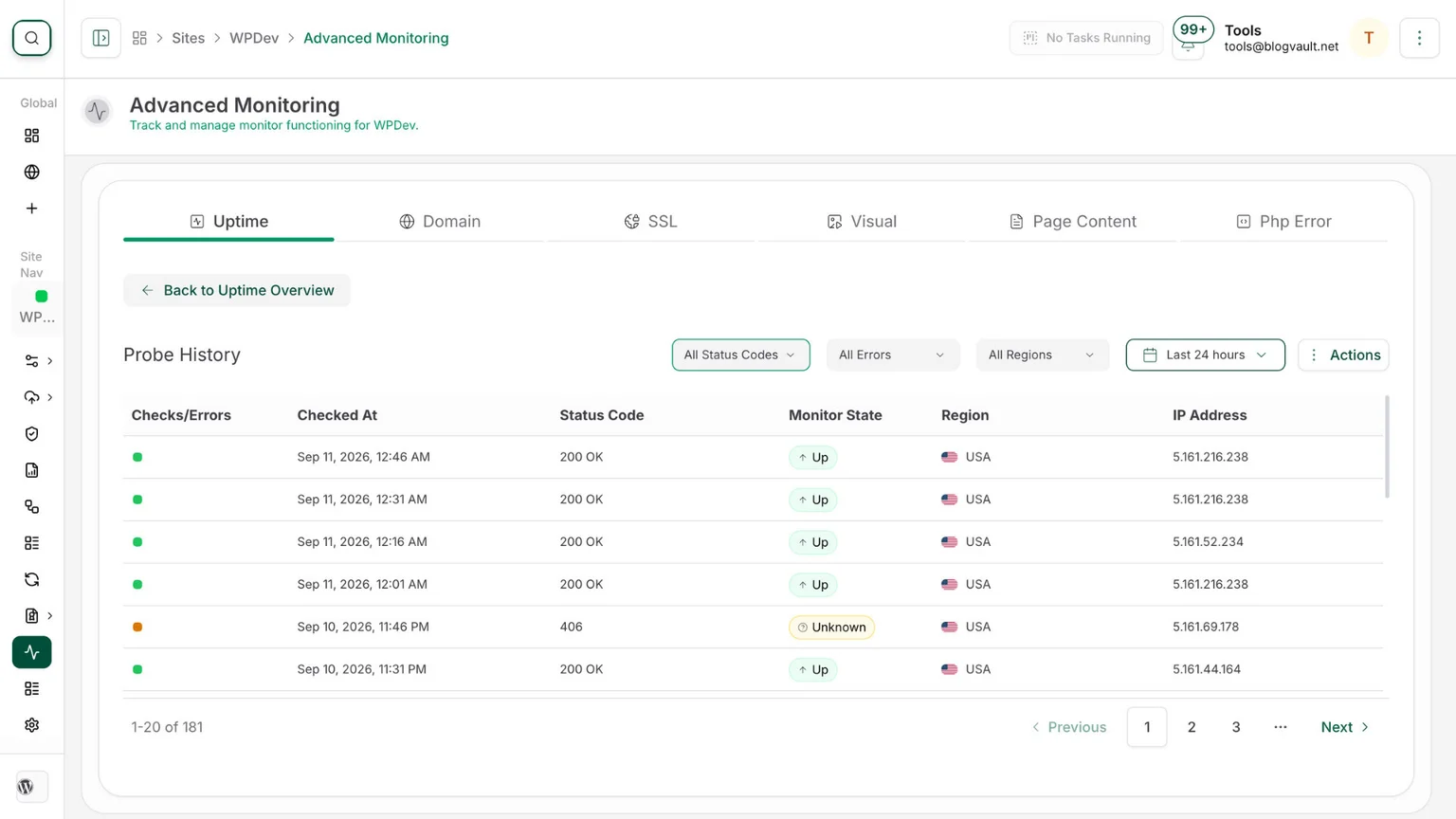
WP Remote is run by the team behind BlogVault and MalCare, and it shows, because security and backups are where it’s strongest.
What sets it apart is how far up the security ladder you can go without adding a separate plugin. Firewalls, malware scanning, virtual patching and one-click staging are all part of the tiers, and the Premium and Advanced plans add automated form testing and sandboxed updates that run on staging before they touch the live site.
Our WP Remote review goes deeper into its backup and security features.
WP Remote’s Key Features
- Daily offsite backups with one-click restore, kept for 50 days on Essential and 90 days on Premium.
- Safe updates with a backup beforehand and visual regression checks, from the home page on Essential up to 25 pages plus mobile on Advanced.
- Security built in, with malware scanning and a firewall on every paid plan and virtual patching from Premium.
- One-click staging and form testing on Premium and above.
- White-labelled client reports and API access from the Essential plan.
WP Remote’s Pricing
There’s a free plan for development sites and microsites that covers updates, uptime and single sign-on.
Paid plans are priced per site, with Essential at $1.99 a month, Premium $4.99, and Advanced $19.99, with lower rates on annual billing. Malware removal costs from $100 per cleanup, and there’s agency pricing above 100 sites.
WP Remote’s Pros and Cons
Pros
- The deepest built-in security of any tool here.
- You can mix plans, so each client site only pays for the level it needs.
- Staging and sandboxed updates are rare in this category.
Cons
- The tiers take some working out, and features you might expect early (staging, form testing) start at $4.99.
- Malware cleanup is charged per incident.
- The dashboard is busier than the simpler tools on this list.
Best For
I’d recommend it for agencies looking after membership sites, WooCommerce stores, and other sites where security and fast recovery matter more than the lowest price.
WP Foreman: Best for AI-Assisted Site Management
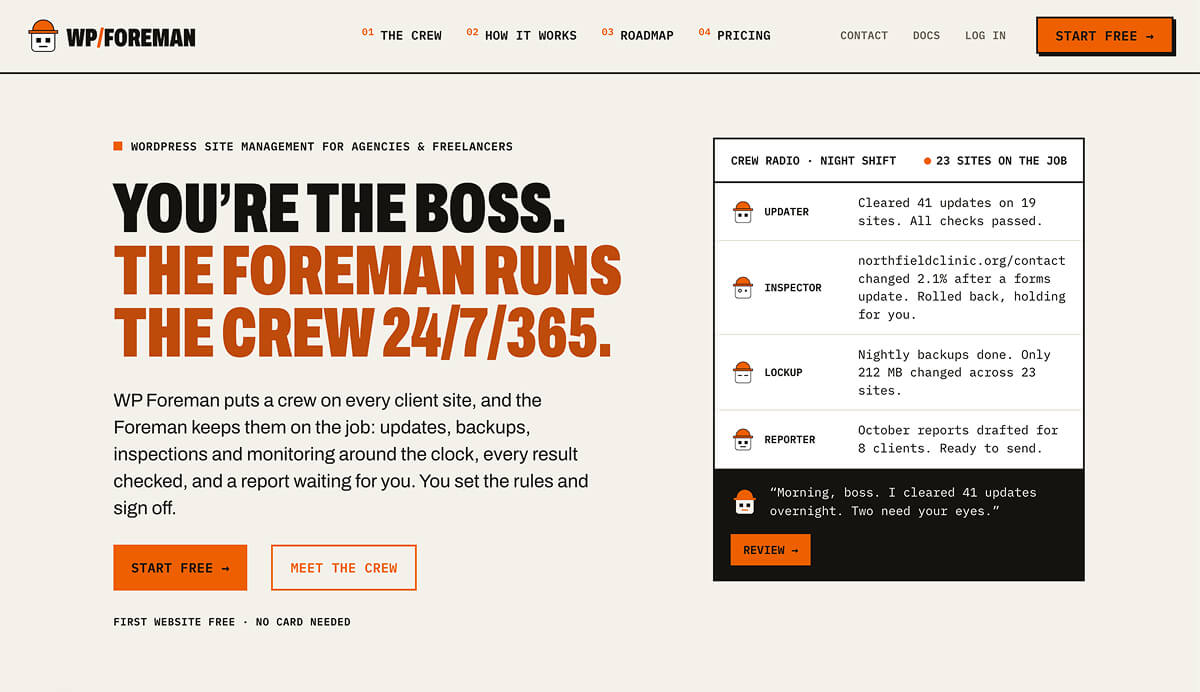
WP Foreman is the newest tool here, and it has an origin story that explains most of its design. It was built by Nate Baldwin, an agency owner who ran client sites on ManageWP for 12 years. The result reads like a direct answer to ManageWP’s add-on model, which I go into below.
On price it sits right next to WP Umbrella, with a flat rate per site and every feature included. Where it pulls ahead is in the details. Your first site is free forever, backups are kept for 90 days rather than 50, and form testing is included at the base price, where WP Remote reserves it for its $4.99 Premium plan.
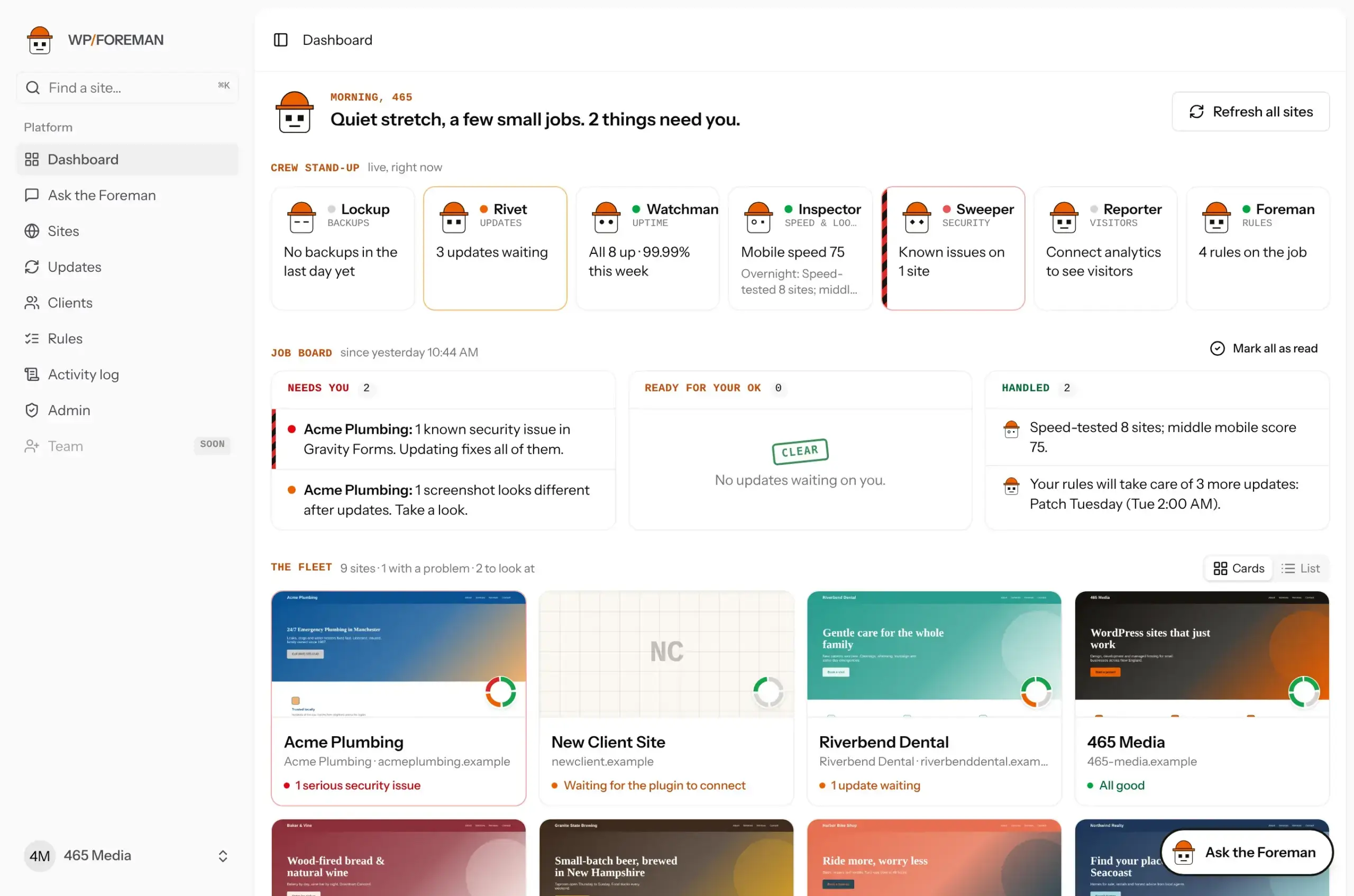
The headline feature is Ask the Foreman, an AI assistant that works like a junior developer. You type something like “back up all my sites now” or “update Yoast everywhere”, it proposes the work, and nothing runs until you approve it. That approve-first design is the right instinct for a tool with admin access to every client site you look after, and it’s available on every plan.
WP Foreman’s Key Features
- Safe updates that take a backup before every change, compare before-and-after screenshots of key pages, and flag anything that looks off so you can roll back from the pre-update backup.
- Encrypted incremental backups kept for 90 days, with single-file restores, cloning to staging, and an optional copy to your own Google Drive, Dropbox or Amazon S3.
- Form testing for Gravity Forms, WPForms, Contact Form 7 and Fluent Forms, which submits the form like a visitor and confirms the notification email actually arrives, including SPF, DKIM and DMARC checks.
- A site log that records who changed what on every site, including changes made directly in wp-admin, with an email heads-up.
- Uptime, SSL and domain monitoring, plus alerts for vulnerable and abandoned plugins.
- White-label client reports and a client portal, where clients sign in with an email link and see their sites’ health and reports under your branding.
- A morning report summarising what happened overnight across all your sites, so you approve or reject the pending work in one go.
WP Foreman’s Pricing
Your first site is free with every feature and no card needed.
After that it’s $1.99 per site per month for sites 2 to 100, $1.79 for sites 101 to 250 and $1.59 beyond that. Paying yearly gets you two months free, and monthly and yearly plans include unlimited team members.
WP Foreman’s Pros and Cons
Pros
- Everything is included at one price, with volume discounts built in.
- The approve-first AI assistant is one of the more careful takes on AI in this category.
- Form testing and the outside-change log catch problems clients usually find first.
Cons
- It launched in October 2026, so there’s no long track record yet.
- Security covers scanning and alerts but not a firewall or malware cleanup.
- Some promised features, including an MCP server and host connections for xCloud and GridPane, are still on the roadmap.
Best For
WP Foreman is ideal for freelancers and small agencies who want WP Umbrella-style all-in pricing with a free first site and an AI assistant that never acts without permission.
MainWP: Best Free Self-Hosted WordPress Manager
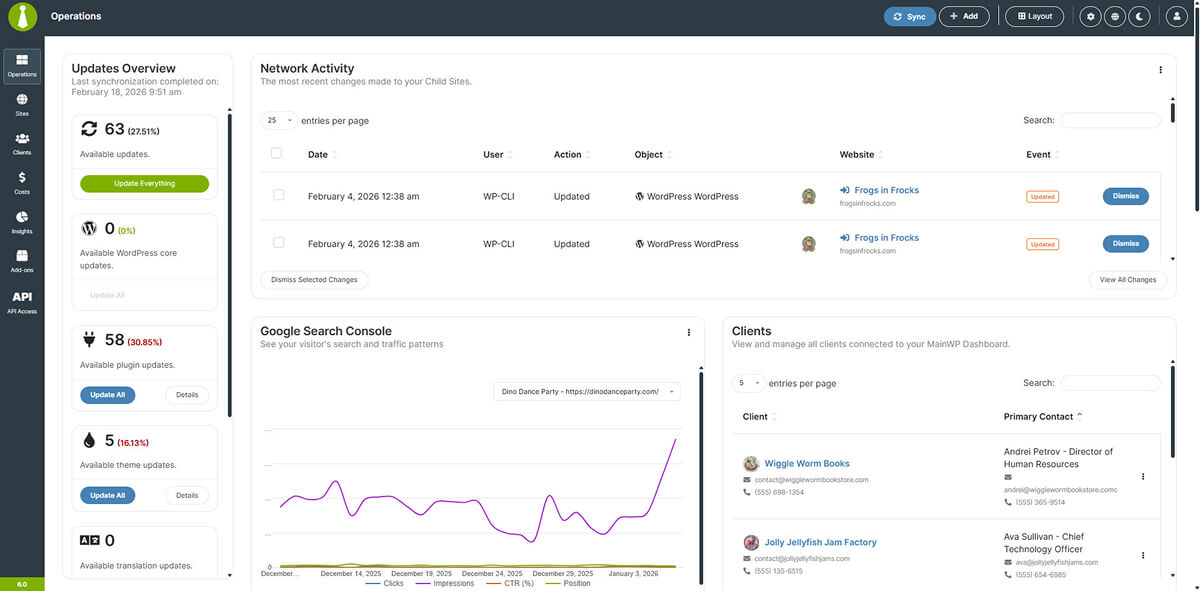
MainWP is the best free option on this list. The dashboard is a WordPress plugin you install on a site you control, each managed site runs a small Child plugin, and both are free on WordPress.org with no limit on how many sites you connect.
That self-hosted, open-source setup is the whole point. Your client data never leaves your own server, and the bill doesn’t grow as you add sites. MainWP has also kept up with the AI shift, with version 6.3 adding an MCP server so AI tools can work with your sites and client records.
The trade-off is that MainWP is a framework more than a finished service. It manages the backup plugins and uptime monitors you already use instead of providing its own, so you’re assembling a stack rather than switching one on.
Our guide to managing multiple WordPress sites with MainWP covers the setup step by step.
MainWP’s Key Features
- Unlimited sites on the free Essentials plan, with one-click login and bulk plugin, theme and core updates.
- Client management, including client profiles, automated client reports, white-labelling of the Child plugin, and team roles.
- Backup control for UpdraftPlus, WPvivid, BackWPup and others, plus host-level backups on Cloudways, GridPane and DigitalOcean.
- Monitoring through integrations with Uptime Robot, NodePing and Better Uptime, along with SSL and domain expiry alerts.
- Security scanning using the NVD database and Jetpack Protect, with one-click fixes for most issues.
MainWP’s Pricing
MainWP Essentials is free. MainWP Pro unlocks more than 30 premium add-ons for $29/month, $199/year, or $599 as a one-off lifetime licence, and every Pro plan covers unlimited sites.
There’s a 30-day money-back guarantee, and qualifying nonprofits get Pro for free. Remember to budget for the hosting your dashboard runs on in addition to these prices.
MainWP’s Pros and Cons
Pros
- Free for unlimited sites, and the lifetime licence is rare in this category.
- Your data stays on infrastructure you own.
- A huge add-on library and an active community.
Cons
- You’re responsible for hosting, updating and securing the dashboard itself.
- Backups and uptime depend on third-party tools rather than built-in services.
- The interface feels more utilitarian than the SaaS options above and below it.
Best For
MainWP is great for developers and privacy-conscious agencies who’d rather own the infrastructure than pay per site.
ManageWP: Best Free Plan for Basic Site Maintenance
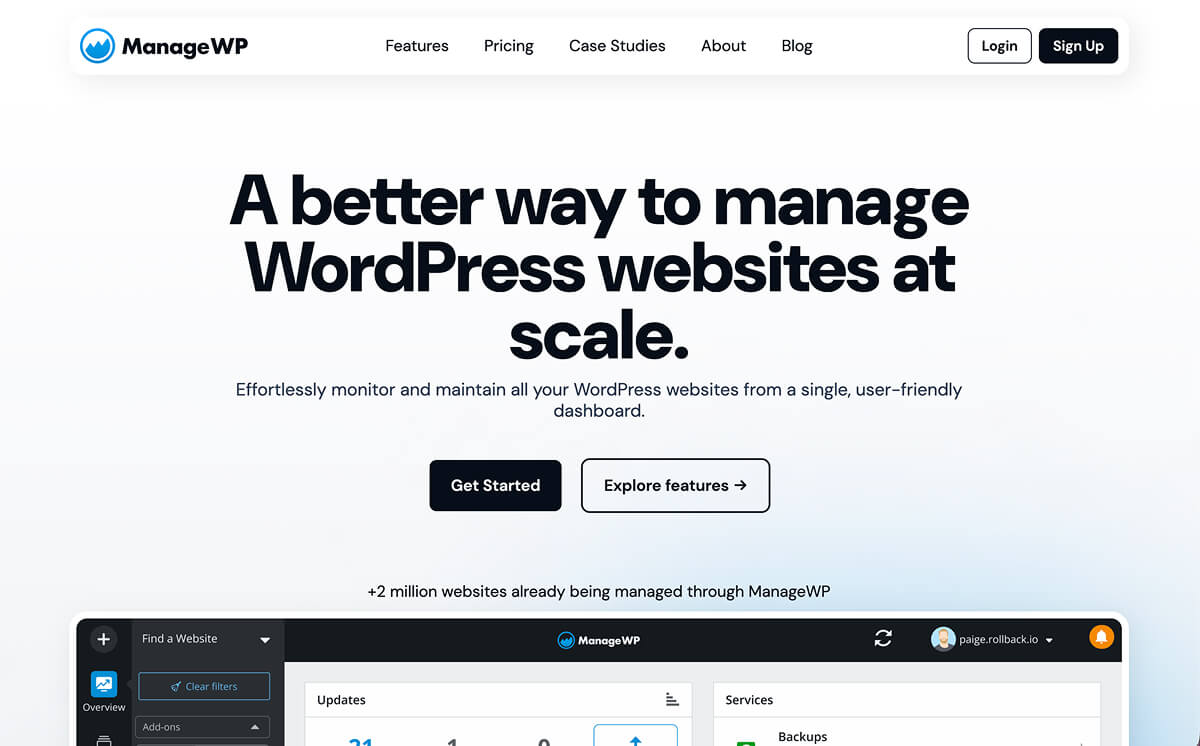
ManageWP is still the name most people think of first. It has been running since 2010 and has been owned by GoDaddy since 2016, which gives it a level of staying power that’s easy to underrate in this category.
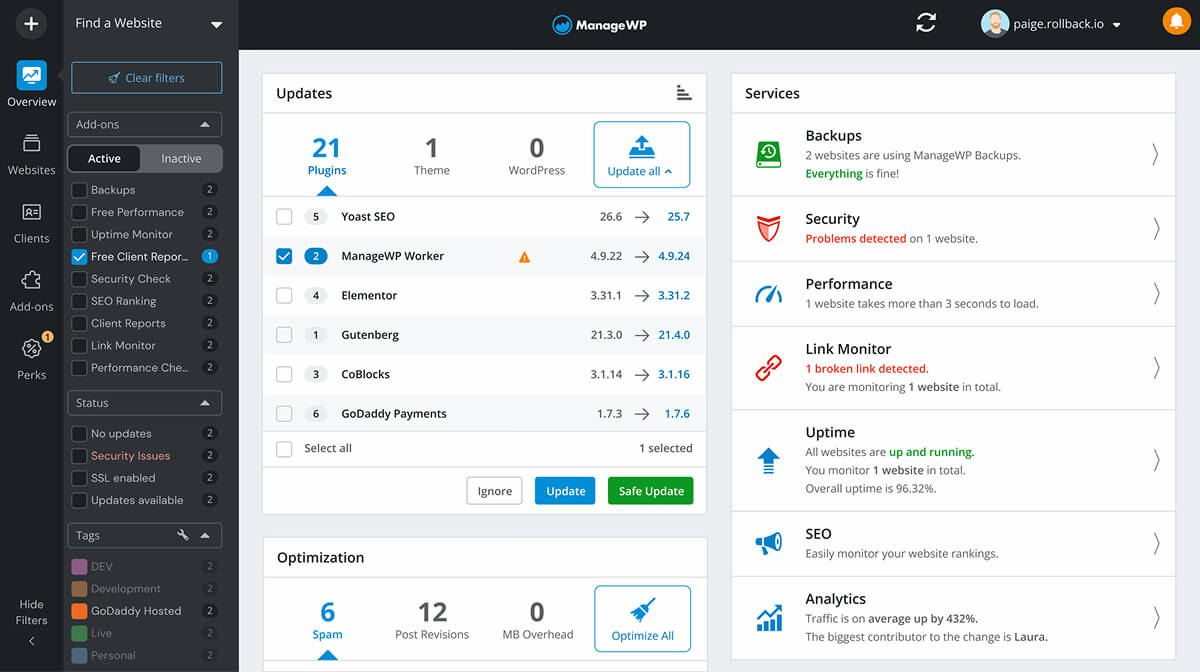
The free tier is genuinely useful. You can connect unlimited sites and get one-click login, bulk updates, a monthly cloud backup, security and performance checks, and basic client reports without paying anything.
The catch shows up once you build a proper care plan. Pricing is per site and per add-on, so every feature you switch on adds to each site’s bill, and some of the features you’d expect to be standard need a paid add-on first. Safe updates and cloning, for example, both require the premium backup add-on.
ManageWP’s Key Features
- A free tier on unlimited sites, covering updates, one-click login, a monthly backup, security and performance checks, and client reports.
- Premium backups, which unlock safe updates, cloning and migration.
- Add-ons for uptime monitoring, vulnerability protection, white-labelling, advanced client reports, SEO ranking and link monitoring.
- Team and client collaboration built into the free dashboard.
ManageWP’s Pricing
Add-ons are billed per site each month, after you’ve used them. Backups cost $2, vulnerability protection costs $2, and uptime, white label, advanced client reports and the automated checks are $1 each.
If you manage more than 25 sites, bundles cover up to 100 sites for a flat fee, from $25 per add-on up to $150 for everything. A typical care-plan setup of backups, uptime, white label and advanced reports works out at $5 per site per month before bundles.
ManageWP’s Pros and Cons
Pros
- The most capable free tier on this list.
- You only pay for the features each site actually uses.
- A long track record and a large company behind it.
Cons
- Costs climb quickly once you enable the add-ons a care plan needs.
- Safe updates depend on the paid backup add-on.
- Development has felt slower than at the newer tools, which is a common reason agencies give for switching away.
Best For
A solid solution for freelancers who want a free dashboard for basic maintenance and only need premium features on a few sites.
WPMU DEV Hub: Best All-in-One Plugins, Hosting and Billing Platform
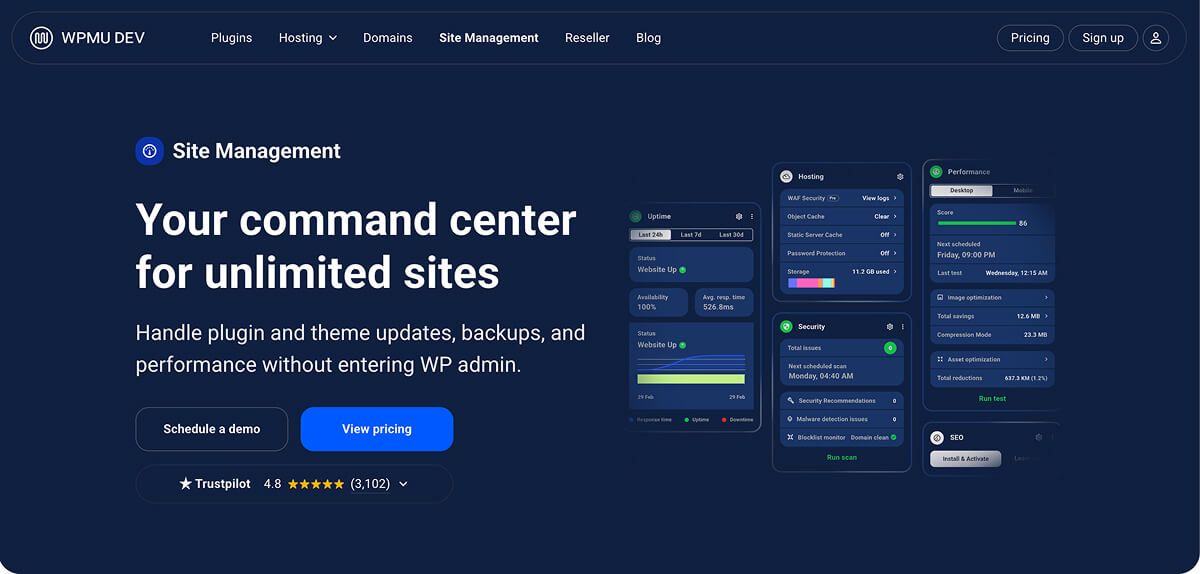
The Hub is WPMU DEV’s site management dashboard, and it’s best understood as one part of a much bigger package. A membership also gets you the full suite of WPMU DEV Pro plugins, hosting, domain reselling, client billing and 24/7 support, all managed from the same place.
That’s why it sits at sixth here rather than higher. If you only want a management dashboard, you’ll be paying for a lot you don’t use. If you’re already running WPMU DEV plugins or hosting, or you’re thinking about moving your agency onto one platform, The Hub becomes a very different proposition, because it ties site management to billing and hosting in a way none of the standalone tools can.
We’ve also looked at how The Hub handles hosting in our piece on EmDash Hosting from WPMU DEV.
WPMU DEV’s Hub Key Features
- Site management for unlimited sites, with automated safe updates, one-click login, bulk plugin and theme management, and activity logs.
- Offsite backups, with storage ranging from 5 GB to 50 GB depending on the plan.
- Uptime monitoring, security hardening and speed optimisation through the bundled Pro plugins.
- Client and billing management, including Stripe-powered invoices and subscriptions, white-label reports and a white-label client portal.
- Hosting in the same dashboard, including an Unlimited plan for running 50 or more sites on one server.
WPMU DEV’s Hub Pricing
The Hub comes with a WPMU DEV membership rather than being sold on its own. Plans run from $50/year for a single-site licence of the Basic tier, up to $9.99/month for unlimited sites on the Premium plan. There’s a 30-day money-back guarantee if you’re not happy with it.
WPMU DEV’s Hub Pros and Cons
Pros
- Site management, plugins, hosting and client billing in one subscription.
- Built-in client billing is something no other tool here offers.
- Round-the-clock support across the whole stack.
Cons
- It’s poor value if you only need a management dashboard.
- The pricing structure is harder to compare directly with per-site tools.
- You get the most from it by committing to the wider WPMU DEV ecosystem.
Best For
Recommended for agencies already using WPMU DEV plugins or hosting, or those who want to consolidate tools, hosting and client billing under one roof.
How Much It Costs to Manage 25 WordPress Sites
Headline prices in this category are close to meaningless, because every vendor draws the line between “included” and “add-on” in a different place. The fairest comparison is to price the same care plan everywhere, so here’s what 25 sites costs per month with backups, uptime monitoring and white-label client reports switched on.
| Monthly cost for 25 sites | What that doesn’t include | |
|---|---|---|
| WP Foreman | $47.76 | Firewall and malware cleanup |
| WP Remote (Essential) | $49.75 | Staging, form testing and virtual patching, which need Premium |
| WP Umbrella | $54.75 (€49.75) | Firewall and malware scanning, which need the Security add-on |
| ManageWP | $125.00 | Vulnerability protection, a further $2 per site |
| MainWP Pro (yearly) | about $16.58, plus hosting | Backup storage and uptime monitoring, which come from third-party tools |
Note: WPMU DEV is excluded from this table because it’s bundled with other tools, so a like-for-like figure would be misleading.
Which WordPress Management Tool Is Right for You?
Once you know what you’re paying for, the decision usually comes down to which of these sounds most like you:
- You want it to just work at a predictable price. Start with WP Umbrella. If a free first site, longer backup retention and an approve-first AI assistant appeal, trial WP Foreman alongside it.
- You want to spend nothing. ManageWP’s free tier is the easiest start. MainWP is the better long-term free option if you’re comfortable hosting it yourself.
- Security is the priority. WP Remote’s Premium plan gives you a firewall, virtual patching and staging without adding another plugin to every site.
- You’re already invested in an ecosystem. WPMU DEV’s Hub makes the most sense when you’re already using, or planning to adopt, their plugins and hosting.
Most of these tools offer a free plan, a free first site or a trial, so the cheapest way to decide is to connect three or four of your own sites to your top two picks for a fortnight.
Final Thoughts on Managing Multiple WordPress Sites
The biggest shift in site management isn’t any single feature. It’s that the category has largely moved away from “free dashboard, pay for extras” towards a flat price per site with everything included, and that’s good news for anyone trying to run maintenance as a business. WP Umbrella is the most proven example of that model today, MainWP remains the best answer if you’d rather pay nothing and own the stack, and newcomers like WP Foreman are pushing the model further with free entry points and AI that asks before it acts.
Whichever you pick, judge it by whether it catches the broken contact form or the failed update before your client does, because that’s what your clients are really paying you for.
If you’ve switched management tools in the last couple of years, what was the thing that finally pushed you to move?