WordPress runs over 40% of all websites, according to W3Techs, so any AI website builder worth considering either builds on it or has to explain why it doesn’t.
Search for “best AI website builder,” and you’ll find tools that generate a full site from a prompt in minutes. The first draft looks similar across almost all of them. The architecture underneath does not.
Some tools create a hosted site that you can’t take with you, while others bring an AI assistant into an existing page builder or let an external AI agent build right inside WordPress. You’ll see the difference around day 30, when a client asks you to add the 40th listing or update a form field, and you realize the page is built from 40 hardcoded cards.
In this guide, we’ll share a set of criteria that will help you perform a quick test of your preferred builder, and a comparison of five AI-based website builders.
Criteria to Evaluate an AI WordPress Builder
You don’t need complicated benchmarks to compare AI website builders. Here are a few things you can look for or try when choosing one.
| Criterion | What to ask | Red flag | Ten-minute test |
| Static vs. dynamic output | Does the AI bind content to data or type it into the markup? | Repeated items written by hand | Prompt for a page with six team members. Count the posts or records created. |
| Editable CMS content | Can a non-developer change content without touching layout? | Text editable only inside the builder or the code | Log in as an Editor and change a headline without opening the builder. |
| Custom post types | Can it create post types and fields, and build templates that read them? | Needs hand-coding or a separate wiring step | Prompt for a “Listings” post type with price and location, plus a single-listing template. |
| Forms and user workflows | Can a form create or update content, with user roles? | Contact forms only | Build a front-end submission form that creates a draft post. |
| AI eCommerce website builder | Does it build product, cart, and checkout templates, or only style them? | Product pages look right, but variations or checkout break | Edit a variable product template, then run a test checkout. |
| Code access | Can you see and edit the AI-generated website HTML, CSS, and JS? | Output visible only as a visual canvas | Open one generated section and find the code for a single button. |
| DOM quality | How many wrapper elements surround one heading? | Several nested div elements per visual element | Inspect a heading in DevTools and count the ancestors up to the section. |
| Export/ownership | What remains if you leave the tool? | Shortcodes, empty pages, or no export | Deactivate the builder, or export, and load a page. |
| Maintainability | Who can change it in a year? | Styles scattered across individual elements | Change the brand color once and see how many places you have to touch. |
| AI control | Can you review and undo AI changes, and does it follow your design rules? | The AI rewrites unrelated sections or ignores your styles | Ask for one change, check what else moved, then undo it. |
| WordPress compatibility | Does it coexist with your theme, plugins, and block editor? | Non-builder pages change after activation | Activate it on a staging copy and compare pages that don’t use it. |
To make the descriptions below easier to scan, we’ve grouped these 11 criteria into six fields: content model, workflows and eСommerce, code and markup, ownership and export, AI control, and fit and maintenance. Each builder uses the same six fields, making it easy for you to compare them line by line.
AI-Based Website Builders for WordPress, Compared
Brizy
🏆 Best fit for designers and agencies who want a fast visual start and a white-label option.
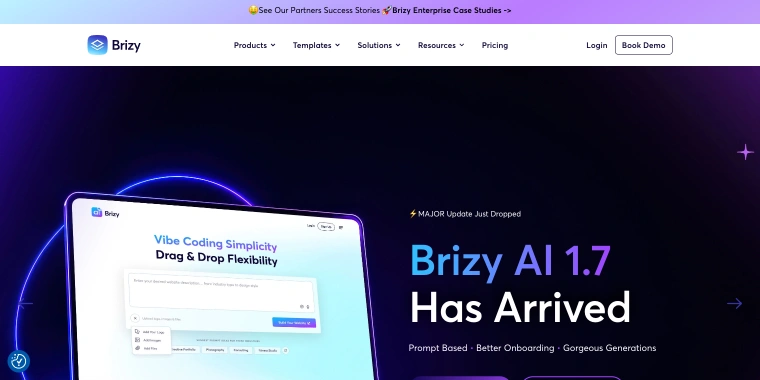
Brizy offers a user-friendly visual drag-and-drop builder available in two versions: Brizy Cloud, which is a hosted platform, and Brizy WordPress, a plugin you can easily install on your own website. The exciting AI feature for WordPress was introduced in plugin version 2.8.0 in March 2026. With Brizy AI, you can quickly create a multi-page website just by providing a business description or Google Business Profile data, and then it seamlessly hands you the ready-made site in the visual editor. This profile covers everything related to the WordPress plugin.
Look elsewhere when the store is the main product, and you need deep control over product templates.
Content model
Brizy’s Theme Builder is a great tool for creating personalized templates for your blog posts, archives, headers, footers, and even 404 pages. Keep in mind, adding dynamic content from custom fields is a feature available in the Pro version. It’s a good idea to run the six-team-members test on the pages generated to see if the AI has crafted a seamless template that reads posts or if it’s a collection of thoughtfully designed individual blocks.
Workflows and AI eСommerce website builder
Brizy offers a convenient form element and a WooCommerce builder packed with elements and templates for shop pages.
Code and markup
Brizy uses its own visual engine for editing.
Ownership and export
Brizy Cloud sites are hosted on Brizy’s platform, providing a seamless experience. When using the WordPress plugin, your content is stored safely in your own database. A previous review mentioned that some HTML tags might remain after deactivation.
AI control
The AI serves as a helpful starting point, creating the site, refining its parts, and updating global styles as needed. From there, you can personalize your work using the visual canvas, with easy options to undo and redo changes. At the moment, there’s no agent or MCP available, but who knows, maybe one will show up soon.
Fit and maintenance
The plugin works with standard WordPress themes and third-party plugins. Global styles let you update shared colors and text properties all at once, meeting the “change the brand color once” test.
Pros:
- visual editing with global styles;
- Theme Builder and WooCommerce templates;
- white-label option for agencies.
Cons
- custom-field dynamic content is a Pro feature;
- no agent or MCP available;
- cloud version ties the site to Brizy’s platform;
- WooCommerce depth is contested in reviews.
CrocoBuilder
🏆 Best fit for developers and agencies building design-system-driven front ends who want clean markup and agent access.
CrocoBuilder is an AI-native front-end builder for WordPress, designed for developers, agencies, and technical creators. Each builder element maps directly to a single DOM node, with no hidden wrappers. Before generating content, its AI Assistant reviews your existing variables and classes, helping everything fit seamlessly into your project. An MCP connection also lets agents like Claude or Codex work directly with your site. CrocoBuilder works alongside Gutenberg and leaves any pages it doesn’t handle untouched.
Look elsewhere when you need a mature WooCommerce, pop-up, or ACF workflow today, or your team wants a gentle learning curve.
Content model
CrocoBuilder renders specific pages or global templates through standard WordPress template APIs, and its element set includes Collection and Query Loop. Integrations with the whole JetPlugins stack are expected to be released in the near future. CPTs and meta fields come from JetEngine, whose MCP Command Center can create post types, custom content types, and meta fields. That is a separate plugin feature, not a CrocoBuilder one.
Workflows and eCommerce
WooCommerce compatibility is on the upcoming list.
Code and markup
The pitch is one element, one DOM node per element. CSS Sync keeps the visual panels and raw CSS in step, so you can edit either side.
Ownership and export
The markup and styles use real CSS classes and work outside the builder. Components can be registered as native Web Components and used in the default WordPress editor with their properties.
AI control
Your design system sets the AI’s boundaries, since the assistant works with your existing variables and classes. The MCP connection has the widest scope of the five tools: agents can manage site structure, queries, components, styles, and pages.
Fit and maintenance
It’s a self-hosted plugin that works seamlessly with the block editor. With CSS Variables Manager, CSS Classes Manager, and Global Styles, you can update a brand color in one place. You’re in control of your hosting.
Pros:
- one element, one DOM node;
- AI that reads your design system before generating;
- MCP access for external agents;
- Components usable in Gutenberg;
- variables, classes, and global styles for maintenance.
Cons:
- steeper learning curve, per Crocoblock’s own overview;
- WooCommerce, ACF, and pop-up builder listed as upcoming;
- dynamic data and custom post type creation rely on the JetPlugins ecosystem;
- self-hosted, so hosting and updates are on the site owner/dev.
Your AI-powered WordPress builder is here. Meet CrocoBuilder

Elementor
🏆 Best for designers and agencies who want a mature AI website building tool.

Elementor is a visual drag-and-drop builder, available as a self-hosted plugin or with Elementor’s managed hosting. Its AI comes in three separate tools: Elementor AI for text and CSS inside the editor, the AI Site Planner for building a sitemap and wireframes from a brief, and Angie, an agent that works across the whole WordPress site. The Elementor MCP connects outside tools like Claude, Cursor, and Codex to an Elementor site. The core plugin is free, and several features below depend on the Pro plan.
Look elsewhere when you need the leanest possible markup with full code control, or you want AI features without an account and a credit system.
Content model
Elementor Pro makes it easy to work with dynamic content through Dynamic Tags, a Loop Builder with Loop Grid and Carousel, and a Theme Builder. Custom field and custom post type integrations depend on your plan, and they aren’t included in the entry-level Pro plan. Elementor can read post types but doesn’t create them, so you’ll need to add a post type through another plugin, custom code, or Angie.
Workflows and eСommerce
Pro includes a Form Builder with 20 field types and Form Submissions, and a WooCommerce Builder with WooCommerce Dynamic Tags. The store tooling sits in the Pro tiers, so check which plan includes it before you build.
Code and markup
Elementor says Editor V4 reduces node count and produces cleaner markup. Custom code and global CSS are also plan-dependent.
Ownership and export
Elementor is a plugin, so your content stays in your own database. What survives deactivation is a separate question. Managed hosting is optional, and you can run Elementor on your own host.
AI control
The three tools have three scopes. Elementor AI mostly reads the widget you’re working on. The AI Site Planner works at the sitemap level. Angie reads site structure, including custom fields, and builds editable Elementor content that you review and adjust. Angie is free and open source, but it’s linked to an Elementor account, and Elementor AI runs on credits inside the Elementor One plan.
Fit and maintenance
The plugin works with standard WordPress themes and plugins. Global styles let you change shared colors and fonts in one place. Angie also works on WordPress sites that don’t use Elementor.
Pros:
- Mature ecosystem and a large user base;
- Theme Builder, Loop Builder, and dynamic tags;
- Form Builder with submissions, and a WooCommerce Builder;
- three AI scopes, plus MCP access for outside agents;
- Editor V4 reduces node count.
Cons:
- custom field, post type, and eCommerce features depend on the plan;
- AI is split across three tools with an account and credit model;
- behavior after deactivation is unverified.
LiveCanvas
🏆 Best fit for developers who write HTML and Bootstrap and want pages that outlive the plugin.
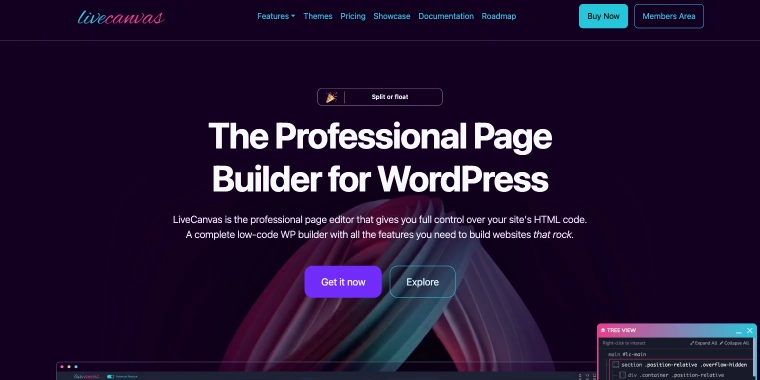
LiveCanvas is a WordPress page builder plugin that keeps plain HTML as the source. It brings together a visual editor and edge-to-edge code editing, along with ready-made Bootstrap 5 blocks, and is built around the free picostrap starter theme. Its AI Assistant works right in your page’s HTML with your own OpenAI or OpenRouter key. This premium plugin is designed for developers and web professionals who are comfortable working with HTML and CSS.
Content model
LiveCanvas saves plain HTML, so a page is hand-written markup, not a template that reads posts. Dynamic data comes through the Tangible “Loops & Logic” syntax, which supports custom fields, ACF repeaters, CPTs, and taxonomies from inside the HTML editor. Non-developers edit text in areas that the HTML marks as editable. Run the six-team-members test with a Loops & Logic block, and check that a non-developer can change a name without opening the code.
Workflows and eCommerce
The docs include a Forms API that goes from static forms to dynamic PHP execution, which means you write the handling yourself. The builder also supports WooCommerce.
Code and markup
The markup is standard Bootstrap 5 HTML, which means its container, row, and column wrappers are part of the output. Count the ancestors around one heading and compare with the other tools.
Ownership and export
This is where LiveCanvas stands apart. Its docs say that if you disable the plugin, the site will not stop working, because it’s just plain HTML. Pages can also be exported as HTML files, and later releases improved the export by inlining a custom Bootstrap build and custom CSS.
AI control
The AI is scoped to sections and snippets. It refines copy, generates layouts, and writes Bootstrap-ready HTML on any part of the page, and you guide it with your site’s topic.
Fit and maintenance
It works on WordPress, and the picostrap theme is its home environment. Picostrap compiles Bootstrap’s SASS variables from the WordPress Customizer.
Pros:
- plain HTML in the database, with the site working after deactivation;
- static HTML export;
- dynamic loops over custom fields and post types;
- Bootstrap and SASS workflow in picostrap.
Cons:
- requires comfort with HTML and Bootstrap;
- dynamic data runs through a Tangible syntax in code blocks;
- AI works at section level, with no documented agent access;
- non-developer editing limited to marked text areas.
Oxygen
🏆 Best fit for developers who want to drive a site from an external agent and keep working in a class-based visual editor.
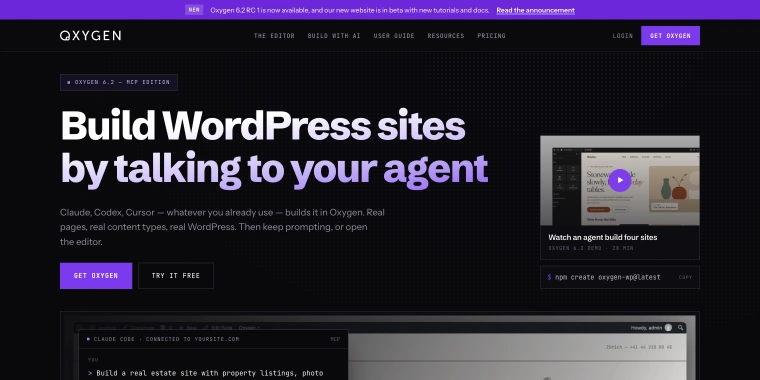
Oxygen 6 is a complete rewrite built on the Breakdance editor core, designed for developers and technical builders. With version 6.2, you’ll get an Agent Connector, an MCP server with WordPress Abilities API support. It lets agents like Claude, Codex, and Cursor build and edit Oxygen pages, while keeping everything they create editable in the visual canvas. Oxygen is a self-hosted plugin with a class-first, variables-first editor.
You may want to consider other options if you’d like AI built directly into the editor without setting up an external agent, or if non-technical editors will be managing the layouts.
Content model
Oxygen’s dynamic data can include post titles, custom fields from ACF or Meta Box, user data, and taxonomy terms. You can loop through any post type, display repeater fields as lists or cards, and set conditions based on roles or field values. Oxygen also says an agent can build pages, content types, templates, plugins, and content. Try the six-team-members test, then check that the AI-generated website loop pulls in real posts.
Workflows and eCommerce
Forms come from Breakdance Forms, which Oxygen 6 supports. For stores, Oxygen has a WooCommerce integration with product and checkout elements, and 6.2 added an MCP tool with guidance for building WooCommerce stores.
Code and markup
Oxygen positions itself on lean output and real CSS classes. Its demo reports “0 inline overrides” on a rebuilt page. The 6.2 release notes also add a stable CSS class prefix per site for agent-built pages.
Ownership and export
Oxygen is a plugin, while your website content remains in the database. What happens to it after deactivation is a separate question. The Agent Connector is installed as a separate plugin, and agent access stays off until you enable it in Oxygen’s Agents & MCP settings.
AI control
AI can support a wide range of workflows. An agent can read your site and use Oxygen’s own tools to make changes through any MCP-compatible client, including Claude, Codex, Cursor, Windsurf, Cline, and Gemini CLI. Oxygen says you don’t need to buy AI credits, so you can pay your agent provider directly. There’s also an experimental WebMCP feature that lets in-browser agents edit the page you have open, though Oxygen notes that browser and agent support is still limited.
Fit and maintenance
It’s a self-hosted plugin, and getting the agent set up is simple: just install it with one click and follow the connection wizard. Classes and global variables also give you one convenient place to update your brand color.
Pros:
- Agent Connector with MCP and Abilities API support;
- works with Claude, Codex, Cursor, and other MCP clients;
- agent-built pages stay editable in the canvas;
- dynamic data with ACF, Meta Box, and loops over any post type;
- AI requires no credits.
Cons:
- AI requires an external agent and setup;
- developer-oriented learning curve;
- WebMCP is experimental.
5 Builders Side by Side
| Builder | Type | Dynamic content | If you leave | AI scope |
| Brizy | Visual builder; WordPress plugin or hosted Cloud | Theme Builder; custom-field content in Pro | Plugin keeps content in your database. | Site and block generation, global style regeneration |
| CrocoBuilder | Self-hosted plugin, atomic DOM | Query Loop and Collection; JetEngine, ACF, and WooCommerce integrations are listed as upcoming. | Real CSS classes; components export as Web Components for Gutenberg. | Assistant that reads your design system, plus MCP for agents |
| Elementor | Plugin or managed hosting | Dynamic Tags and Loop Builder; custom field and post type integrations depend on plan. | Plugin keeps content in your database. | Three tools: in-editor AI, Site Planner, and the Angie agent with MCP |
| LiveCanvas | Plugin, plain HTML | Loops & Logic over custom fields and post types | Plain HTML in the database; site keeps working after deactivation, per the docs; static export. | Section-level AI with your own API key |
| Oxygen | Plugin, class-first | ACF and Meta Box fields, loops over any post type, conditions | Plugin keeps content in your database. | External agent through MCP (Agent Connector) |
FAQ
There isn’t just one perfect AI website builder because the best choice depends on your site’s purpose after launch. For simple brochure sites, most tools work well. But for features like listings, user submissions, or online stores, choose a builder that integrates seamlessly with WordPress data. Also, run the quick ten-minute tests from the criteria table to find the best fit.
An AI-based website builder harnesses the power of AI to create structures, layouts, or even content, making the building process easier. In contrast, a regular page builder offers a visual editor, leaving the actual building in your hands. The key difference is in the scope: some tools help you generate a first draft, others make edits directly in your editor, and some even allow an outside agent to access the entire site through MCP.
It all depends on where the content is stored. If the AI saved it in posts and custom fields, then anyone with the proper role can easily edit it right from the WordPress admin. However, if the AI incorporated it directly into the markup, someone will need to update the page or adjust the code. Try running the six-team-members test – it’s a simple way to find out what you’re working with.
No single tool wins here either, so check three things: store templates (product, cart, checkout), support for variable products, and what the AI can do with them. Elementor Pro and Oxygen both offer WooCommerce builders, and Oxygen’s 6.2 adds an MCP tool for building stores. CrocoBuilder’s WooCommerce compatibility is upcoming.
Not every tool is meant for everyone. Brizy and Elementor are very visual and user-friendly, making them great for those who prefer a drag-and-drop experience. Meanwhile, Oxygen, CrocoBuilder, and LiveCanvas are more targeted at developers who enjoy more control. According to Crocoblock’s own overview, CrocoBuilder offers a high level of control, which can mean a steeper learning curve for users who aren’t as technically inclined.
Conclusion
Start by thinking about what you’ll need the site to do after launch, rather than focusing on the AI. Most tools can create a first draft in minutes. What really sets them apart is whether you can still edit, expand, and move your site a year from now.
Try running the ten-minute tests on a staging site before making a long-term commitment. They’re quick to do, and much easier than rebuilding 40 hardcoded cards.
If you want a starting point:
- Brizy is a great choice if you’re looking for a quick start and a white-label option;
- CrocoBuilder is a great fit if you’re looking for clean, design-system-driven markup and agent access, and you’re comfortable with integrations that are still listed as upcoming;
- Elementor is a good solution if you’re looking for a mature visual builder with AI features at several levels. Take a moment to check which plan includes the features you need;
- LiveCanvas lets you write HTML and Bootstrap to create pages that keep working, even without the plugin;
- Oxygen lets you build a developer-grade site with an external agent, using ACF or Meta Box data and creating loops for any post type.
Three of the five now offer MCP access for external agents, while the other two keep AI focused on individual sections or site generation. That scope is worth paying attention to: it shapes how much an AI can change and how much you’ll want to review afterward.