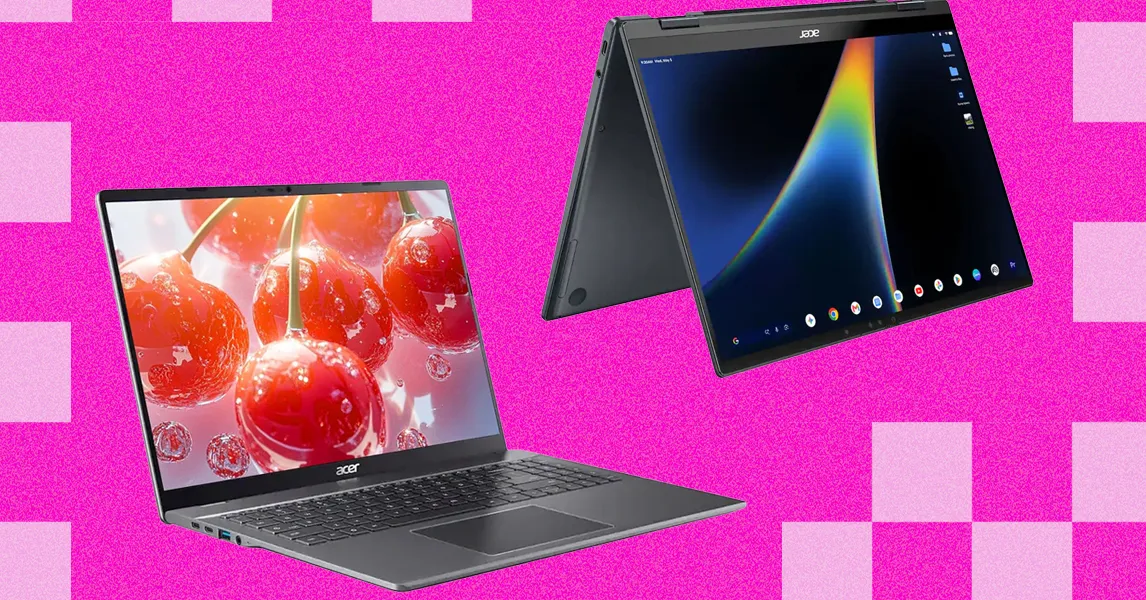
Chromebooks are dead. Long live Googlebooks. OK, that’s an exaggeration, but Chromebooks seem to be on their way out. Google has introduced a new line of laptops, Googlebooks, which certainly look like an evolution from Chrome OS. Google announced that standard Chromebooks will remain in the lineup for the foreseeable future, but it also stated some of the latest models will be eligible for an update to the new Googlebook operating system.
Five Googlebook models have been released so far, and I’ve been testing them for the past couple of weeks. Despite being some of the most premium laptops Google has ever had in its laptop ecosystem, that doesn’t mean you should rush out and buy one. First-generation products always come with their fair share of compromises, and that’s certainly true here. As someone who’s been testing Chromebooks for over a decade, here are my suggestions on which to buy—and which to skip.
For more recommendations, check out Best Laptops, Best Cheap Laptops, Best Android Tablets, and Best Android Phones.
Table of Contents
Cheap Chromebooks That Are Worth It
Unlike my Windows or MacBook laptop recommendations, I’m starting with something on the cheaper end of the spectrum. Despite Google’s best efforts, I still believe most people looking for a Chromebook in 2026 choose price first. Chromebooks have always been pitched as a cheaper alternative to PCs and Macs, and that’s still their strongest attribute—even with the arrival of Googlebook. And that’s why the Acer Chromebook Plus 516 is at the top of my list.
It often sells for under $500, cheaper than any Windows laptop I’d recommend buying. One reason is the responsive, smooth-feeling touchpad. That goes a long way toward improving the day-to-day experience of using the laptop. I wasn’t annoyed every time I had to click-and-drag or select a bit of text.
The Chromebook Plus 516’s biggest weakness is definitely the screen, which is true of almost every cheap Chromebook I’ve tested. The colors are ugly and desaturated, giving everything a sickly green tint. It’s also not the sharpest, as it stretches 1920 x 1200 pixels across a large 16-inch screen. But for usability and performance, the Acer Chromebook Plus 516 is a great value, pairing an Intel Core i3 processor with 8 GB of RAM and 128 GB of storage. At $350 when it’s on sale, it’s a steal.
The Asus Chromebook CX14 and CX15 can sometimes drop to as low as $130. Unlike the Acer above, these are not “Chromebook Plus” models, so they can be configured with less RAM and storage and even use lower-powered processors. That’s exactly what you get in the cheaper configurations of the CX14 and CX15. I definitely recommend the version with 8 GB of RAM, but regardless of what you choose, the CX14 and the larger CX15 are mildly attractive laptops for the price.
I appreciate the relatively thin bezels and chassis of the CX14 and CX15, as well as the larger touchpad and comfortable keyboard. The CX15 even comes in a striking blue color. The touchpad isn’t great, nor is the display. Like the Acer Chromebook Plus 516, it suffers from poor color reproduction and only goes up to 250 nits of brightness. Its webcam is only 720p, which makes video calls a bit rough. But that’s true of nearly all the competition (and there isn’t much).
Of the two models, I definitely prefer the CX14. It lacks the number pad and off-center touchpad of the CX15—two laptop features I’ve always found awkward to use. Look, no one’s going to love using a computer that costs less than $200, but if it’s what you can afford, the Asus Chromebook CX14 will at least get you by without too much frustration.