Key points:
- Advanced Custom Fields (ACF®) is the strongest default for most agency and client WordPress builds – its field-group-centered workflow stays consistent across custom fields, CPTs, taxonomies, blocks, APIs, and different frontend architectures.
- ACF provides broader continuity across development workflows – the same content model can support PHP templates, ACF Blocks, page builders, REST, WPGraphQL, Local JSON, Git, and WP-CLI-based deployments.
- For agencies choosing one stack to standardize across projects, ACF is easier to carry from build to build. Its consistent PRO feature set, familiar APIs, and reusable configuration workflow reduce the need for project-specific tooling decisions.
- Meta Box has advantages for specific architectural requirements, while ACF remains the stronger choice for typical agency work.
Choosing between Advanced Custom Fields (ACF®) and Meta Box is not really about which plugin has more field types. Both can support sophisticated WordPress®1 content models, including custom fields, post types, taxonomies, relationships, and visual configuration workflows.
The harder question is which one should become the default dependency across future builds. That choice affects how developers model data, hand projects between teams, integrate content with different frontends, and maintain the same development conventions from one client site to the next.
This ACF vs. Meta Box comparison focuses on those differences: data architecture, relationships, developer workflow, ecosystem fit, version control, and licensing. For most client and agency builds, ACF is the more defensible default as explained below.
Supercharge Your Website With Premium Features Using ACF PRO
Speed up your workflow and unlock features to better develop websites using ACF Blocks and Options Pages, with the Flexible Content, Repeater,
Clone, Gallery Fields & More.
What is the difference between Meta Box and a WordPress meta box?
Meta Box is a content-modeling framework designed to run on WordPress software, while a WordPress meta box is an editor interface container registered through WordPress software itself. The similar names describe two different things. This article focuses on comparing ACF and Meta Box, not on comparing either to the WordPress meta box.
WordPress core provides the add_meta_box() API for adding a box to an editing screen. Developers can place controls inside that box and handle the data those controls collect. In other words, a meta box is part of the admin interface, not a competing custom-field product.
Meta Box, by contrast, is a third-party framework for building structured WordPress sites. Its tooling covers custom fields and post types as well as capabilities such as relationships, settings pages, blocks, and custom-table storage.
If your goal is simply to build a WordPress meta box yourself, ACF’s How to Add Custom Meta Boxes in WordPress tutorial covers both ACF and custom-code approaches.
Should developers choose ACF or Meta Box?
For developers standardizing on one content-modeling solution across client WordPress builds, ACF is the stronger default. An agency benefits from a content-modeling layer that can stay consistent as project requirements, frontends, editors, and developers change.
Choose ACF by default when:
- You build client or agency sites and want the same content-modeling conventions across projects.
- Developers and editors need a consistent workflow for creating and managing structured content.
- Custom fields sit alongside CPTs, taxonomies, templates, blocks, or third-party integrations. ACF can register CPTs and taxonomies directly and expose its field data through a consistent developer API.
- Another developer may inherit the project, making established conventions and a predictable content model particularly valuable. Standardizing field groups, APIs, and configuration reduces the number of project-specific patterns another developer has to learn.
- Your agency builds different kinds of WordPress sites. A common underlying content-modeling layer is valuable when one project uses conventional PHP templates and another later needs blocks, a visual builder, or a headless frontend.
As for Meta Box:
- MB Custom Table can store selected fields in a dedicated table, with field IDs mapped to columns and an object’s values stored in one row.
- MB Relationships stores connections in its own mb_relationships table, which may suit a project designed around that model. A team already standardized on Meta Box’s extension ecosystem may likewise have little reason to replace it.
These are specific architectural or organizational reasons to choose Meta Box. For an agency looking for one adaptable default across a broad client portfolio, ACF provides the more straightforward foundation.
Here’s a quick ACF vs. Meta Box comparison at a glance:
| ACF | Meta Box | Best fit | |
|---|---|---|---|
| Visual field, CPT, & taxonomy builder | One field-group workflow, and registers CPTs, taxonomies, and Options Pages. | Visual builder through Meta Box Lite – the base framework is code-only. | ACF for consistency across builds. |
| Field-data storage | Standard WordPress metadata. | WordPress metadata, or a dedicated table through MB Custom Table. | Both ACF and Meta Box. |
| Relationships | Native bidirectional updates for Relationship, Post Object, User, and Taxonomy fields. | Dedicated mb_relationships table through MB Relationships. | Both ACF and Meta Box. |
| Repeatable content | Dedicated Repeater and Flexible Content fields (ACF PRO). | Cloneable fields and groups. | ACF for a clear repeat-vs-layout model. |
| Blocks, builders, & APIs | ACF Blocks (Block API v3), Bricks and Elementor support, REST, and WPGraphQL for ACF. | MB Blocks and MB REST API – no official WPGraphQL extension. | ACF for GraphQL and headless reuse. |
| Git & deployment | Local JSON for fields, CPTs, taxonomies, and Options Pages, plus WP-CLI (ACF 6.8). | Local JSON (mb-json) and a code-first PHP workflow. | ACF for CI/CD across many sites. |
| Agency pricing (unlimited sites) | ACF PRO – $249/year, the full feature set on every license. | $149–$229/year, or $699 one-time, split by extension bundle. | ACF for simple, predictable licensing. |
| Best default for agencies | The stronger default for standardizing one content-modeling workflow across different client builds. | When a project specifically needs custom-table storage or its relationship-table architecture. | ACF. |
As you can see, for most agencies, the straightforward decision is to start with ACF unless the project has a specific architectural requirement that clearly favors Meta Box.
The following sections unpack this in detail.
Supercharge Your Website With Premium Features Using ACF PRO
Speed up your workflow and unlock features to better develop websites using ACF Blocks and Options Pages, with the Flexible Content, Repeater,
Clone, Gallery Fields & More.
How do ACF and Meta Box create fields, post types, and taxonomies?
Both ACF and Meta Box can create custom fields, post types, and taxonomies visually, but ACF organizes these tasks around a more unified field-group-centered workflow.
In ACF:
- Developers create a Field Group, add the required field types, then use location rules to control where that group appears.
- Location rules can target post types, page templates, taxonomy terms, users, options pages, and other WordPress objects.
- On the frontend, functions such as
get_field()provide a consistent API for retrieving and formatting those values. - Since ACF 6.1, the same admin interface can also register custom post types and custom taxonomies. A developer can create a CPT, associate taxonomies with it, and then create or attach Field Groups without introducing another plugin or switching to manual registration code.
- ACF PRO extends the same workflow to Options Pages, whose UI was added in ACF 6.2 for site-wide settings such as contact details or reusable header content.
Meta Box now offers a similarly capable visual workflow, but its product structure is different:
- The standalone Meta Box framework remains code-oriented and has no configuration UI.
- Meta Box Lite packages that framework with MB Builder and its free extensions, providing interfaces for custom fields, CPTs, taxonomies, and relationships.
- Meta Box AIO expands the stack with the wider premium extension set.
The advantage ACF offers is consistency across the rest of the build. Fields, Field Groups, location rules, CPTs, taxonomies, Options Pages, and template APIs follow the same ACF conventions, so developers can apply a familiar workflow across different client projects instead of adapting their process around separate extensions or configuration patterns.
How does ACF store field data compared with Meta Box?
ACF stores normal field values through WordPress’s existing metadata architecture, while Meta Box can optionally move selected field data into dedicated database tables. The difference matters when a project has unusual data volumes or query requirements, but custom tables are not inherently better for every WordPress site.
How ACF stores field data
ACF follows the storage model of the WordPress object the field belongs to. Post fields use post metadata, user fields use user metadata, taxonomy fields use term metadata, and Options Page values normally use the WordPress options table.
Alongside a saved field value, ACF stores a field-key reference that connects that value to its ACF field definition. That reference lets ACF identify the field type and apply the correct formatting when functions such as get_field() load the value.
Local JSON saves ACF configuration for Field Groups, custom post types, custom taxonomies, and Options Pages as JSON files so those definitions can be version-controlled and synchronized between environments.
How Meta Box custom tables work
Meta Box normally uses WordPress metadata too, but MB Custom Table provides another storage model. A field group can be assigned to a dedicated table where each object occupies one row and field IDs map to columns. With automatic table creation, Meta Box creates corresponding columns using TEXT by default. Developers who define the table in code can instead choose MySQL data types and indexes for individual columns.
That control comes with architectural consequences. A Meta Box Group is stored as a serialized array in its column, so its subfields cannot be queried individually with SQL. Fields moved to a custom table also stop behaving like conventional WordPress meta for queries: Meta Box documents that WP_Query’s meta_* parameters do not query these custom-table values directly, so developers may need to query the table for object IDs first.
Does ACF support bidirectional relationships?
Yes, ACF natively supports bidirectional updates for Relationship, Post Object, User, and Taxonomy fields.
For a supported field, developers can enable Bidirectional in the Advanced settings and select one or more target fields.
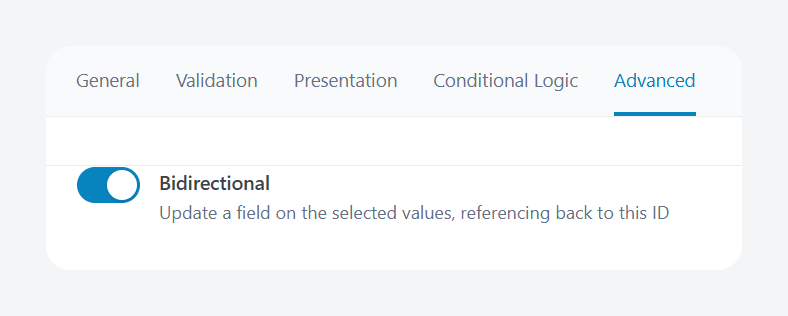
When the source field changes, ACF adds or removes the current object’s ID from those target fields. For example, a Relationship field connecting products could update the corresponding relationship data on every selected product automatically.
Bidirectional updates only run when the source field is attached to a post, user, or taxonomy term, though. They do not apply when that field is used on an Options Page, block, widget, or another location that does not resolve to one of those supported object types. Target fields must also be compatible top-level fields. Nested fields are not supported as targets.
ACF also prevents updates from chaining beyond the immediate target. If two different fields need to stay synchronized in both directions, bidirectionality generally needs to be configured on both fields. A target field’s single-value or maximum-value restriction is not necessarily enforced when ACF performs the automatic update.
Meta Box takes a different approach through MB Relationships. Rather than synchronizing values stored in fields on each object, it records connections in a dedicated mb_relationships table as from and to object IDs. Those connections are bidirectional for querying, and developers can configure relationships visually through MB Builder.
Neither model is simply a substitute for the other. Meta Box provides a dedicated relationship-data architecture, while ACF lets developers keep relationship data inside the same field-based content model used elsewhere in an ACF project.
Which handles repeatable content better: ACF or Meta Box?
Both ACF and Meta Box support repeatable and nested content, but they model it differently – ACF PRO provides dedicated Repeater and Flexible Content field types, while Meta Box makes individual fields and groups repeatable through its cloning system.
ACF Repeater and Flexible Content
ACF Repeater creates a repeatable set of subfields. A developer might use one row for a team member, testimonial, pricing tier, or event session, then let editors add as many rows as the field configuration allows. Repeaters can also contain other Repeaters for hierarchical content such as courses containing multiple lessons.
Flexible Content is designed for a different problem. Instead of repeating one fixed set of subfields, developers define multiple layouts, each with its own fields. Editors can then select, order, and repeat those layouts to assemble structured page content.
For large Repeaters, ACF can paginate rows in the WordPress admin so it does not have to render every row simultaneously. Pagination does have limits. It is not currently available for Repeaters nested inside other Repeaters, Flexible Content fields, or ACF Blocks, and Flexible Content itself does not currently support pagination.
Meta Box cloneable fields and groups
Meta Box approaches repeatability as a field capability rather than a dedicated Repeater field type. Individual fields can be marked cloneable, allowing editors to add multiple instances of the same input.
For structured repeatable content, MB Group combines related subfields into a group. The group itself can then be cloneable, producing a repeating structure similar in purpose to a Repeater. Groups can also contain other groups, with Meta Box documenting no fixed limit on nesting depth.
The important part is less about whether either product can repeat content and more about how developers express the content model. ACF provides purpose-built Repeater and Flexible Content fields with distinct editing models for repeating a fixed schema or choosing between predefined layouts. Meta Box builds much of the same flexibility from cloneable fields and groups.
For agencies using ACF across projects, those dedicated field types can make the intent of a content model particularly clear: use a Repeater when the structure repeats, and Flexible Content when editors need to choose between different structured layouts.
ACF vs. Meta Box for blocks, page builders, and APIs
ACF is the stronger default when the same content model needs to serve PHP templates, custom blocks, page builders, and API-driven frontends. Meta Box supports those development patterns too, so the deciding factor is how consistently a team can reuse the same content-modeling conventions as the frontend changes.
Custom blocks
ACF PRO includes ACF Blocks, which lets developers build WordPress blocks using ACF fields and render them with PHP rather than building the entire editing interface in React. Blocks can be registered with block.json, while ACF Blocks V3 adds compatibility with WordPress Block API Version 3 and keeps the rendered preview visible while fields are edited from the sidebar or expanded editing panel.
Meta Box offers comparable block development through MB Blocks. It also supports block.json, PHP rendering, scripts and styles, and Block API Version 3.
Page builders
“Supports ACF” or “supports Meta Box” is not enough when choosing a page builder. Developers should verify the exact field types and rendering patterns a project requires. Compatibility is similarly nuanced.
For instance, Bricks supports both ACF and Meta Box, including their custom fields, post types, taxonomies, and relationships. Bricks can also use ACF Relationship and Repeater fields in its Query Loop builder, making their subfields available as dynamic data.
Elementor supports standard ACF fields through Dynamic Tags, but Repeater fields, for example, are explicitly excluded. Meta Box connects to Elementor through MB Elementor Integration, which exposes Meta Box data through Elementor’s dynamic tags and provides additional workflows for grouped data.
REST and GraphQL
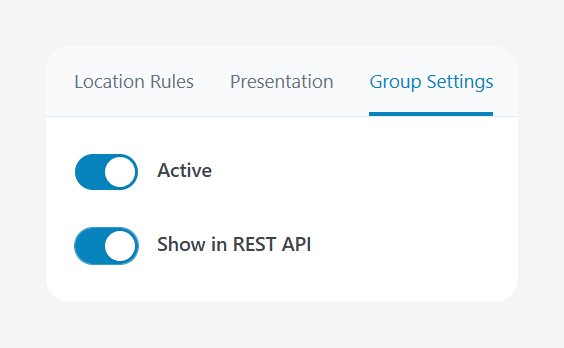
ACF includes WordPress REST API support in both ACF and ACF PRO. Field Groups can be opted into the REST API, after which their data can be read and updated through the relevant WordPress endpoints.
Meta Box provides similar functionality through MB REST API, which extends WordPress REST endpoints with Meta Box field data and adds its own endpoint for settings pages.
The difference becomes clearer for GraphQL. WPGraphQL for ACF is an established, free WPGraphQL extension that maps ACF Field Groups and supported field types into the WPGraphQL schema, including PRO fields such as Repeater and Flexible Content.
For agencies, that breadth is useful because ACF can remain the content-modeling layer while the presentation layer changes. The same underlying Field Groups can support PHP templates, ACF Blocks, visual builders, REST clients, or WPGraphQL-based headless applications without requiring the team to adopt a different content-modeling system for each frontend architecture.
Meta Box’s current documentation lists REST API support but does not document an equivalent official WPGraphQL extension. Its support forum continues to point developers toward community-created integrations instead.
How do ACF and Meta Box work with Git?
Both ACF and Meta Box can put content-model configuration under Git, but ACF currently covers a broader set of configuration through Local JSON and adds dedicated WP-CLI commands for deployment automation.
Git does not version the values editors enter into custom fields because those values remain in the WordPress database. What Git can track is the content model itself, such as field definitions and other configuration stored as files.
ACF Local JSON
ACF Local JSON can save Field Groups, Custom Post Types, Custom Taxonomies, and Options Pages as JSON files, normally inside an acf-json directory. Those files can be committed to Git alongside the theme or plugin code. When a newer JSON definition reaches another environment, ACF can detect it and synchronize the corresponding configuration with that site’s database.
Developers can also customize ACF’s JSON save and load paths. This lets you separate site-specific definitions from reusable configuration stored in a theme, plugin, or another directory.
ACF 6.8 extends this workflow to the command line. Its WP-CLI commands can:
- Check the synchronization status of JSON definitions.
- Sync pending JSON changes to the database.
- Import definitions from JSON.
- Export Field Groups, CPTs, taxonomies, and Options Pages.
That makes Local JSON easier to incorporate into scripted deployments and CI/CD pipelines rather than relying on someone to perform the synchronization manually in wp-admin.
Meta Box Local JSON
Meta Box also supports version-controlled field definitions. Local JSON stores field groups in an mb-json directory, where Meta Box can load them directly and detect newer definitions for synchronization. Developers can review changes, sync JSON into the database for visual editing, and edit the JSON files directly with schema-assisted tooling.
Additionally, Meta Box supports a code-first workflow. Field groups can be registered in PHP and committed to Git, while its CPT and taxonomy tooling can generate PHP registration code that developers can move into a theme or plugin.
The practical difference is how much of the workflow ACF brings under one versioning and deployment system. ACF Local JSON covers fields, CPTs, taxonomies, and Options Pages, while its WP-CLI layer can synchronize that configuration automatically between environments. For agencies maintaining many WordPress sites, that gives ACF a particularly cohesive path from visual configuration to Git to automated deployment.
How much do ACF and Meta Box cost?
ACF PRO costs $49 to $249 per year, while Meta Box offers annual plans from $49 to $229 plus lifetime bundles at $299 and $699. The bigger difference is how each product packages its paid functionality.
With ACF PRO, every license includes the same complete PRO feature set. The tiers differ only by the number of websites that can activate the license:
- Personal – $49/year for one website.
- Freelancer – $149/year for ten websites.
- Agency – $249/year for unlimited websites.
Development and staging environments do not count toward those activation limits. ACF PRO is also a standalone plugin, so you don’t need to keep the free version installed alongside it.
Meta Box divides its paid offering by both site allowance and included extensions. Its Personal plans are $49/year for Basic on one site, $99/year for Ultimate on three sites, and $299 one-time for the three-site Lifetime bundle. Agency pricing is $149/year for Basic, $229/year for Ultimate, or $699 one-time for Lifetime.
Basic includes twelve PRO extensions, while Ultimate includes all current and future PRO extensions plus Meta Box AIO. Lifetime adds lifetime updates and support, with the Lifetime bundle also including Meta Box Solutions.
However, Meta Box’s “unlimited sites” Agency licensing does not apply to enterprises, hosting providers, SaaS companies, site-maintenance providers, or similar businesses, which are directed to tailored pricing. Actual value depends on how many sites an organization maintains and which capabilities each project needs.
For an agency standardizing on one development stack, ACF’s licensing is easier to model – $249 per year covers unlimited website activations, and every project receives the same ACF PRO feature set instead of requiring a choice between extension bundles.
Supercharge Your Website With Premium Features Using ACF PRO
Speed up your workflow and unlock features to better develop websites using ACF Blocks and Options Pages, with the Flexible Content, Repeater,
Clone, Gallery Fields & More.
Why ACF is the default for agencies
For most agencies, ACF is the stronger default unless a project has a concrete architectural reason to choose Meta Box instead. The advantage is not that Meta Box lacks capable features. It is that ACF gives teams a consistent content-modeling layer that can stay in place as the type of project, frontend, and development workflow changes.
That continuity spans:
- Field Groups, custom post types, and taxonomies for structuring content.
- Repeater, Flexible Content, Options Pages, and Gallery for more complex editorial requirements.
- PHP templates and ACF Blocks for traditional and block-based WordPress website development.
- Bricks and Elementor workflows where supported ACF fields can feed dynamic content.
- REST and WPGraphQL-based architectures when WordPress software becomes the content backend for another frontend.
- Local JSON, Git, and WP-CLI synchronization for moving configuration between development, staging, and production.
- Native bidirectional relationships for supported Relationship, Post Object, User, and Taxonomy fields.
The key for an agency is standardization. A brochure site, editorial platform, WooCommerce® build, custom block system, or headless project may present its content very differently, but the team does not necessarily need to replace the underlying content-modeling conventions each time.
That also helps with handoffs. Developers inheriting an ACF project can work with the same Field Group structure, field APIs, JSON workflow, and PRO feature set used across other agency builds, reducing the number of project-specific conventions the team has to maintain.
ACF covers the broader range of client WordPress projects, and Meta Box fits a narrower set: projects with a hard requirement for custom-table storage or a dedicated relationship table, or an existing Meta Box-based development stack. ACF is the stronger default to standardize around because the content model can remain consistent even when the frontend and project requirements change.
Start your next client project with ACF PRO and build on one content-modeling workflow from the first field to the final frontend.