
WooCommerce includes a CSV export tool, and it covers one job: a single file, downloaded once, with every field included. Stores that export products regularly need more than that. They need selected columns in a chosen order, filters that keep hidden products out of the file, XML for a marketplace feed, and a schedule that runs without an admin logging in.
The five WooCommerce product export plugins compared below handle those requirements to different degrees. They differ in file formats, in how much control the export gives over columns and filters, in whether the job can run on a schedule, and in what the licence costs.
Quick Comparison: Best Plugins to Export WooCommerce Products
| Plugin | Export formats | Standout capability | Starting price |
| WP All Import and WP All Export | CSV, Excel, custom XML | Drag-and-drop column builder with inline PHP and scheduled feeds | $169/yr |
| Product CSV Import Suite | CSV | First-party support for official WooCommerce extensions | $59/yr |
| Import WP | CSV, XML, JSON | Free exporter for small catalogs | Free |
| Product Import Export for WooCommerce | CSV, XML, TSV, Excel | Scheduled FTP/SFTP transfers with saved templates | $69/yr |
| WP Ultimate Exporter | CSV, XML, XLS, XLSX, JSON, TSV | One-time licence across unlimited sites | Free / $99 |
What Makes a Good WooCommerce Product Export Plugin
A product export WooCommerce plugin is only as useful as the file it leaves behind. A file that opens correctly in a warehouse system, an ERP, or a marketplace feed has six qualities, and each one is a place where a simpler exporter falls short.
- Column control. The plugin selects which fields appear, reorders them, and renames headers to match the destination’s schema. An export that always includes every field forces the receiving system to discard most of the file.
- Filtering. Exports run against product status, type, category, stock level, or date range. Hidden products and unpublished drafts belong out of a supplier file, and a plugin without filters puts them in.
- Variation integrity. Each variation row carries its parent identifier and its attribute values. Missing parent links break the import on the destination side, which is the failure that costs the most time to repair.
- Custom field coverage. Prices, stock, and titles cover the standard tables. Ratings, ACF fields, and plugin data sit outside them, and an exporter that ignores meta data returns a partial catalog.
- Repeatability. Saved templates and scheduled runs turn a one-off download into a feed that refreshes without an admin present, delivered to a URL, an FTP folder, or an inbox.
- Performance on large catalogs. Batched processing keeps a 20,000-product export inside PHP’s time and memory limits, where a single query does not.
The 5 Best WooCommerce Product Export Plugins
Exporting a catalog used to mean one CSV file and a backup. It now means supplying the same product data to a warehouse system, an accountant, a marketplace, and a staging site, each with its own column names and file format. The five plugins below cover that range, from a free exporter for a small catalog to a scheduled feed engine that runs without an admin.
Each plugin is compared against the same six points: column control, filtering, variation handling, custom field coverage, repeatability, and performance. Prices and ratings are checked against WordPress.org and the vendors’ own pricing pages.
1. WP All Export
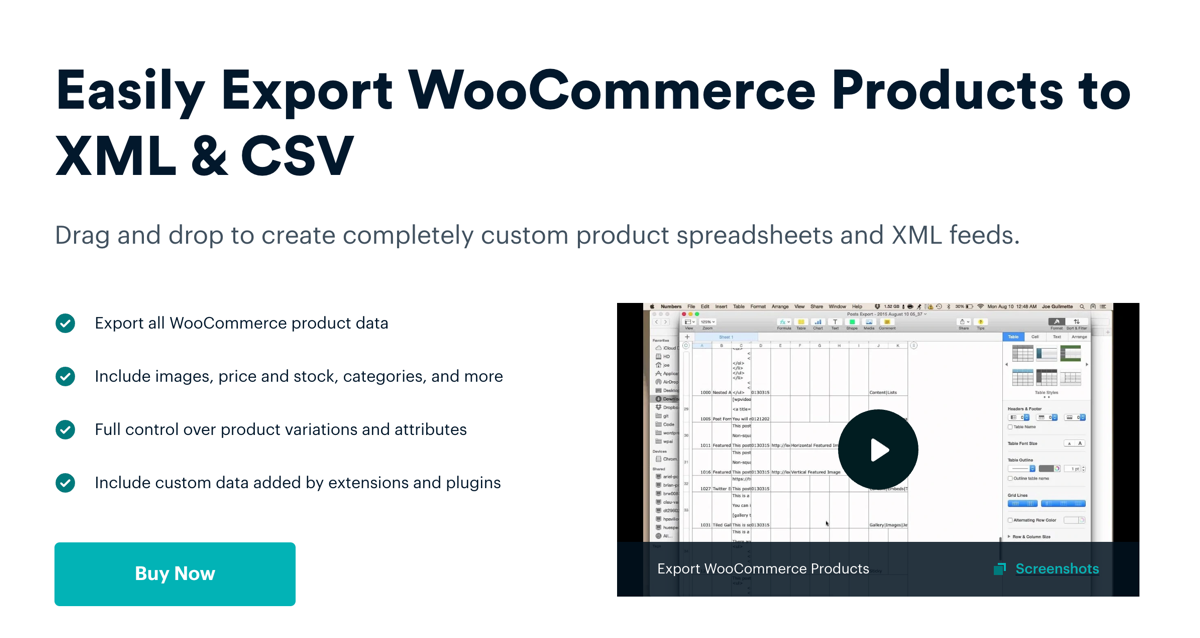
WP All Export produces a catalog file shaped to whatever the destination expects. Fields are dragged into the required order, headers are renamed to match the receiving system’s schema, and the whole setup is saved as a template that runs again unchanged. Its sister plugin handles the product import when an edited file comes back, and the two share the same template builder, which keeps column names consistent in both directions.
Three features separate it from the rest of this list. WP All Import’s XML output is built element by element, so a proprietary feed structure is achievable rather than approximated. The inline PHP editor rewrites values during export, covering calculated prices, trimmed titles, and combined fields without a line of theme code. It also supports scheduled exports that run through WP Cron or an off-server service, keeping a marketplace feed current whether or not anyone opens the dashboard.
WP All Export Pros
- Filters narrow the output by product status, product type, category, stock level, and date range, so drafts and out-of-stock items never reach the file.
- Custom fields export by name, including Advanced Custom Fields, Meta Box, JetEngine, WPML, and Yoast metadata.
- The same builder exports orders, customers, subscriptions, and custom post types, which keeps one tool for every dataset a store needs to hand over.
- A pre-built Google Merchant Center template produces a compliant feed without arranging columns manually.
- Batch size is adjustable per iteration, so a 20,000-product export finishes inside PHP’s time and memory limits.
- Templates transfer between installations, letting a feed built on staging go live without being rebuilt.
- Every plan includes unlimited site activations, so agencies pay once for any number of client stores.
- 359 of its 414 WordPress.org ratings are five stars, a ratio no other exporter in this comparison matches.
WP All Export Cons
- The licence costs more than the rest of this list, at $169 per year.
- Custom PHP transformations sit outside support scope and assume developer skill.
Reviews
WordPress.org shows 4.5 out of 5 from 414 ratings, with 359 of those at five stars. The recurring complaint is price for a single-site user.
Price
| Plan | Price |
|---|---|
| WooCommerce Export Package | $169 per year |
| Ultimate Lifetime Package | $1,299 one-time |
Both include unlimited site activations.
Recommended For
Stores exporting to an ERP, a supplier, or a marketplace that rejects generic files will use the column builder and XML control to match a destination schema exactly. The same plugin covers the plain job: selecting a handful of columns for a CSV, or exporting every product field in one click, takes a few minutes and no configuration beyond the field list. A first-time exporter and a store running scheduled XML feeds both stay in one tool, which is why it holds the top position here.
2. Product CSV Import Suite
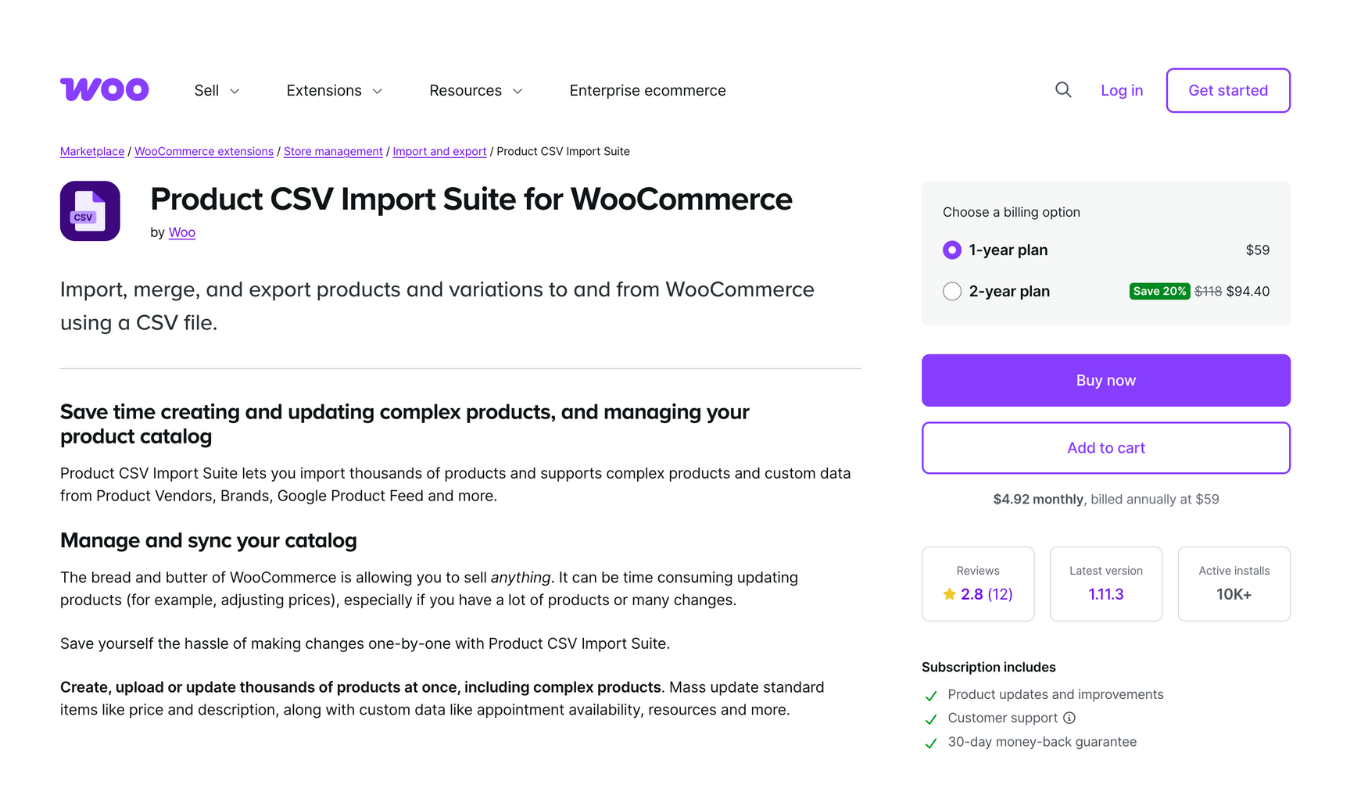
Product CSV Import Suite is built by WooCommerce itself, which is why its column handling lines up cleanly with the official WooCommerce extensions. The export writes a documented CSV column set, so the file’s layout is known in advance rather than assembled field by field. Subscriptions, Bookings, Product Vendors, and Brands data is included in the output.
Variable products export as individual rows with their parent relationship intact, which keeps the catalog structure readable in a spreadsheet. Record-count limits and a rows-to-skip setting split a large catalog across several files.
Pros
- Column names follow WooCommerce core product fields, so the CSV layout stays predictable.
- Extension data is included in the export, covering Subscriptions, Bookings, Vendors, and Brands.
- Variation rows carry their parent links, so the structure survives the file.
- Record-count limits split large catalogs across multiple CSV files.
- Written and supported by WooCommerce, with the extension listed on WooCommerce.com.
Cons
- Output is CSV only, with no XML, Excel, or JSON option.
- No scheduling or automated delivery; each export starts with an admin click.
- WooCommerce’s documentation states the extension will be phased out as its features move into core.
Reviews
WooCommerce.com lists 2.8 out of 5 from 12 ratings, the lowest score in this comparison. Reviews describe formatting errors in generated files and limited support replies.
Price
| Plan | Price |
|---|---|
| Single site | $59 per year |
| Single site, two years | $94.40 |
Includes one year of support and updates, renewable annually.
Recommended For
Stores already running WooCommerce Subscriptions, Bookings, or Vendors, where the extension data has to appear in the exported file and a documented CSV column set is enough.
3. Import WP
Import WP is a data-mapping plugin, and export is one half of it. The exporter runs from Tools → Import WP → Exporters. The post type or taxonomy is chosen first. Fields are then ticked from a generated list, and records can be filtered before writing. Output is written as CSV, XML, or JSON. CSV headings and XML node names are editable, and XML supports nested structures for repeating data.
WooCommerce products arrive as a post type, so a product export needs the free WooCommerce add-on active. Custom field export sits behind Pro, which also adds custom post types and scheduled runs.
Pros
- The exporter ships in the free plugin, with no licence needed for CSV, XML, or JSON output.
- Nested XML is supported, covering repeating data such as variation rows.
- CSV headings and XML node and attribute names are renamed directly in the exporter.
- Filters restrict records before the file is written.
- Exported files carry a unique key column, which the plugin reuses if the file is used for product import.
- Pro verison adds custom fields and scheduled runs for $49 per year on one site.
Cons
- Export is a supporting feature in a plugin built around importing.
- Custom field and ACF export require the Pro licence.
- No FTP or email delivery for exported files.
Reviews
WordPress.org gives Import WP 4.4 out of 5 from 25 ratings, with support threads resolved across the board. The smaller review count reflects its 4,000+ installs rather than a divided user base.
Price
| Plan | Price |
|---|---|
| Free | $0 |
| Pro, one site | $49 per year |
| Pro, ten sites | $149 per year |
| Pro, unlimited sites | $249 per year |
Recommended For
Small catalogs that need a free dump to CSV, XML, or JSON, where the export is occasional and the store already uses Import WP for bringing data in. Stores needing custom field or scheduled exports pay $49, which undercuts every other paid plugin here.
4. Product Import Export for WooCommerce

Product Import Export for WooCommerce exports a catalog through a wizard. The wizard asks for a format, then filters, then columns. Files come out as CSV, XML, TSV, or Excel, or land in a Google Sheets target. The steps are clear and there are no surprises in them.
Filters cover status, product type, category, stock level, and date range. That is a shorter list than some exporters carry, and enough for routine catalog files.
Settings save as templates, so a later run reuses them rather than starting over. Scheduled jobs send files to an FTP or SFTP server and email an alert after each run. Image ZIP export packs product media with the data.
Pros
- Four output formats, chosen per export: CSV, XML, TSV, and Excel.
- Saved templates reproduce a configured export without rebuilding it.
- Scheduled jobs deliver files to FTP or SFTP servers with email alerts.
- Filters cover status, product type, category, stock level, and date range.
- Image ZIP export bundles product media with the data file.
Cons
- The wizard asks for several screens before a simple file is produced.
- Custom XML schemas are not buildable; output follows set structures.
- The largest licence covers 25 sites, with no lifetime purchase available.
Reviews
WordPress.org shows 4.6 out of 5 from 413 ratings, with the free version carrying most of them. Complaints cluster around scheduled jobs failing silently when FTP credentials change.
Price
| Plan | Price |
|---|---|
| One site | $69 per year |
| Up to 5 sites | $129 per year |
| Up to 25 sites | $249 per year |
Every plan includes one year of updates and support.
Recommended For
Stores that hand product data to a warehouse or a partner on a fixed timetable, where the export has to leave the site without anyone logging in. The FTP scheduling and saved templates carry that job, and the four output formats cover most receiving systems.
5. WP Ultimate Exporter
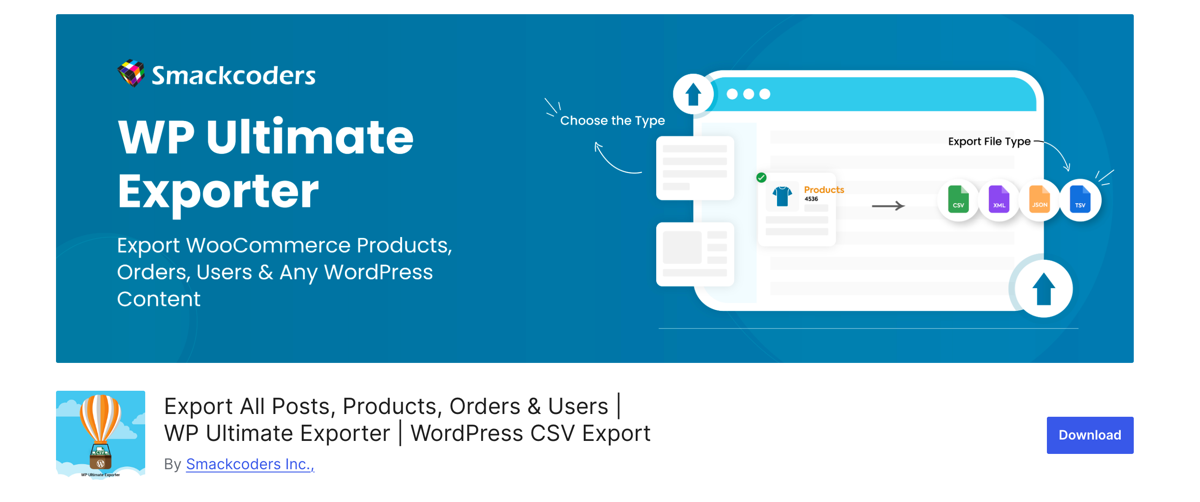
WP Ultimate Exporter handles export from inside the Smackcoders suite. Products are picked as the data type, columns are ticked from a list, filters narrow the records, and the file saves as CSV, XML, XLS, XLSX, JSON, or TSV. The steps run in tabs, and each tab holds one decision.
Records process in batches, which keeps a large catalog from hitting a server timeout. The free plugin covers standard product fields. Pro adds scheduled exports, Google Sheets output, and custom fields from ACF, Meta Box, and JetEngine. The plugin will not activate without the separate WP Ultimate CSV Importer installed, which is worth knowing before the download.
Pros
- Six output formats, the widest choice in this comparison.
- Free tier covers standard product fields without a licence.
- Pro costs $99 once and covers unlimited domains.
- Batched processing keeps large catalog exports inside server limits.
- Pro adds scheduled exports and Google Sheets output.
- Filters narrow records by category, status, title, and post ID.
Cons
- It requires the separate WP Ultimate CSV Importer plugin to run.
- Columns are ticked from lists, with no drag-and-drop reordering.
- Custom nested XML structures are not supported.
Reviews
WordPress.org gives the free plugin 3.2 out of 5 from 16 ratings, the thinnest sample here. Recent reviews report activation problems, and the developer’s replies ask for admin access to diagnose them.
Price
| Plan | Price |
|---|---|
| Free | $0 |
| Pro, unlimited domains | $99 one-time |
Pro includes lifetime updates and support.
Recommended For
Stores that export occasionally and want a one-time payment instead of a subscription, with JSON or XLSX output in the mix. The free tier covers a standard catalog, and $99 eliminates renewals for good.
Final Thoughts – Best Plugins to Export WooCommerce Products
Every plugin on this list produces a WooCommerce product export file. What separates them is what happens to that file afterwards.
A one-off CSV for an accountant needs correct columns and nothing else. A marketplace feed that runs nightly needs scheduled exports, stable header names, and FTP delivery that works while the admin is away. WP All Export covers both cases: the drag-and-drop builder sets the columns for a single CSV, and the same saved template runs weekly, writing custom XML to a feed URL. Product variations leave with their parent SKUs attached, and custom fields from ACF, Yoast, and WPML travel with the file.
The four alternatives handle narrower jobs at lower prices. Product CSV Import Suite exports extension data from Subscriptions and Bookings. Import WP writes JSON for free. Product Import Export for WooCommerce schedules FTP delivery for $69. WP Ultimate Exporter charges $99 once for six file formats.
Frequently Asked Questions – Best Plugins to Export WooCommerce Products
How do I export all products from WooCommerce?
To export all products from WooCommerce, open Products › All Products and click Export, which writes a CSV of the entire catalog using WooCommerce’s built-in tool. For a file with chosen columns, renamed headers, or an XML structure, WP All Export runs the same export from All Export › New Export with the column builder and file type set before the run.
Can I export WooCommerce products to Excel or XML?
Yes. WooCommerce’s built-in exporter writes CSV only, so Excel and XML output requires a plugin. WP All Export exports native Excel files and both simple and custom XML, with element names and nesting controlled in the export builder.
How do I export only some products from WooCommerce?
To export selected products, add a filter before running the export. WP All Export filters by category, product type, stock status, price, custom field, or date range, and combines several rules in one export.
Can I schedule automatic product exports in WooCommerce?
Yes. WP All Export sets a weekly or monthly schedule in the export’s settings, and each run writes a fresh file without an admin logged in. The same screen limits later runs to products added or modified since the last export.
Do exported product files include variations and images?
Yes. A variable product exports as a structured record with its variation rows, SKUs, prices, and stock attached to the parent. Image columns carry the featured image and gallery URLs, which keeps media references usable on the destination site.
Related Information