If you’ve been building WordPress sites for a while, you’ve almost certainly added a file upload field without giving it a second thought. A careers page needs somewhere for CVs to go, a quote form needs to accept a brief, and a blog with a few contributors needs the Media Library open to all of them. It’s all perfectly normal, and it’s also one of the easiest ways for a malicious file to land on your server or in the inbox of whoever reads the submissions.
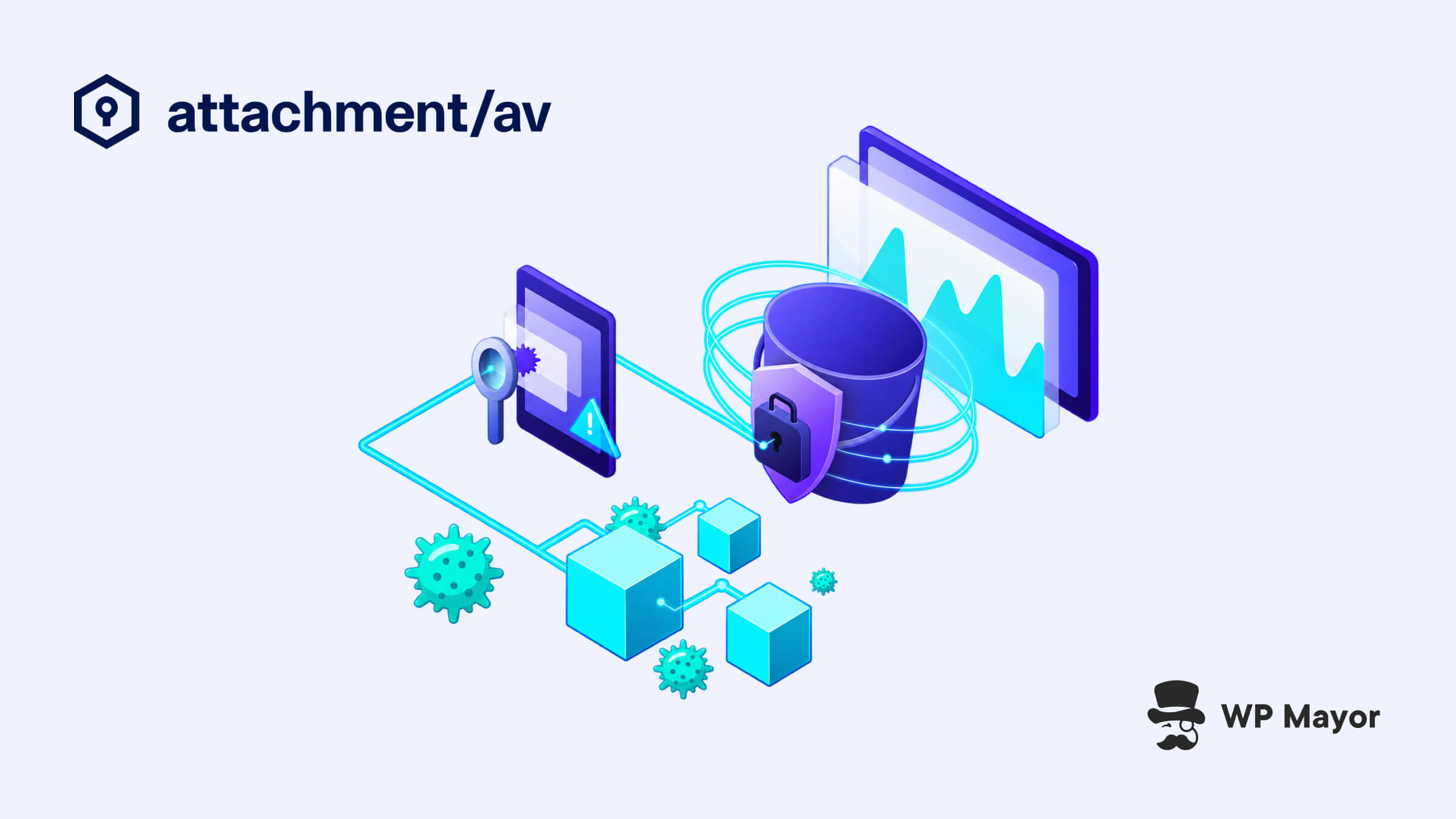
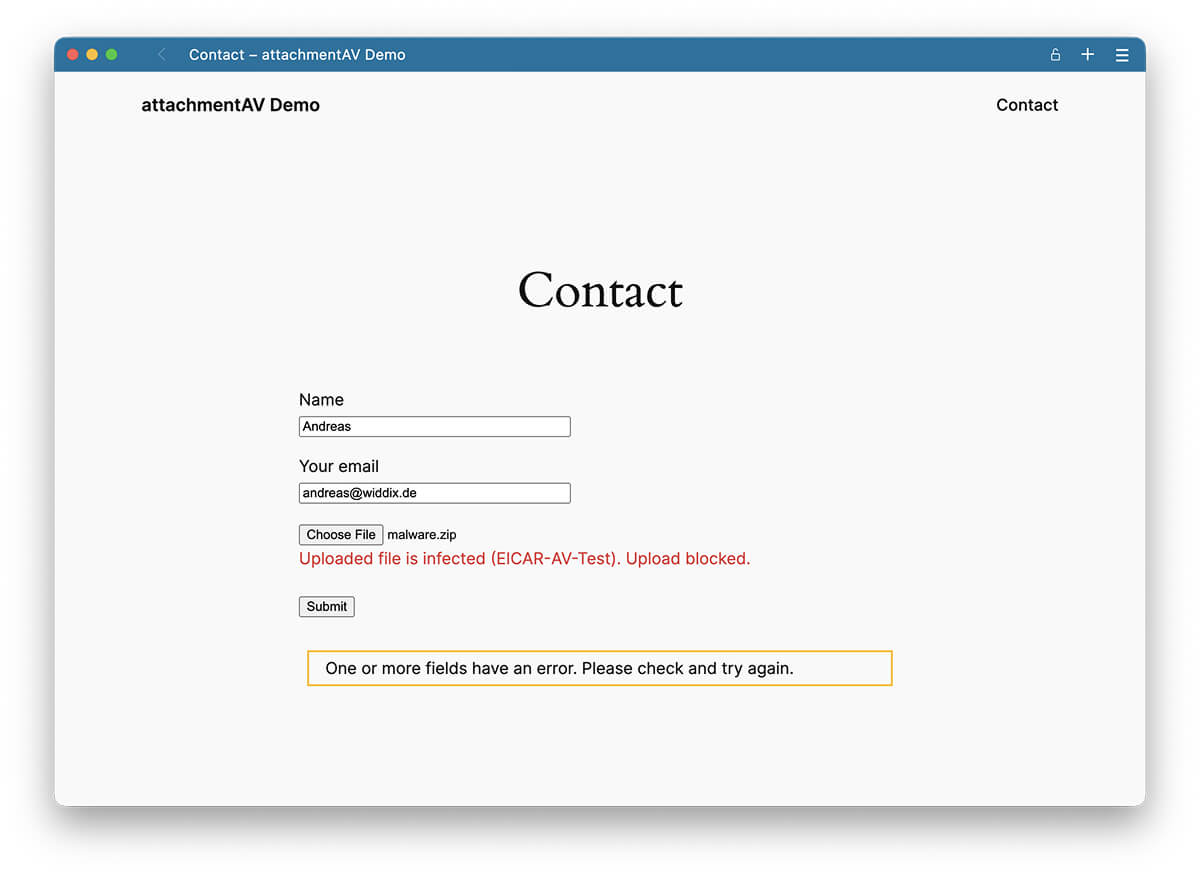
attachmentAV for WordPress deals with that problem right where it starts. Every file that comes in through a supported form or the Media Library is scanned in real time for viruses, trojans, ransomware and other malware, and anything infected is rejected along with the submission it arrived with.
What attachmentAV Brings to WordPress
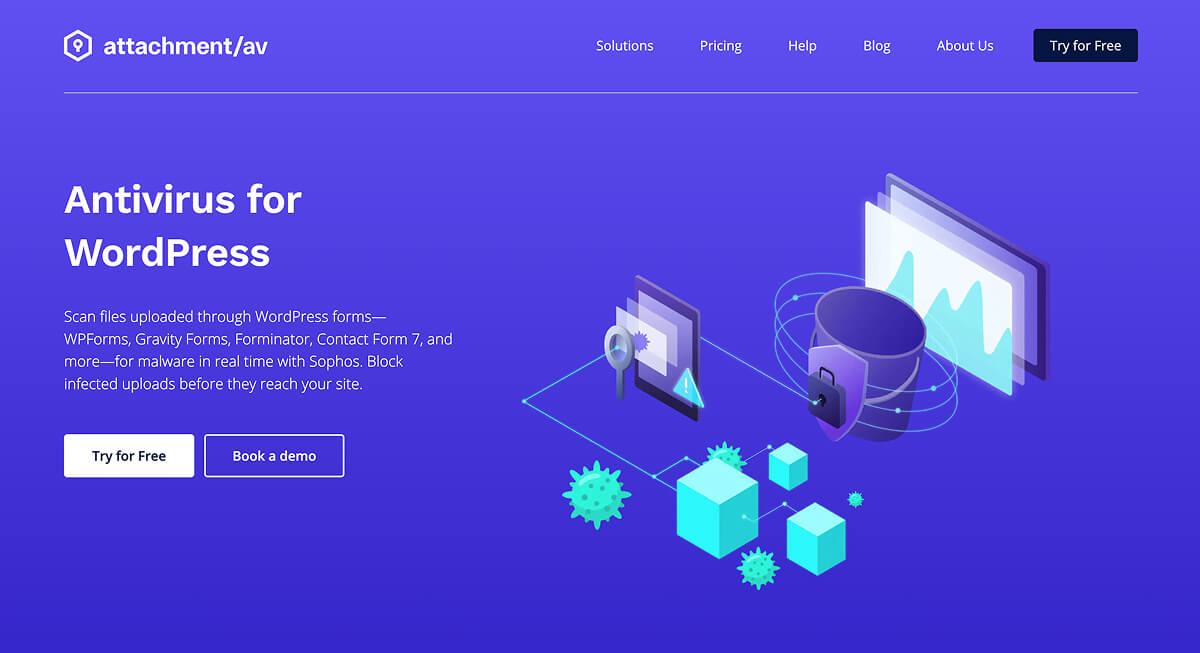
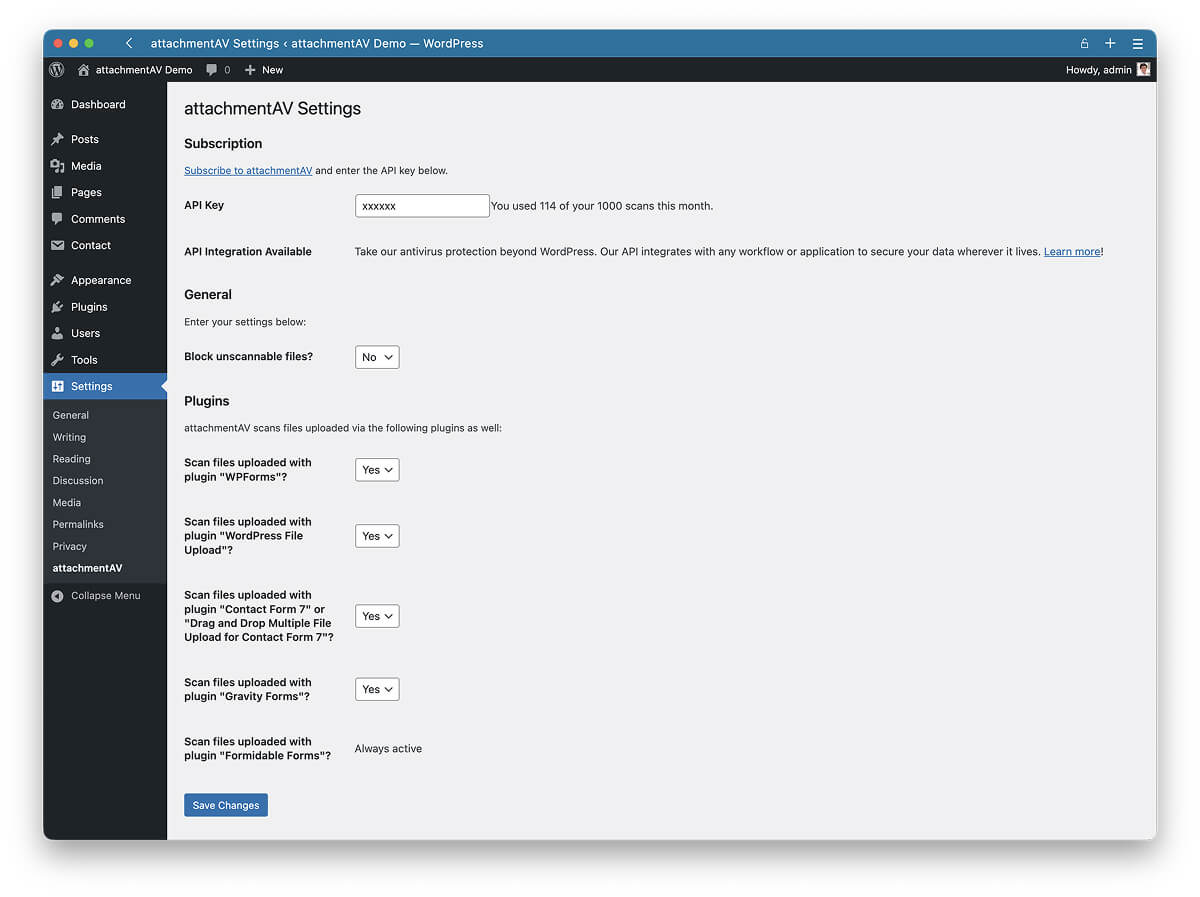
I’ve always liked products that pick one job and do it properly, and attachmentAV sits firmly in that camp. It works with Contact Form 7, WPForms, Gravity Forms, Formidable Forms, Forminator and WordPress File Upload, and scans everything uploaded to the Media Library too.
Detection runs on Sophos, with attachmentAV as an official Sophos OEM partner, so you’re getting continuously updated signatures and zero-day protection inside the plugins you already use.
We all know attachments get emailed, synced to a CRM or saved to a shared drive, and an infected file can do damage anywhere along that chain, making a tool like this ever more important.
There’s a search visibility angle to this too, since a site that ends up serving infected downloads can lose traffic once search engines notice. If that sounds theoretical, attachmentAV scanned 1.9TB of files and found 402 infections in the 30 days up to 29 September 2026.
Where attachmentAV Fits in a WordPress Stack
Most WordPress security setups I come across combine a firewall and login hardening with scheduled scans of core, plugin and theme files. Both are important, although neither is designed to open a PDF attached to a Gravity Forms entry and check it before it’s stored or emailed to your team.
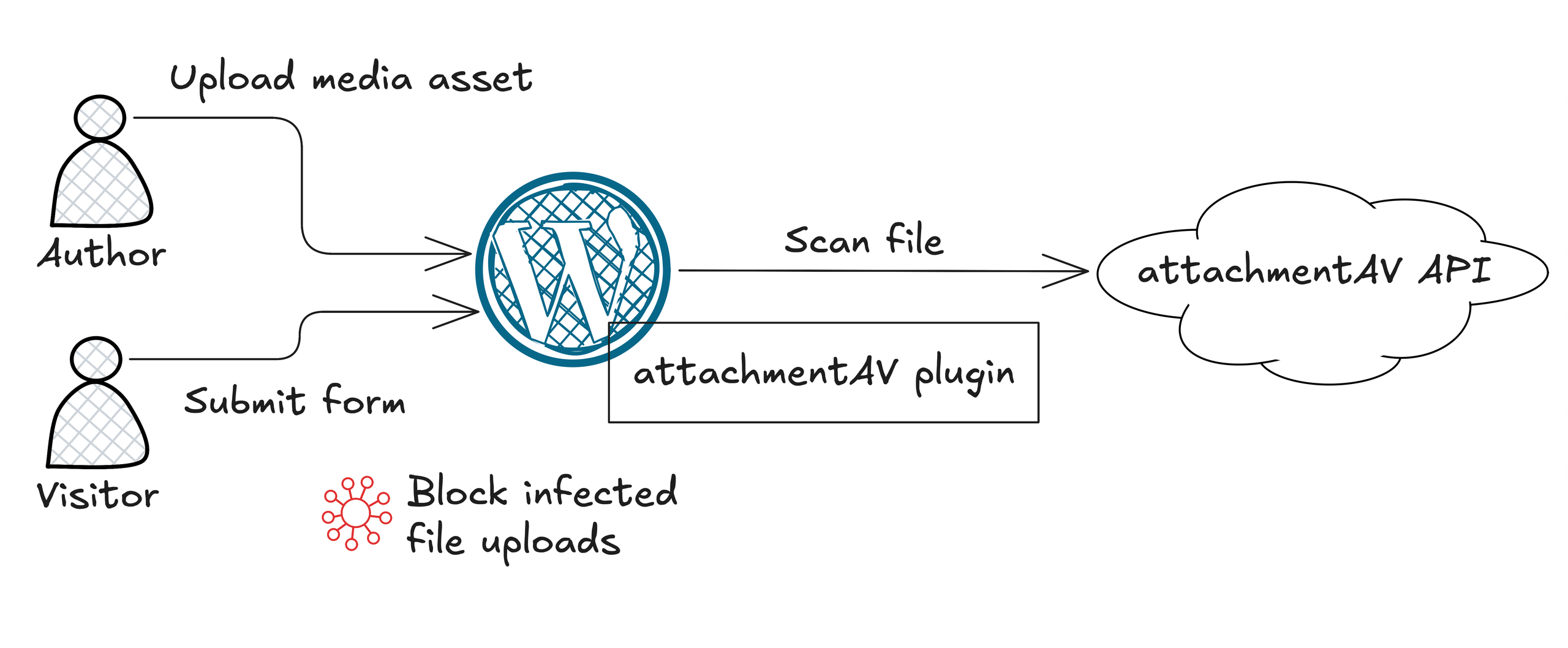
attachmentAV covers that by working inside the form plugins and the Media Library, so it slots in alongside your existing tools.
It’s one of those tools that will quickly earn its place on careers pages, client intake and quote forms, multi-author blogs, and any organisation that needs to show exactly how inbound files are handled.
How attachmentAV Works in Practice
You install the free plugin from WordPress.org, follow the setup guide, and switch protection on in a few clicks. When someone uploads a file, the plugin sends it to the attachmentAV API, Sophos scans it within seconds, and the plugin rejects it if it’s infected, deleting the file and sending a notification.
It’s a fully managed service, so there’s no scanning engine or signature database to maintain on your server.
It Works Inside the Form Plugins You Already Use
There’s no need to switch form builders or rebuild anything, which makes a real difference when you’re looking after dozens of client sites. I also think rejecting the whole submission is the right call, because a half-accepted entry with a missing attachment only creates confusion for whoever follows it up.
The Media Library Gets the Same Protection
Forms are the obvious risk, although I’d argue the Media Library is the one most teams forget about. You can’t realistically be sure every contributor has decent antivirus on their machine, so attachmentAV takes a zero-trust approach and checks every upload before it’s published, without changing how your editorial team works.
The Security Credentials Hold Up to Scrutiny
attachmentAV is ISO 27001 certified and based in Germany, processing data under a GDPR-compliant Data Processing Agreement. Files are encrypted in transit and at rest and deleted once processed, as laid out on its security page. If you’ve ever filled in a client’s security questionnaire, you’ll know that paperwork can matter as much as the detection engine.
attachmentAV for Agencies, Developers and Content Creators
For agencies, this is a natural addition to a care plan, and the Agency plan’s unlimited sites and scans mean you’re not juggling allowances client by client.
Developers will appreciate how contained it is, with no custom upload handling or server-side antivirus to maintain.
For bloggers and content creators, Media Library scanning is the most important aspect since a single infected upload from a guest contributor can put a site instantly at risk.
Why Catching Malware at the Upload Stage Pays Off
Anyone who’s cleaned up an infected WordPress site knows the real cost is never the fix itself. It’s the hours spent tracing where the file came from, the awkward conversation with a client, and the slow wait for search engines to trust the site again. attachmentAV moves that whole problem to the one moment where it’s cheapest to deal with, before the file is stored, emailed or published.
Since the scanning happens through the attachmentAV API, none of that work depends on your hosting either, so there’s no extra load on the server and nothing to slow the site down.
With infected files deleted and flagged automatically, nobody on the team has to remember to check anything, which is exactly how security should feel when it’s working properly.
Pricing and Licensing
There’s a 14-day free trial to get started and a free plugin on the WordPress repo. The Professional plan then costs €57.82 a year for one site and includes 1,000 scans a month, the Sophos engine, zero-day protection and coverage for the supported plugins, with larger volumes available on request.
The Agency plan adds unlimited sites and scans, although you’ll need to talk to sales for a quote.
At under €5 a month for a single site, the Professional plan is an easy one to justify.
Is attachmentAV a Good Fit for You?
I’d look seriously at attachmentAV if your site accepts files from people you don’t control, especially if you’re already running one of the supported form plugins, and it’s an even easier call for agencies with clients who have documented security requirements. A brochure site with no upload fields probably doesn’t need it yet.
Every upload field is a small act of trust in whoever’s on the other side of it, and attachmentAV lets you keep offering that trust without leaving your site exposed.