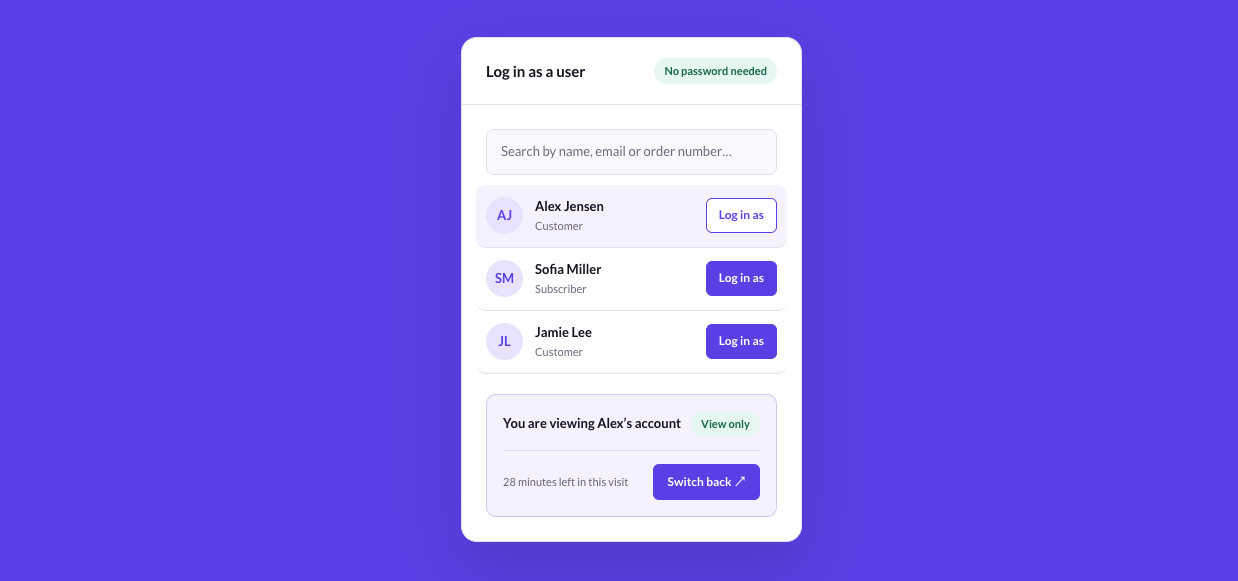
SuperbThemes introduces Superb Login As User, a new plugin for authorized staff who support users and customers on WordPress sites. Staff can visit eligible accounts without requesting passwords and inspect account pages and membership access with the account’s permissions. This helps them understand the experience behind a support request. Once the visit ends, they can return to their original account and starting screen in one click.
Access user accounts where support work happens
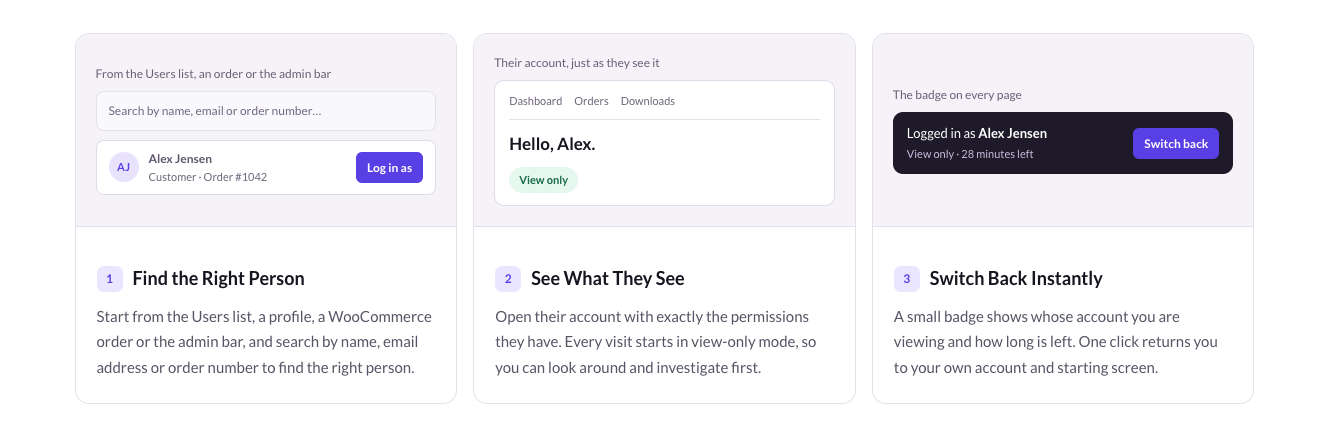
Account troubleshooting in WordPress starts from several places staff already use for support work.
- The Users list offers access to eligible accounts.
- A user’s profile provides another place to start an account visit.
- WooCommerce orders let staff open the associated customer’s account while investigating an order.
- The admin bar provides account access, with search by name, email address, or order number.
View-only visits with the option to allow changes
Each visit begins in view-only mode so staff can investigate the account before enabling changes. View-only account visits block forms, purchases, orders, and checkout changes while staff inspect the account.
For tasks that require changes, staff can explicitly select Allow changes on the visit badge. That permission applies only to the current visit. Passwords and saved payment methods remain protected in both modes.
Role-based access, visit limits, and activity records
Administrators have access to eligible accounts through this WordPress plugin for logging in as a user. Settings also allow additional roles to make visits, such as shop managers visiting customers. Protected staff accounts and accounts with greater permissions remain off limits.
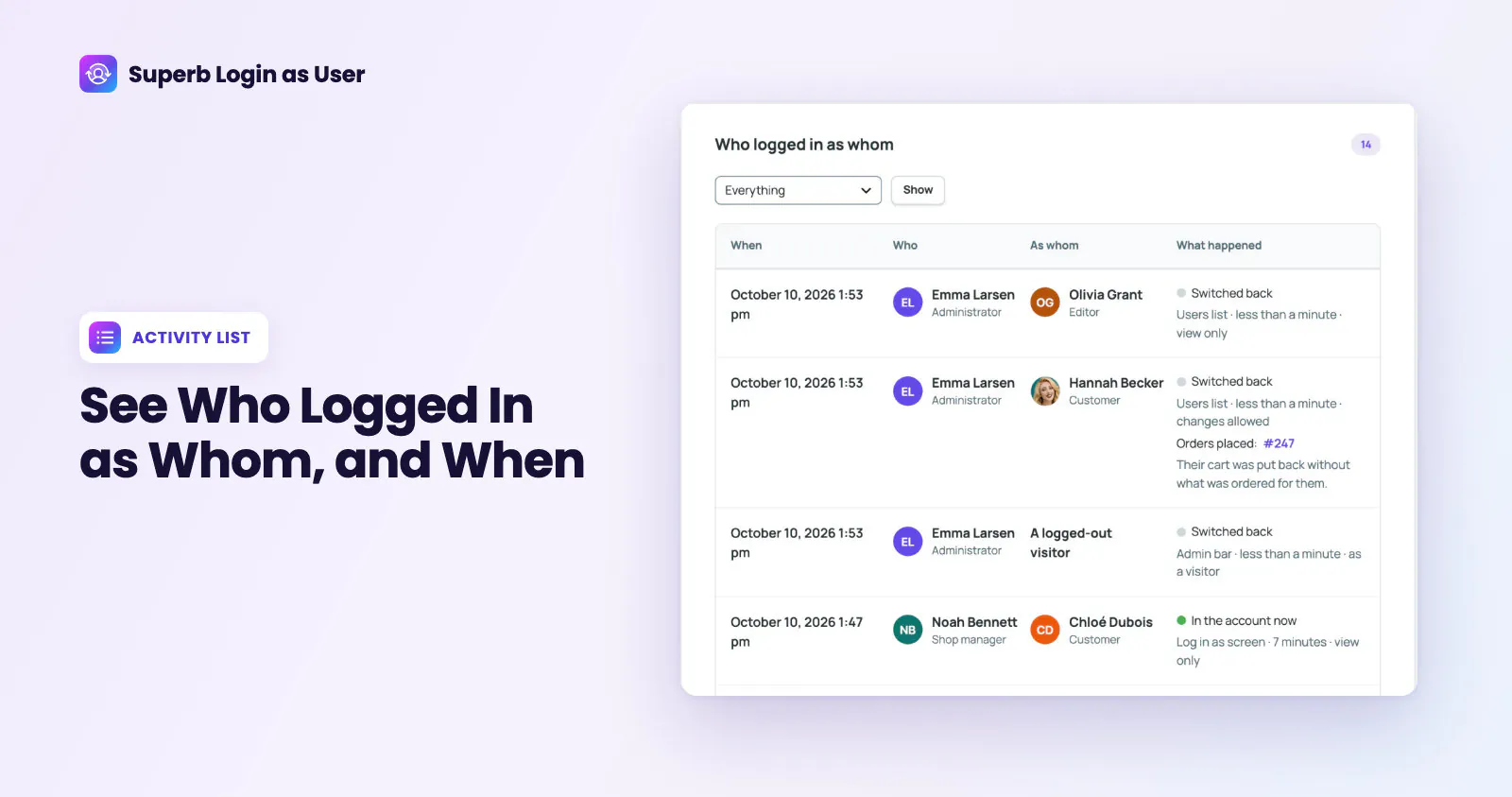
The visit badge identifies the account being viewed and shows the time remaining. Visit duration limits are configurable. The dashboard activity record shows who visited which account and any orders placed. Visit history stays in the site’s own WordPress database, and its retention is configurable. Administrators can also end active visits.
Support WooCommerce customers from their accounts
WooCommerce customer support staff can work within the customer’s account to understand the order experience from the customer’s perspective.
- Staff can inspect order details through the plugin’s feature for logging in as a WooCommerce customer.
- After selecting Allow changes, staff can place an order as the customer. Saved payment methods remain protected, so this feature cannot be used to charge a saved card.
- Order notes identify the staff member who assisted, and WooCommerce sends its usual order emails.
- By default, the customer’s cart is restored when staff switch back, with an option to leave a prepared cart. If the customer uses the site during the visit, their cart is left alone, and the activity list records this.
WordPress requirements and available plans
Sites considering Superb Login As User need to meet these requirements:
- WordPress 6.8 or newer and PHP 7.4 or newer are required.
- WooCommerce is required only for store-specific features.
- WordPress multisite requires network activation.
Superb Login As User Premium is available separately, and the SuperbThemes Premium plan includes it. The Superb Login As User product page has more details about the plugin and its available plans.