Videography means planning, recording, and shaping video so it tells a clear story with sound, movement, and purpose. It is not just pressing record. A beginner who learns framing, light, audio, and editing can often make a phone video look far better than a careless camera owner. Online video reaches 92.3% of internet users worldwide, which explains why small businesses, creators, schools, and families now treat basic video skills as useful, not optional [source: DataReportal].
TLDR: Videography is the craft of recording video with a clear goal, clean visuals, strong audio, and simple editing. A beginner can start with a smartphone, a tripod, a small light, and a free editing app. For example, a local bakery filming three 30-second clips per week could build a month of social posts in one afternoon. If each clip takes 20 minutes to shoot and 30 minutes to edit, the whole batch can be finished in about 2.5 to 3 hours.
What Videography Really Means
Videography covers the full process of making video. It starts before recording and ends after editing. The videographer thinks about the subject, message, location, camera angle, sound, lighting, and final format.
A video can be simple. It may show a product, a wedding moment, a travel scene, a recipe, or a short interview. The skill lies in making the viewer understand the point quickly. Good videography removes confusion. Bad videography adds it.
Honestly, it feels like many beginners lose hours because they focus on gear first. A $2,000 camera will not fix shaky hands, harsh lighting, or audio that sounds like it was recorded inside a cupboard.

Videography vs. Cinematography
The two terms overlap, but they are not always the same. Videography often refers to practical video production. It is common in events, social media, training videos, interviews, and business content. Cinematography is more tied to film language, visual mood, lens choices, lighting design, and scripted storytelling.
A wedding shooter, a real estate video creator, and a YouTube editor may call the work videography. A feature film camera artist may use the word cinematography. Still, both care about composition, light, motion, and emotion.
Core Skills Every Beginner Needs
- Framing: The subject should be placed with intention. Too much headroom looks odd. Crooked lines feel sloppy.
- Lighting: Soft light near a window often beats harsh ceiling light. Shadows should help the scene, not ruin it.
- Audio: Viewers forgive average visuals faster than bad sound. A cheap lavalier mic can make a huge difference.
- Stability: Shaky footage looks amateur unless the movement has a reason. A tripod is still one of the best beginner tools.
- Story: Every shot should serve a point. Random clips rarely become a strong video by accident.
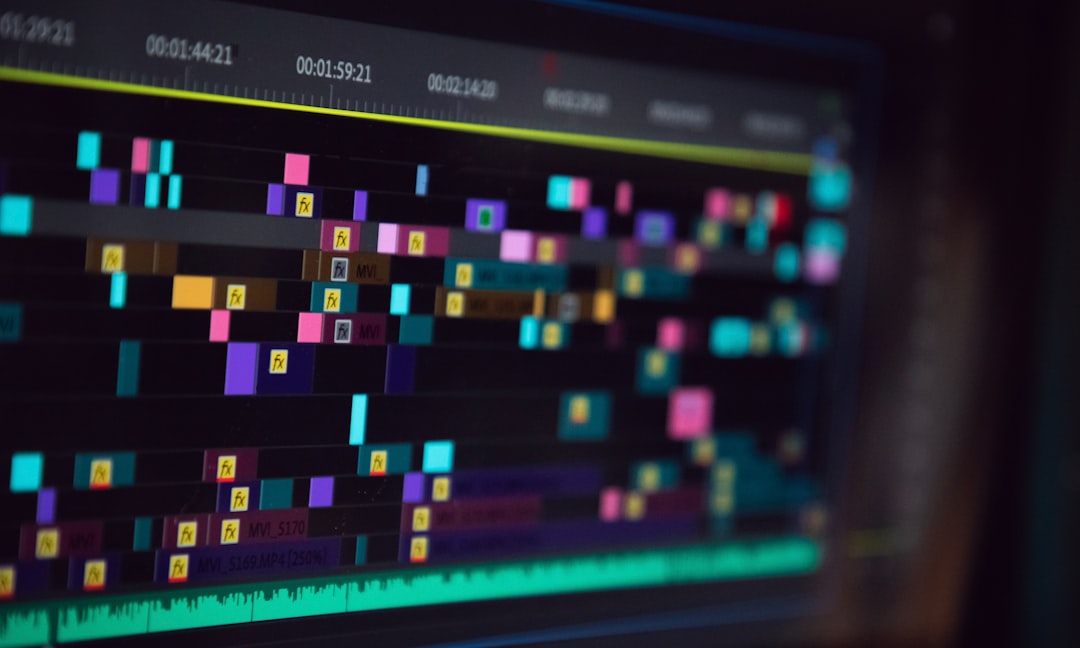
- Editing: Cutting dead space, fixing sound levels, and adding simple titles can turn raw clips into useful content.
Best Beginner Guide: A Simple Shooting Plan
A beginner should use a short plan before touching the record button. This saves time and prevents missing key shots.
- Pick one goal. The video might teach, sell, explain, entertain, or document.
- Write a short shot list. Five to ten shots are enough for many beginner projects.
- Check the light. The subject should face the light, not stand with a bright window behind them.
- Record clean audio. The microphone should be close to the speaker. Background noise should be reduced.
- Film extra clips. Hands, signs, products, reactions, and rooms help cover edits.
- Edit for pace. Remove pauses. Keep the best parts. Add music only when it helps.
The catch is that editing apps often hide basic controls behind tiny icons. In some tools, changing audio volume takes three taps more than it should. That sounds minor, but it becomes annoying after 40 clips.
Beginner Tools That Actually Help
A starter kit does not need to be expensive. The best tools solve real problems: blur, shake, bad sound, and poor light.
- Smartphone: Modern phones can shoot sharp video. The user should clean the lens first, which many forget.
- Tripod: A basic tripod creates stable shots for interviews, product demos, and tutorials.
- Phone clamp: This holds the phone safely on the tripod.
- Lavalier microphone: A wired or wireless mic improves speech clarity.
- LED light: A small adjustable light helps indoors and at night.
- Reflector: A white board or foldable reflector can soften shadows for very little money.
- External storage: Video files get large fast. Backups prevent panic.

Best Editing Apps for Beginners
CapCut is friendly for short social videos. It has templates, captions, music, and quick exports. It can feel crowded, but beginners learn it fast.
iMovie works well for Apple users who need basic cuts, titles, and music. It is simple, though it becomes limiting for more advanced edits.
DaVinci Resolve is powerful and has a free version. It handles color, audio, and full video editing. The downside is the learning curve. A new user may spend 15 minutes just finding the right export settings.
Adobe Premiere Rush is lighter than Premiere Pro and useful for quick projects. It is good for creators who want cross-device work without too many controls.
Canva can help with video layouts, titles, and social content. It is not a full editing suite, but it is easy for promo clips and simple brand videos.
Camera Settings Beginners Should Know
Camera settings can sound technical, but the basics are manageable.
- Resolution: 1080p is enough for many projects. 4K gives more detail and room to crop.
- Frame rate: 24 fps feels film-like. 30 fps works well for general online video. 60 fps is good for action or slow motion.
- Focus: The subject’s eyes should be sharp in interviews and people-focused clips.
- Exposure: Bright areas should not turn into white blobs. Faces should be clear.
- White balance: Colors should look natural. Skin should not look blue or orange unless styled that way.
For horizontal YouTube uploads, a 16:9 aspect ratio is the standard format most viewers expect [source: YouTube Help]. Vertical video works better for Shorts, Reels, and TikTok-style clips.
Common Beginner Mistakes
- Recording too far from the subject: This weakens both framing and audio.
- Ignoring background clutter: Messy rooms distract viewers.
- Using music too loud: Speech should remain easy to hear.
- Shooting without a plan: This creates random footage and slow edits.
- Overusing effects: Flashy transitions often make a video feel cheap.
How a Beginner Can Practice
A useful practice project is a 30-second story about one object. The beginner films a wide shot, a close-up, a detail shot, a hand using the object, and a final result. Then the clips are cut into a short video with natural sound and one title.
This exercise teaches structure. It also shows what went wrong. Maybe the audio is low. Maybe the light shifts. Maybe the first shot is boring. That feedback is more useful than watching ten hours of gear reviews.
FAQ
What is the meaning of videography in simple words?
Videography is the process of recording and editing video to tell a story, explain an idea, or capture an event.
Can a beginner start videography with a phone?
Yes. A phone, tripod, microphone, and good light are enough for strong beginner videos.
What is the most useful tool for new videographers?
A tripod is one of the most useful first tools. It makes footage stable and instantly more professional.
Is audio really that important?
Yes. Clear audio keeps viewers watching. Poor sound makes even sharp footage feel hard to trust.
How long does it take to learn basic videography?
A beginner can learn the basics in a few weeks with regular practice. Strong results usually come after many small projects, not one big purchase.
What should a first video project be?
A short product demo, interview, recipe, room tour, or event recap works well. The project should be small, clear, and easy to finish.

Where Should We Send
Your WordPress Deals & Discounts?
Subscribe to Our Newsletter and Get Your First Deal Delivered Instant to Your Email Inbox.