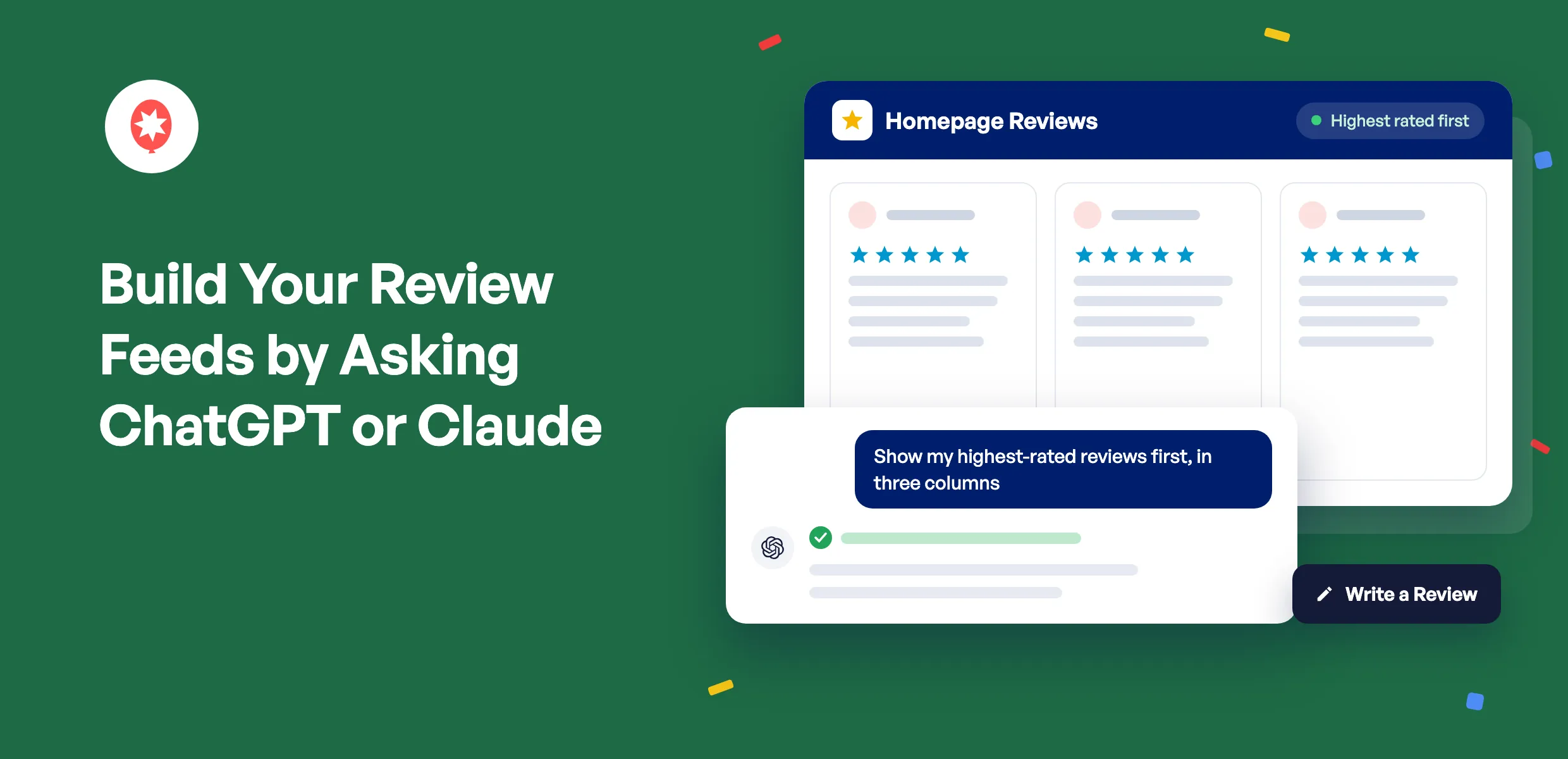
Your best reviews do the most good near the top of the page. You can now ask ChatGPT or Claude to put them there, build a new reviews feed from your Google or Yelp listing, and send visitors straight to the page where they can leave you a review.
Smash Balloon Reviews Feed shows your customer reviews on your WordPress site and keeps them up to date on its own. Version 2.16.0 adds AI Agents to every Reviews Feed Pro plan, so your AI can also filter by star rating and work with your reviews from Trustpilot, Facebook, Tripadvisor, and more. It’s in the free plugin too.
Here’s what you can do starting today:
- Build a new reviews feed from a Google or Yelp listing you’ve connected
- Show your highest-rated reviews first, in the layout you want
- Point the Write a Review button anywhere you collect reviews
- Get the shortcode for any feed without opening your dashboard
- Approve any feed deletion your AI asks for, right in your browser
Put Your Best Reviews First
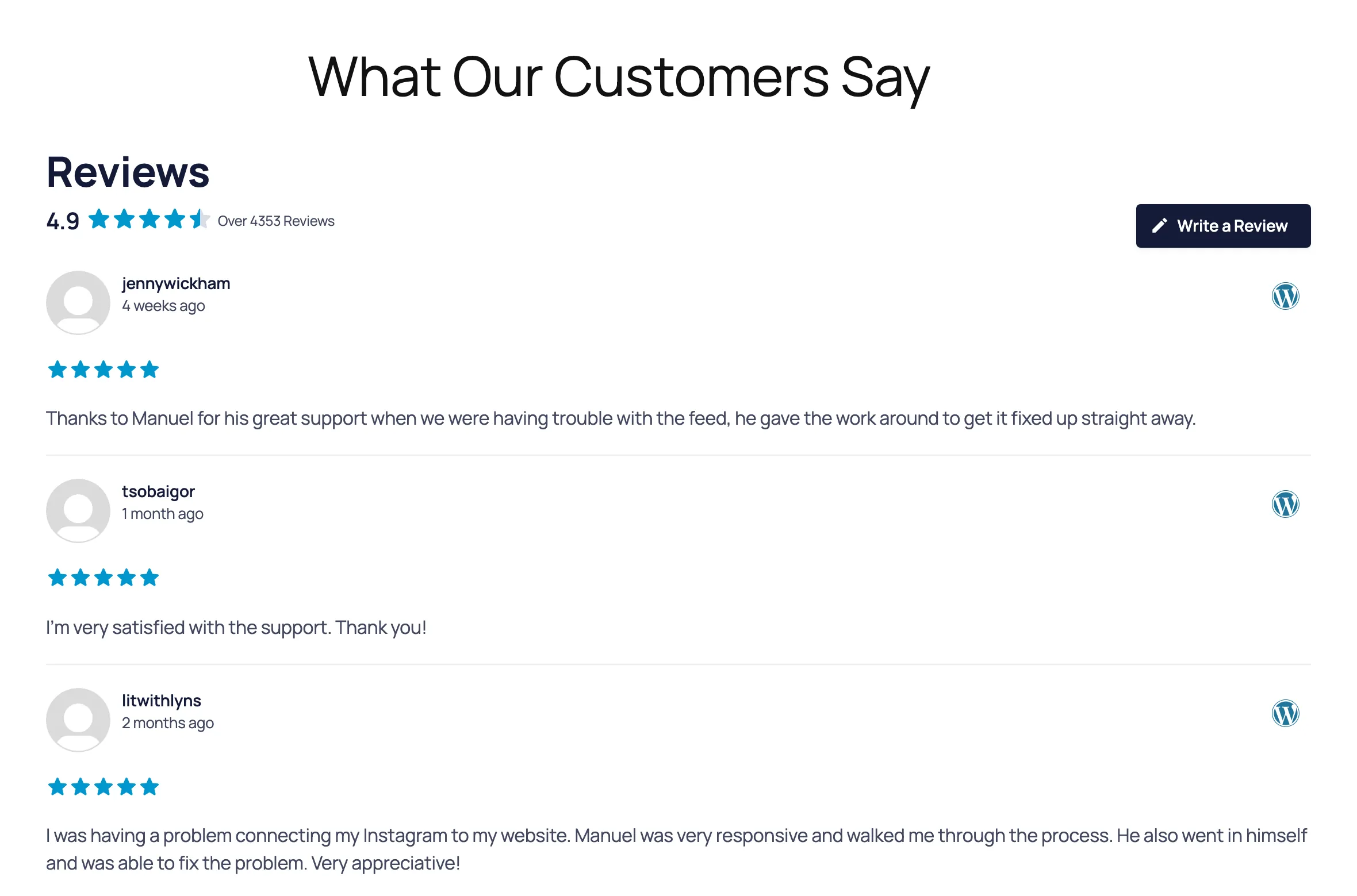
Here’s a Reviews Feed Pro feed of WordPress.org reviews, newest first, one review per row.
Ask for your highest-rated reviews first, in three columns as cards, six at a time. Your AI makes the change, and here’s the same feed after. Only the settings you ask about change, so everything else stays the way you set it up.
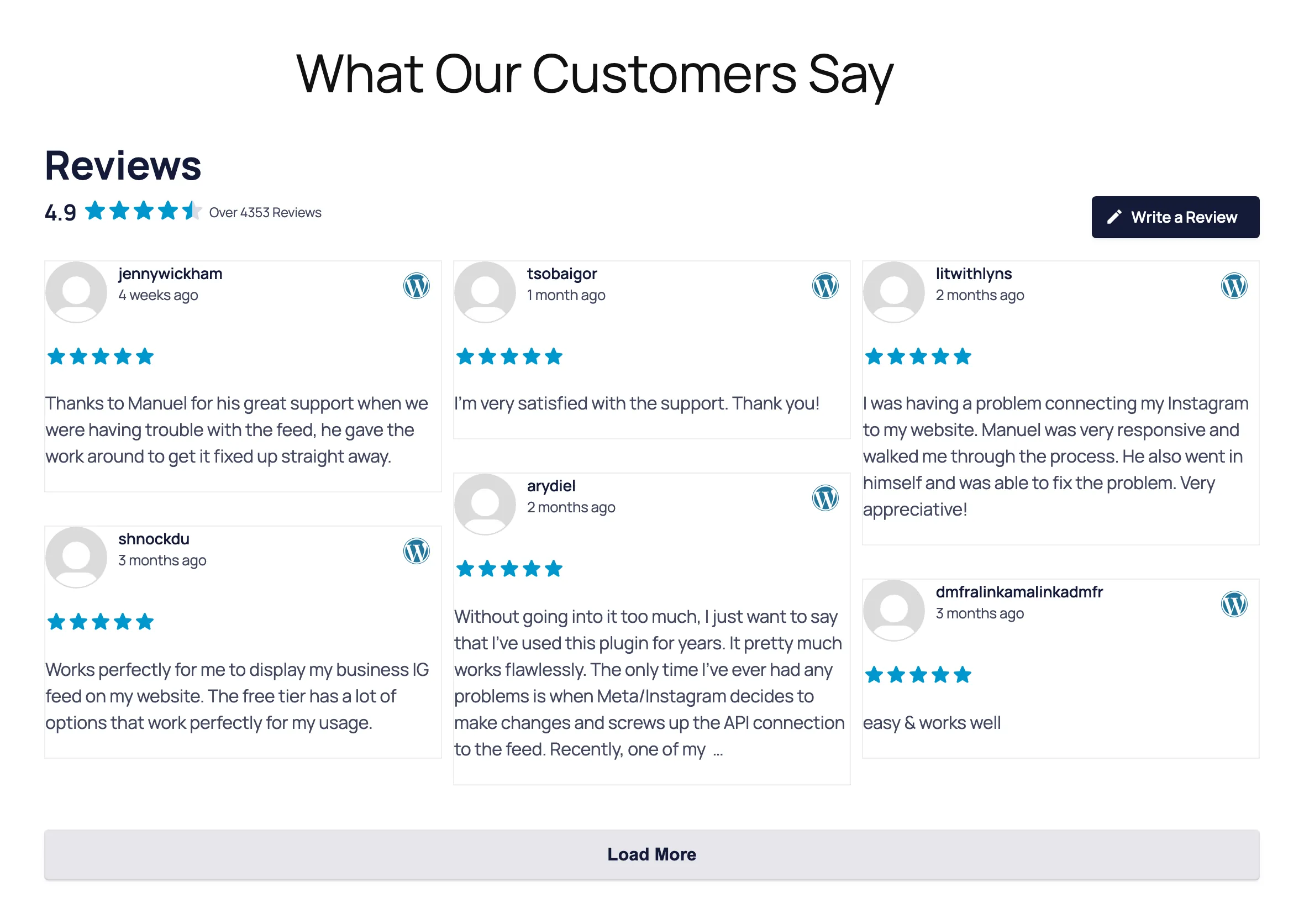
Everything in that feed comes from Reviews Feed Pro: the average rating in the header, the Load More button, and reviews from WordPress.org, one of the sources on the Elite plan. The free plugin takes the same request for your Google or Yelp reviews.
Send Happy Customers Where You Want Their Reviews
Every reviews feed has a Write a Review button in its header, and it starts out linked to the review page for your feed’s first source, like your Google listing. Want reviews somewhere else? Ask your AI to point it at any web address, like your Yelp page or a review form on your own site.
Hand Off the Rest of Your Review Chores
Ask the way you’d text a coworker. A few more things worth handing off:
- Prefer variety over highest-first? Ask for a random order instead, so the same review isn’t always the first one people see.
- Opening a second location? Once its Google listing is connected, ask for a new feed from it and get the shortcode, the short piece of text you paste where a feed should appear.
- Want the feed to match your brand? Ask for your star color by its hex code. Color changes show once you open the feed in the Feed Builder and click Save.
On Reviews Feed Pro, you can go further. Ask for only your 5-star reviews, hide reviews that mention a word you’d rather not feature, skip the one-line reviews so the detailed ones get the space, or switch to a carousel that rotates through your best reviews.
Change Settings for Every Feed at Once
Some settings cover every feed on your site, and your AI can change those too. It can switch review schema markup, the data that tells search engines about the reviews on your page, on or off. It’s on by default. It can also switch on GDPR mode, which holds back review images until a visitor agrees to them.
Show reviews from every place your customers leave them
Reviews Feed Pro adds Facebook, Trustpilot, WooCommerce, and AliExpress reviews on Plus, and Tripadvisor, Airbnb, Booking.com, and WordPress.org reviews on Elite. AI Agents comes with every Pro plan. Backed by a 14-day money back guarantee.
Your Site Stays Yours
Reviews Feed’s AI tools start out look-only. They can see your feeds, settings, and connected review sources, and they never see your API keys, license key, or the tokens that connect your sources. To let them make changes, you flip one switch in Settings, and you can flip it back any time.
Adding a brand-new review source, like a new Google listing, always happens in your WordPress dashboard. Your AI works with the sources you’ve already connected.
Deleting a feed always comes back to you. Your AI can only ask, and you get a link to open in your browser that names the feed before you click Delete feed or Cancel. The link works once and expires after 15 minutes.
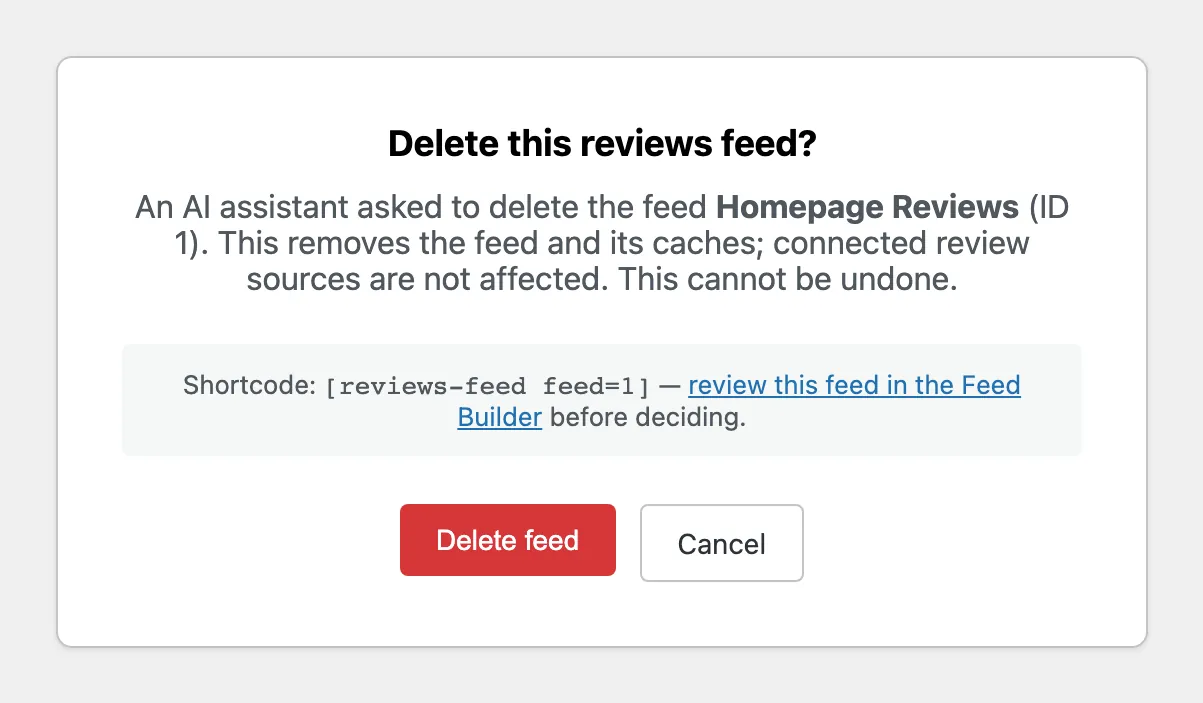
WPVibe, the free plugin that connects your AI to WordPress, also asks for your approval in the chat before anything destructive elsewhere on your site.
Set It Up Once, in About 10 Minutes
You’ll need Smash Balloon Reviews Feed 2.16.0, free or Pro, WordPress 6.9 or newer, and at least one connected review source. Your site’s address also has to start with https://, since WPVibe only connects over a secure link.
WPVibe is made by SeedProd, part of the same family of WordPress products as Smash Balloon, and Reviews Feed installs it for you.
WPVibe comes free with Reviews Feed
You don’t need to download anything separately. Reviews Feed installs WPVibe for you in one click from Settings, on the free plugin and every Pro plan, and WPVibe’s starter plan is free too. New to Smash Balloon? Start with the free Reviews Feed.
Step 1: Add WPVibe From Your Reviews Feed Settings
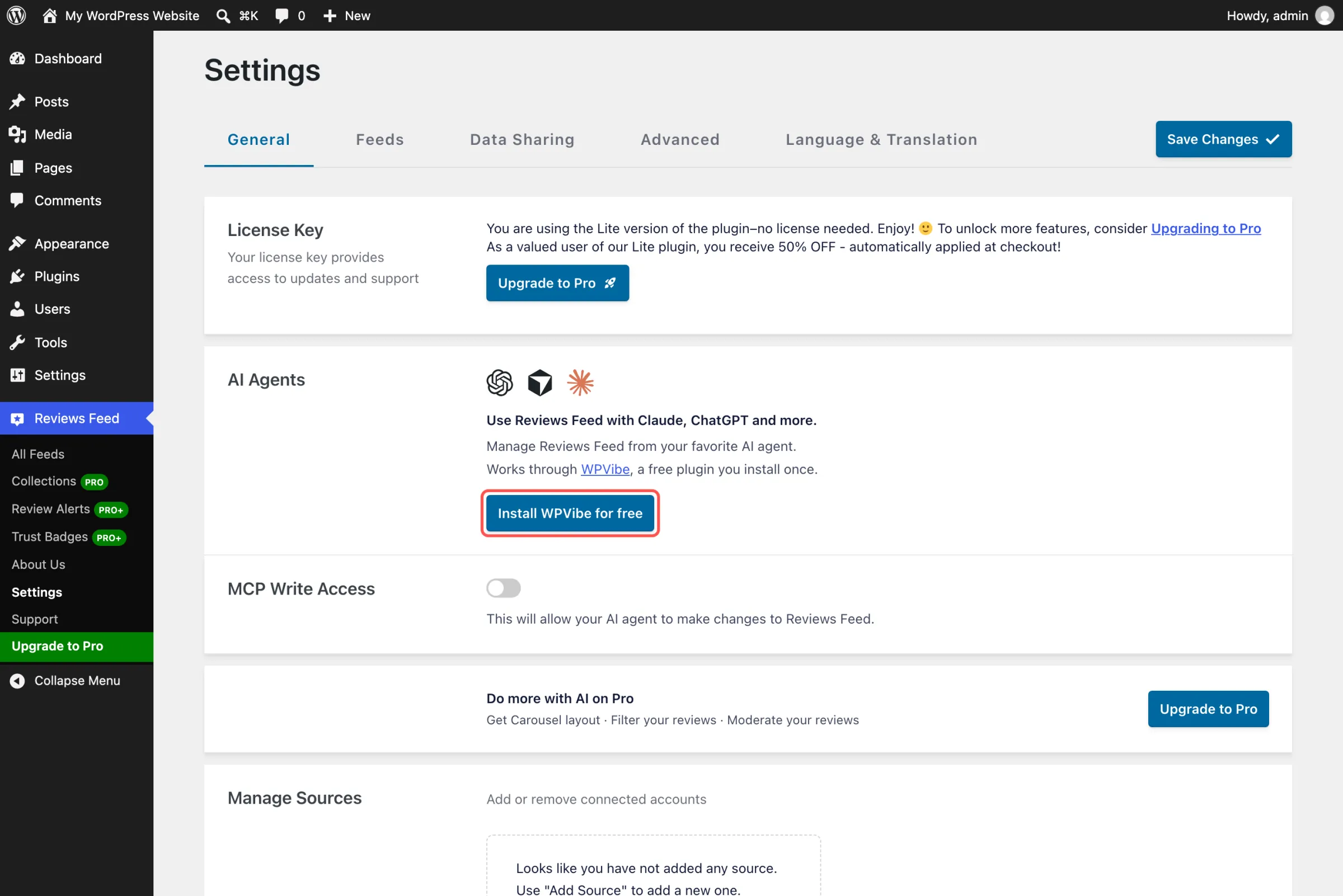
Update to Reviews Feed 2.16.0, then go to Reviews Feed » Settings. In the AI Agents box, click Install WPVibe for free. When the box says WPVibe is connected, click Open WPVibe.
Step 2: Connect ChatGPT or Claude
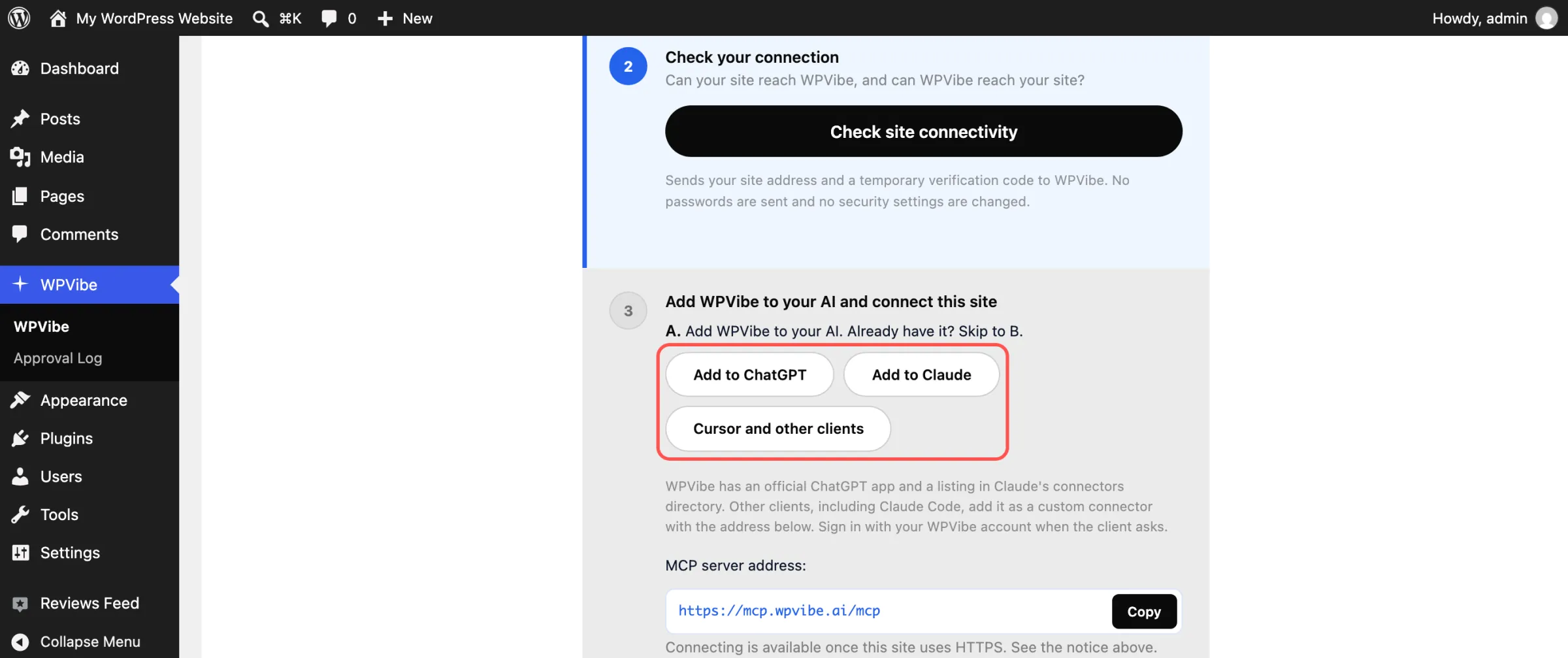
WPVibe walks you through a short checklist. Click Add to ChatGPT or Add to Claude, then sign in to your free WPVibe account or create one with your email. Using Cursor? Pick Cursor and other clients.
Step 3: Approve the Connection
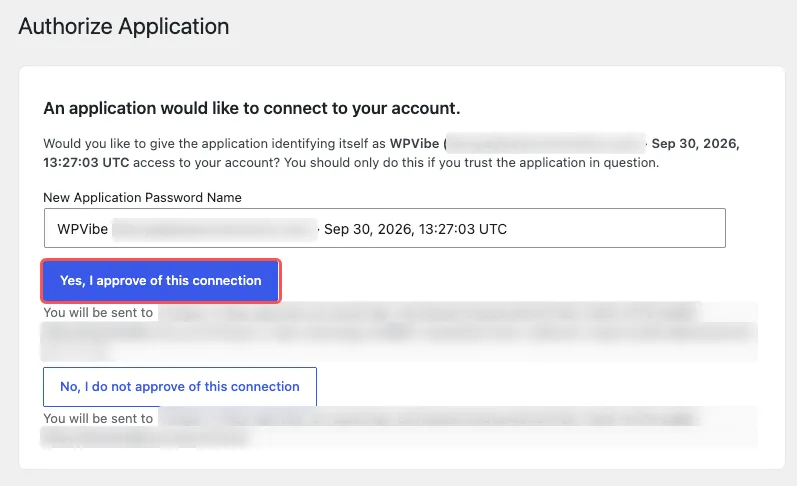
Copy the short message WPVibe gives you into your AI. WordPress opens and asks whether WPVibe can connect to your account, so click Yes, I approve of this connection. When your AI replies with your site’s name and address, you’re connected.
Step 4: Let Your AI Make Changes
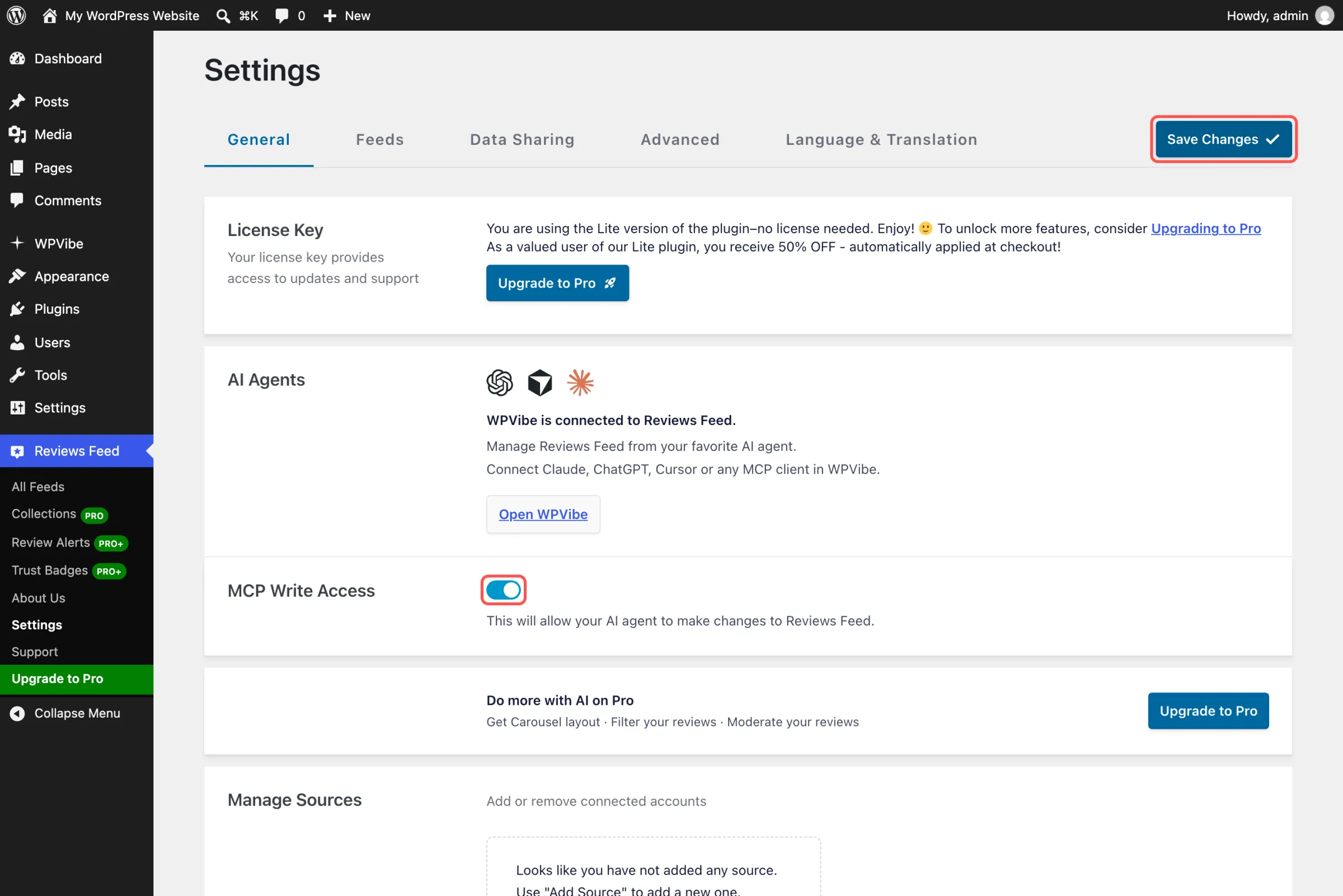
Back in Reviews Feed » Settings, switch on MCP Write Access, the switch that lets Reviews Feed’s AI tools make changes, and click Save Changes. Leave it off if you only want Reviews Feed’s AI tools to look for now.
Now try it. Ask “List my reviews feeds and the sources each one shows.” In ChatGPT, click + and pick WPVibe first, so it answers from your site. After your AI builds a new feed, open it once in the Feed Builder and click Save so its styling shows.
What Reviews Feed Pro Adds to Your Feed
Reviews Feed Pro shows more of your reviews with a Load More button and your average rating, lets you filter by star rating, keyword, and review length, and adds a carousel layout. Plus adds Facebook, Trustpilot, WooCommerce, and AliExpress reviews, and Elite adds Tripadvisor, Airbnb, Booking.com, and WordPress.org. AI Agents comes with every Pro plan, so your AI keeps working the same way after you upgrade.
Still on the free plugin? Ask your AI what Reviews Feed Pro adds. It answers from the plugin’s own feature list and gives you the upgrade link.
Frequently Asked Questions
Is AI Agents included in Reviews Feed Pro?
Yes, on every plan: Basic, Plus, Elite, and the All Access Bundle. It’s also in the free Smash Balloon Reviews Feed 2.16.0, which shows up to 10 of the latest reviews from one Google or Yelp listing without an API key. On Pro, your AI can also filter by star rating and work with every review source your plan includes.
Is WPVibe free?
Yes. The plugin is free, and WPVibe’s free plan covers a daily allowance of WordPress actions. Paid WPVibe plans raise that allowance if you need more.
Can my AI connect a new Google or Yelp listing?
No. You add new review sources yourself in Reviews Feed » Settings. After that, your AI can build feeds from them and switch which sources a feed shows.
Can my AI delete a feed without asking me?
No. Reviews Feed’s AI tools can only request a deletion. The feed is deleted only after you open the confirmation link in your browser and click Delete feed.
Can I take back write access later?
Yes. Switch off MCP Write Access in Reviews Feed » Settings and click Save Changes. Reviews Feed’s AI tools go back to look-only right away, and any deletion link that’s still waiting stops working.
Update to 2.16.0 and Let Your Reviews Do More Work
Ten minutes of setup today, and your next reviews feed change is something you can ask ChatGPT or Claude to do.
And you can do it without:
- Digging through feed settings to change the sort order
- Hunting for the right link for your Write a Review button
- Worrying your AI deletes a feed you wanted to keep
Already using the free Smash Balloon Reviews Feed or Reviews Feed Pro? Update to 2.16.0 and open the AI Agents box under Settings.
New to Smash Balloon? Reviews Feed Pro gets you more reviews, more sources, and AI Agents from day one. Or install the free Smash Balloon Reviews Feed from WordPress.org, connect your Google or Yelp listing, and follow the four steps above.
Run your reviews feeds from ChatGPT or Claude
Reviews Feed Pro shows more of your reviews from more places, and with AI Agents on every plan, you can sort, filter, and restyle all of it from ChatGPT or Claude. Pick Plus for Facebook, Trustpilot, and WooCommerce reviews, or Elite for Tripadvisor, Airbnb, and Booking.com too. Backed by a 14-day money back guarantee.
Run Facebook Feed too? It works the same way. Here’s how to change your Facebook feed by asking ChatGPT or Claude.
Which review would you put first on your homepage? Drop a comment below and let us know.