This edition is running a bit late. I was sick last week, and it seems that sorting through two Gutenberg releases and a month of Make posts is harder while laid out on the couch. I’m on the mend now, and I’m also trying something new for this month.
Instead of the usual long-winded stroll through every corner of the project, this post focuses on the changes that I think matter most if you build on WordPress, whether you run an agency, freelance, or ship plugins and themes. Everything else is linked in the Want more? section at the end, just in case I missed something important in the highlights.
The 7.2 cycle is close. Beta 1 lands on October 20, 2026, with RC1 on November 17 and the final release on December 8. September also brought three security releases, so if any site you maintain somehow missed the auto-updates, go handle that before you read the rest of this post.
As always, you can test the latest by running WordPress trunk along with the newest Gutenberg release, or by spinning up a Playground instance with no setup at all.
The roadmap to 7.2 is out
WordPress 7.2 is the final major release of 2026, and the Roadmap to 7.2 lays out what’s expected to land. The post is clear that everything on it is “being actively pursued, but doesn’t necessarily mean each will make it into the final release.”
Some highlights include:
- Security: Application Passwords improvements, including an email notice when one is added, non-HTTPS environment detection, safer default_role values, and SameSite cookie support. The Secrets API is tentative and would be CLI-only in 7.2, with a UI planned later. A sudo mode proposal is still to come.
- Blocks and APIs: A Description List block, the Table of Contents block moving to server-side rendering, keyword search for the Icon block, and an Interactivity API iteration that starts by rendering only trusted values.
- Design tools: Custom block states, form elements in Global Styles, expanded and consolidated block supports, more work on responsive style states, and viewing inherited styles.
- Admin: The extensible Site Editor, further DataViews and DataForms iteration (including a DataForm-based post inspector), and replacing Dashicons in the admin bar and menu.
- Media and performance: Dynamic galleries, more client-side media work, and replacing script and style concatenation with prefetching.
- Not quite there: The React 19 upgrade is listed, but the roadmap says it’s “unlikely to fully land for WordPress 7.2.” AI work, such as Abilities and the MCP Adapter, is happening in AI and MCP Adapter plugins.
- Not in 7.2: Collaborative editing is “intentionally not on the roadmap.” The team explains why in moving to a server-aware approach for collaboration.
Beta 1 lands on 20 October, and RC1 follows on 17 November. If any of this touches your plugins or themes, test during that window, while feedback can still shape the release.
wp_kses() is being rebuilt on the HTML API
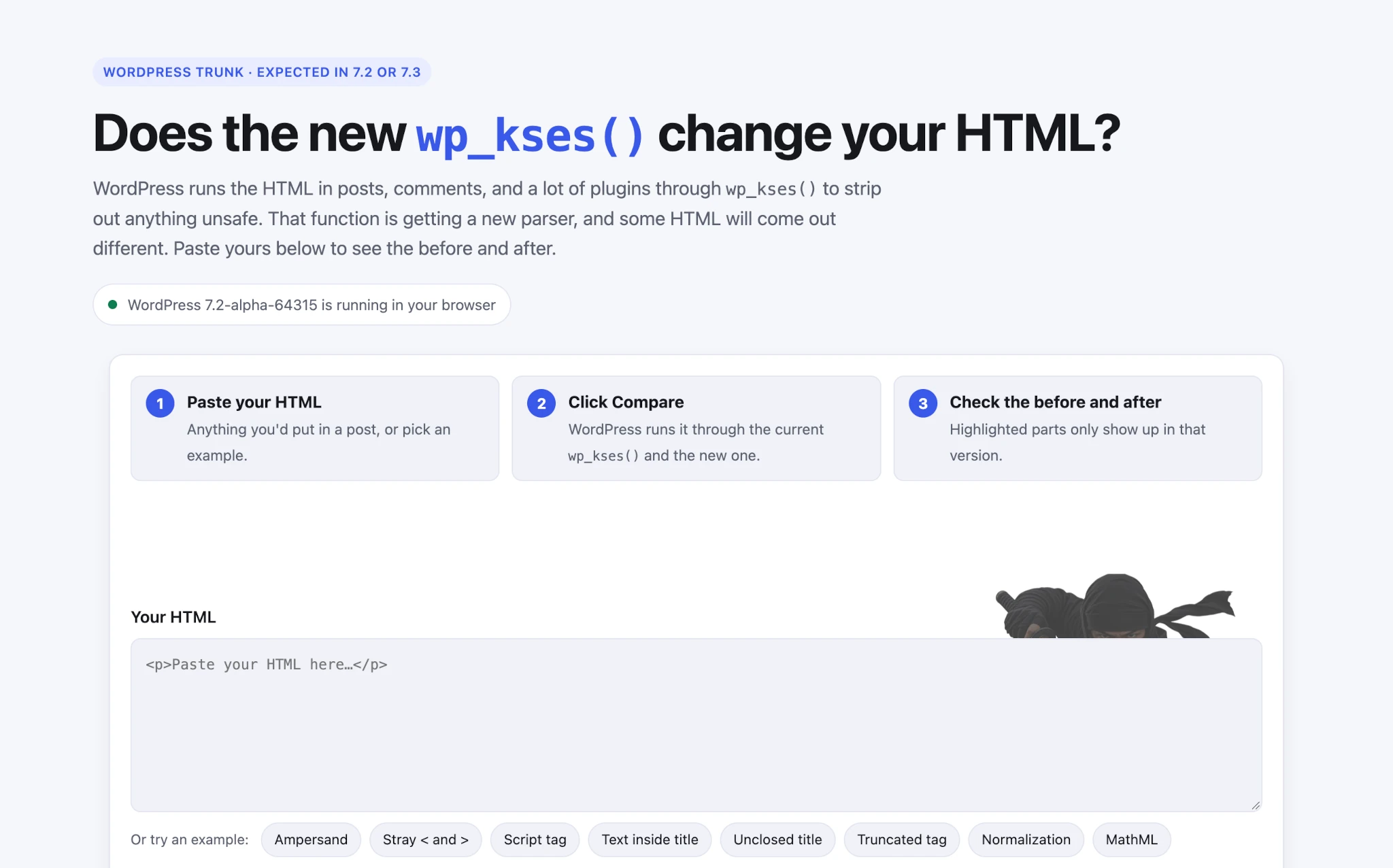
The wp_kses() progress report lays out a rebuild of WordPress’s HTML sanitizer on top of the HTML API, targeting 7.2 or 7.3 based on how testing goes.
The new version normalizes the markup it outputs, strips the contents of script and style elements, and rejects some malformed SVG, MathML, and comments. If your plugin or theme sanitizes HTML and then compares, stores, or tests the result, run that code against trunk now.
There’s an escape hatch: the wp_kses_force_legacy_parser filter restores the old behavior. Treat it as a stopgap, not a fix, and report anything that breaks on the Trac ticket.
If you want to know if the new parser affects your HTML, there’s a tool for checking it.
Blocks can build responsive custom controls
Responsive style states shipped in WordPress 7.1, but only Core blocks could build controls for them because the helpers they relied on were private. Gutenberg 24.1 made those viewport state helpers public, so your blocks can now offer per-breakpoint settings the same way Core blocks do.
@wordpress/block-editor now exports getStyleForState() and setStyleForState(). The block editor store also has new getSelectedBlockStyleState() and hasSelectedBlockStyleState() selectors. Here’s how you’d set a minimum height for the mobile breakpoint only:
const state = { viewport: '@mobile' };
const stateStyle = getStyleForState( attributes.style, state ) || {};

setAttributes( {
	style: setStyleForState( attributes.style, state, {
		...stateStyle,
		dimensions: { ...stateStyle.dimensions, minHeight: '50vh' },
	} ),
} );
That same release also lets position vary by viewport, so a header can be sticky on mobile only.
Meet Ipsum, the new default theme
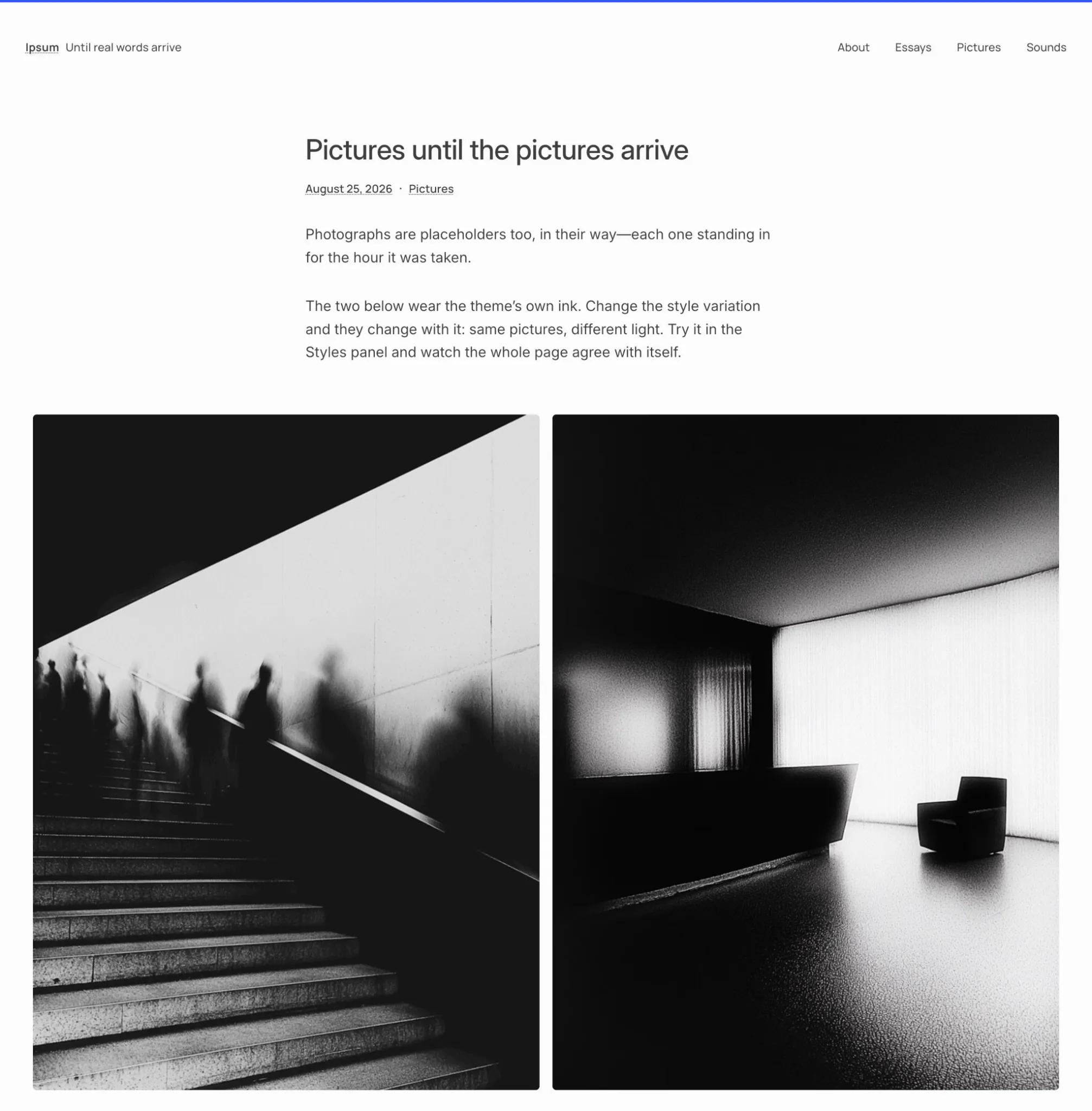
WordPress 7.2 will ship with a new default theme, and it breaks a long tradition: it isn’t named after the year. Introducing Ipsum, the new default theme explains that the move away from year-based naming means “default themes will have their own names and change when the design calls for it, not when the calendar does.” The name comes from lorem ipsum, “the placeholder that fills a page until real content arrives.”
Ipsum is an intentionally minimal blog theme, a blank canvas with room for creativity. The page stays quiet, with dotted underlines and a handful of typesets. Headers, heroes, and sidebars are there when you need them and out of the way while you write. Its style variations go further than most: they “re-ink” the whole page, images included. And the team says every combination meets WCAG AA, not just the default design.
The theme is open for testing now in the Ipsum GitHub repository.
Plugin releases now get an automated security review
If you ship plugins to the WordPress.org directory, your release timing is changing. The Plugins team introduced an automated security review for plugin releases. During the release cooldown, several AI models and Jetpack Scan score each new release.
High-risk releases are blocked automatically, and committers get an email with the findings. Make sure the address on your committer accounts is one somebody actually reads.
Block supports arrive on nearly every Core block
Gutenberg 24.1 was mostly about one thing: design tool consistency. Around 140 pull requests switched on existing block supports for Core blocks that lacked them. That includes background images, gradients, shadows, link and button colors, borders, text columns, and text alignment. The What’s new in Gutenberg 24.1 post covers the highlights, and the 24.1 changelog lists every block.
For theme authors, this means much of the custom CSS you’ve written to give a Code block a shadow or a Latest Posts block a background can move into theme.json under styles.blocks.
Take note that the Accordion, Tabs, Tab Panel, and Post Template blocks now output has-link-color and related classes. If your theme styles links inside any of those, check for specificity collisions before 7.2.
Core icons now use strokes, not fills
The redraw of the Core icon set finished in Gutenberg 24.1, after starting in 24.0. Roughly 330 icons are now stroke-based, and each one sets fill: none inline on its .
A fill prop or CSS fill rule no longer recolors them. Use CSS color instead. If you have svg { fill: … } rules targeting Core icons in your admin styles, go check them. Also update @wordpress/icons and @wordpress/components together, because mixing the new icons with an older Icon component can drop the merged styles.
Icon collections can now be private
The Icon Registration API from 7.1 gained a public argument for icon collections in Gutenberg 24.1:
wp_register_icon_collection( 'themeslug-admin', [
	'label'  => __( 'Theme Admin Icons', 'themeslug' ),
	'public' => false,
] );
Icons in a non-public collection still work with wp_get_icon(), but they’re hidden from the REST API, and the Icon block won’t render them on the front end. Core uses this for a new core-admin collection holding the admin bar and menu icons. It’s a good fit for icons your plugin needs in its own UI but doesn’t want users dropping into posts.
Text shadow becomes a block support with presets
Global Styles could already set a text shadow as of 7.1. Gutenberg 24.1 turned text shadow into a full block support, with theme-defined presets and a picker in the Typography panel. The Paragraph and Heading blocks opt in by default.
For your own blocks, add "textShadow": true under supports.typography in block.json. Themes can define presets in theme.json:
{
	"settings": {
		"typography": {
			"defaultTextShadowPresets": false,
			"textShadowPresets": [
				{
					"name": "Soft",
					"slug": "soft",
					"textShadow": "0.05em 0.05em 0.1em rgba(0, 0, 0, 0.25)"
				}
			]
		}
	}
}
Each preset generates a --wp--preset--text-shadow--{slug} custom property and a .has-{slug}-text-shadow class.
NO_BACKSLASH_ESCAPES SQL mode is off by default in 7.2
The first developer note for 7.2 covers a database change: wpdb now strips NO_BACKSLASH_ESCAPES from WordPress’s own database session.
It’s unlikely to affect most sites. If one you maintain actually depends on that mode, you can keep it with the incompatible_sql_modes filter, but only from a db.php drop-in. Plugins and mu-plugins load too late to change it.
add_filter( 'incompatible_sql_modes', function ( $modes ) {
	return array_diff( $modes, [ 'NO_BACKSLASH_ESCAPES' ] );
} );
Five components are being removed
Gutenberg 24.1 deprecated Divider, ResponsiveWrapper, Scrollable, ZStack, and Elevation in @wordpress/components. They’re marked as deprecated since 7.2, with removal planned for 7.4. The suggested replacements are plain CSS (aspect-ratio for ResponsiveWrapper) or the Separator component in place of Divider.
The same release stabilized the featured image flow for MediaUpload: unstableFeaturedImageFlow is now featuredImageFlow, and the old name follows the same 7.4 removal path.
Grid variation and per-viewport settings for Gallery
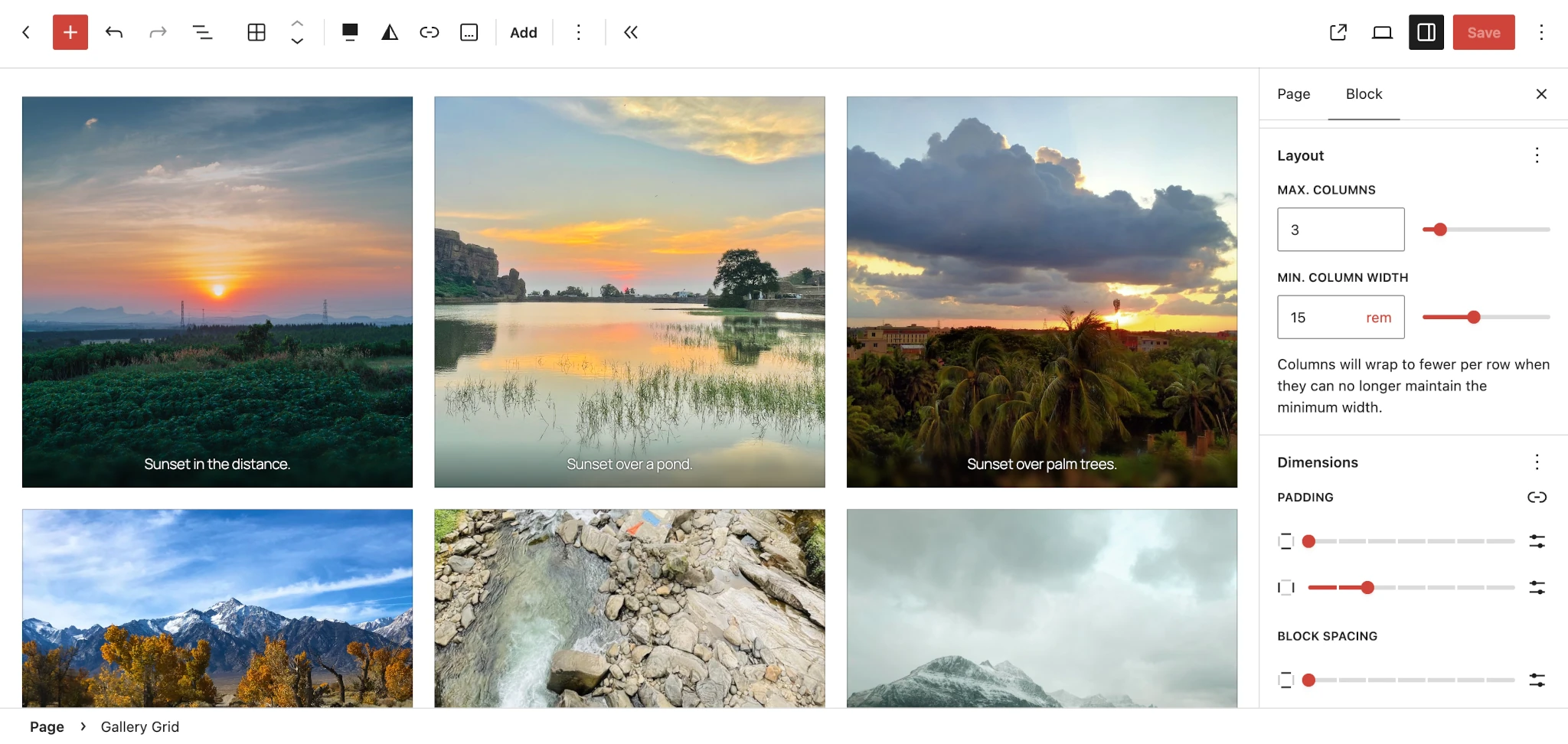
The Gallery block got a Grid variation in Gutenberg 24.0. Flex is still the default, and existing galleries keep their behavior until you switch them.
The Gallery CSS rules are now scoped to :where(.is-layout-flex). Specificity didn’t change, but any theme CSS that assumes those rules always apply should be tested against a Grid gallery.
Galleries can vary by breakpoint now too. Columns and crop follow viewport states in the Flex layout, and aspect ratio does the same in every layout.
Playground gains a terminal and an email inbox
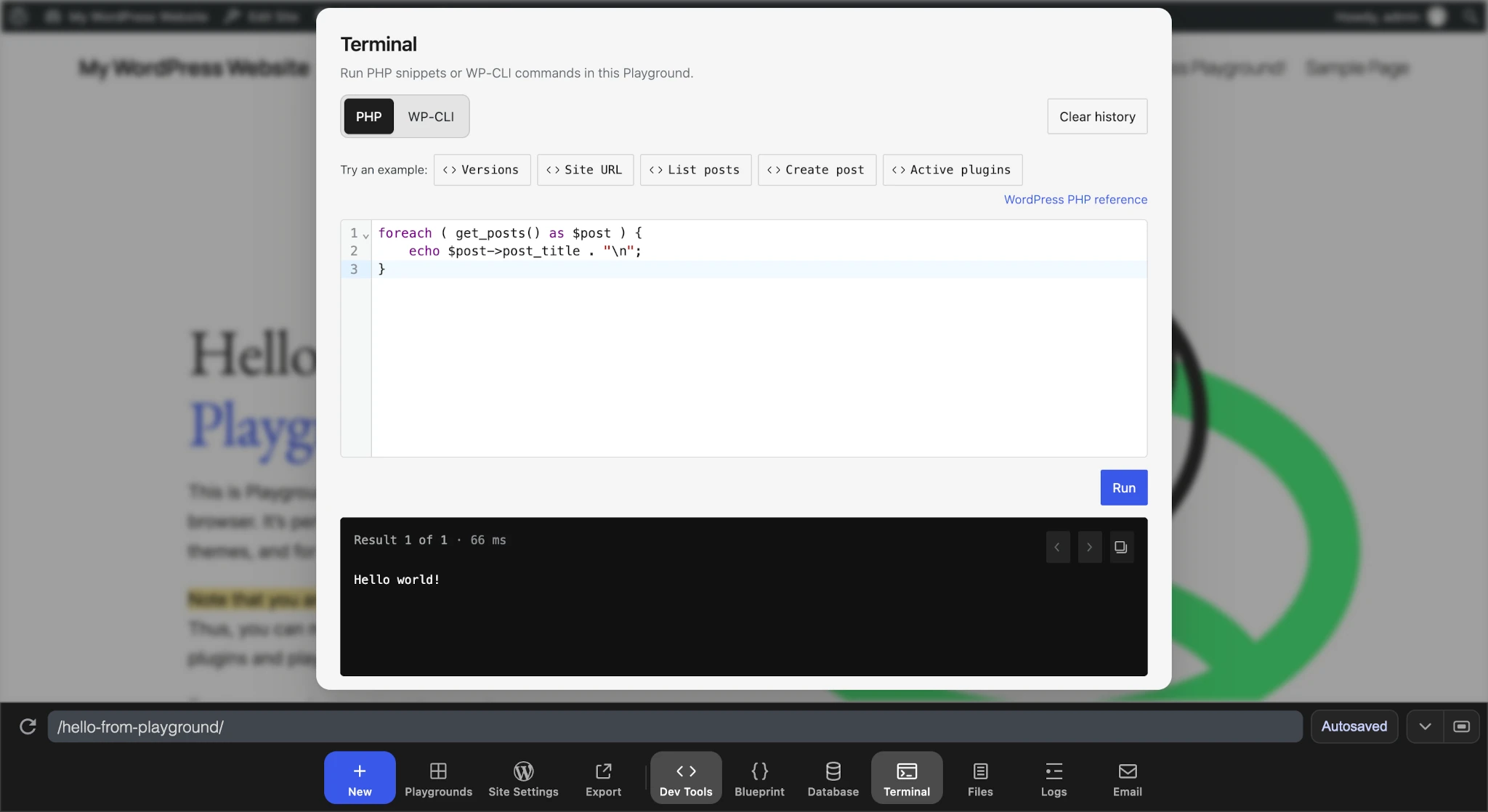
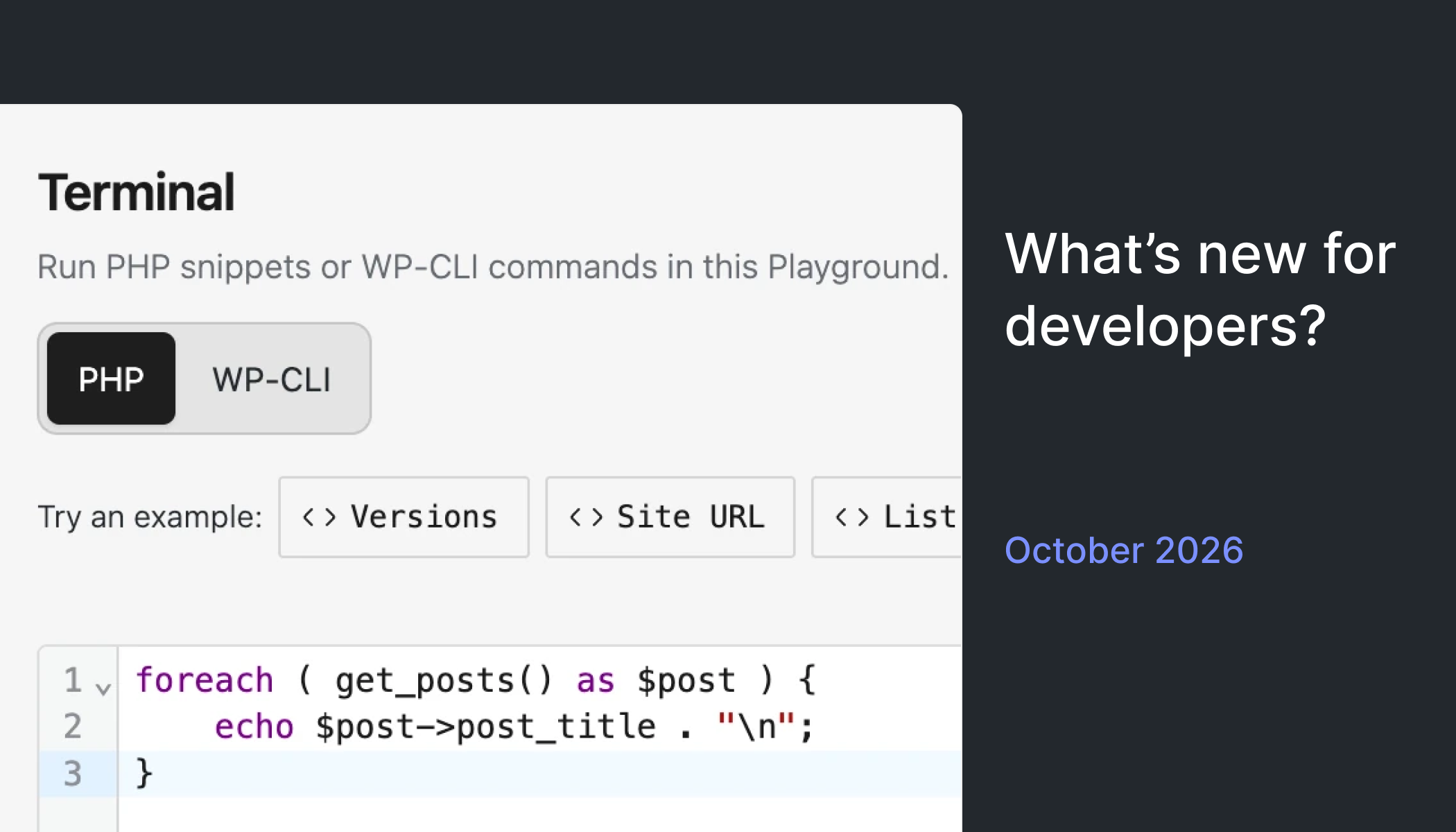
Two new Playground tools make it a more realistic place to debug. The Dev Tools Dock adds a terminal that runs PHP and WP-CLI commands against the live site. There’s no TTY, and interactive or long-running commands are rejected, so wp shell is out. Blueprint wp-cli steps follow the same rules.
The new Email tool captures anything sent through wp_mail() and shows it in the browser. That’s handy for testing notification emails without wiring up a mail catcher. Just keep in mind it only sees mail sent through the sendmail path, not SMTP or API-based providers.
Want more?
The highlights above are the ones I didn’t want you to miss. Here’s everything else from the past month, grouped by topic.
Releases and schedules
Editor and admin
APIs and data
Components and UI
Themes and blocks
Props to @psykro and @welcher for feedback and review on this post.