Nearly half of U.S. adults now use AI chatbots, up from 33% in 2024, according to a 2026 Pew Research Center survey. Many of them turn to these tools to find the information they’re looking for.
That raises a practical question for anyone involved in WordPress AI SEO: what can you control about how AI tools see your content? You may not be able to control everything, but you likely have more influence than you realize.
Plugins that promise to help fall into a new, loosely defined category. Some create a single file, while others update robots.txt. A few do both and include logging, too. In this article, I’ll walk you through what each task involves, when you might need a plugin, and how to evaluate a tool before installing it.
What Is a WordPress AEO Plugin, and How Does AEO Differ from SEO?
A WordPress AEO plugin manages how AI systems/LLMs access and read your site. It decides which content AI tools can use, publishes AI-friendly versions of that content, and sets and monitors crawler access.
AEO stands for answer engine optimization. The goal is to be used or cited when an AI tool generates an answer, not just to appear in a list of blue links.
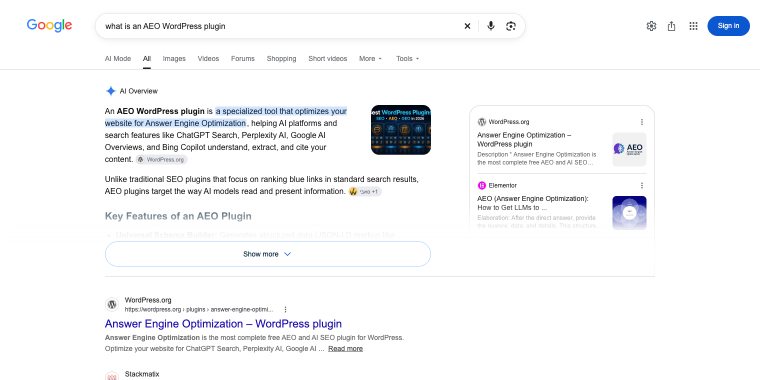
In broad terms, AEO is mostly the same as GEO or AI SEO. GEO is generative engine optimization, and AI SEO WordPress all describe working toward visibility in AI-generated answers. The industry hasn’t settled on one term, and plugin vendors use them interchangeably.
| SEO | GEO/AEO | |
| Goal | Rank a link | Be cited as “the answer” |
| Who’s the recipient? | User | AI bot |
| Tactic | Keywords and backlinks | Entity schema and data |
I’ll use the AEO term throughout this article, and note GEO or AI SEO where a tool or source uses those names.
Please note! AEO will not replace SEO. AI tools that retrieve live web content still depend on pages that are crawlable, clearly written, and useful. Good SEO fundamentals remain the base. The difference is in the output. SEO aims to win a position in a results list. AEO aims to be selected as a source inside an answer given by any LLM.
What does a WordPress AEO plugin control?
It controls access, format, and visibility, which are the nuts and bolts:
- which post types and individual pages AI-facing outputs can include;
- what format AI tools receive, such as an llms.txt file or Markdown versions of pages;
- which AI crawlers are allowed or blocked through robots.txt;
- whether you can see which crawlers actually visit.
The AEO plugins can’t decide whether an AI tool selects your content. That depends on whether your pages answer the questions the tool is trying to resolve.
At this very moment, most AEO plugins remove technical obstacles, giving you control and visibility.
Which Jobs Should a WordPress AEO Plugin Do?
A WordPress AEO plugin should do five jobs:
- control content visibility;
- publish llms.txt;
- serve Markdown versions of pages;
- manage AI crawler rules in robots.txt;
- log crawler visits.
Most tools cover one or two of these jobs, while only a few cover them all. Getting familiar with the different AEO plugin jobs is a quick way to assess your options: you can identify which ones you need and see which ones each tool actually handles.
| Job | What it does | Can you do manually? |
| Content visibility | Sets which post types, and which individual pages, AI-facing outputs can include | Not really. WordPress has no built-in setting for this |
| llms.txt | Publishes a structured summary of your important public content at a standard URL | Yes. You can write and upload one file |
| Markdown versions | Serves a clean Markdown version of selected pages, so AI tools skip parsing the full HTML | With custom code, yes. Without it, no |
| Setting crawler rules via robots.txt | Allows or blocks specific AI crawlers through robots.txt | Yes, it’s a text edit |
| Crawler logging | Records which AI bots visit, what they request, and what your site returns | Only with server access and log analysis |
Content visibility is easy to overlook, even though it plays an important role in shaping the other four tasks. When visibility rules aren’t quite right, every output built on them can carry the mistake forward; for example, your llms.txt might list a page you meant to hide, or a Markdown version might reveal content you never intended to publish.
A good plugin applies one set of rules to every output. A weaker setup makes you manage each output separately, and that’s where inconsistencies creep in.
What Can’t a WordPress AEO Plugin Fix?
A WordPress AEO plugin can’t guarantee that an AI tool will choose your content, but it can help remove access obstacles and give you more control over what AI systems see. Ultimately, selection depends on several other factors.
Google’s documentation says there are no extra requirements for appearing in AI Overviews or AI Mode; you don’t need new machine-readable files, AI text files, or special markup. To be eligible for Google’s AI features, a page simply needs to be indexed and able to appear in Search with a snippet; Google lists no technical requirements beyond that. That said, Google can update its terms and requirements at any time, potentially leading to search results being collapsed a change we’ve seen more than once.
How can we be sure that an AI Mode will select our page? Mostly the same things that decide it in classic search. Google says AI Overviews and AI Mode may use a “query fan-out” technique, which issues multiple related searches across subtopics and data sources to build an answer.
It turns out, your page needs to answer the related sub-questions, not just the main keyword. Yes, it’s long-tail keyword thinking again, except now the AI writes the long tail for you.

This is where we need to follow Google’s recommendations, making sure that crawling is allowed in robots.txt and that any CDN or hosting is not blocking bots from accessing your content.
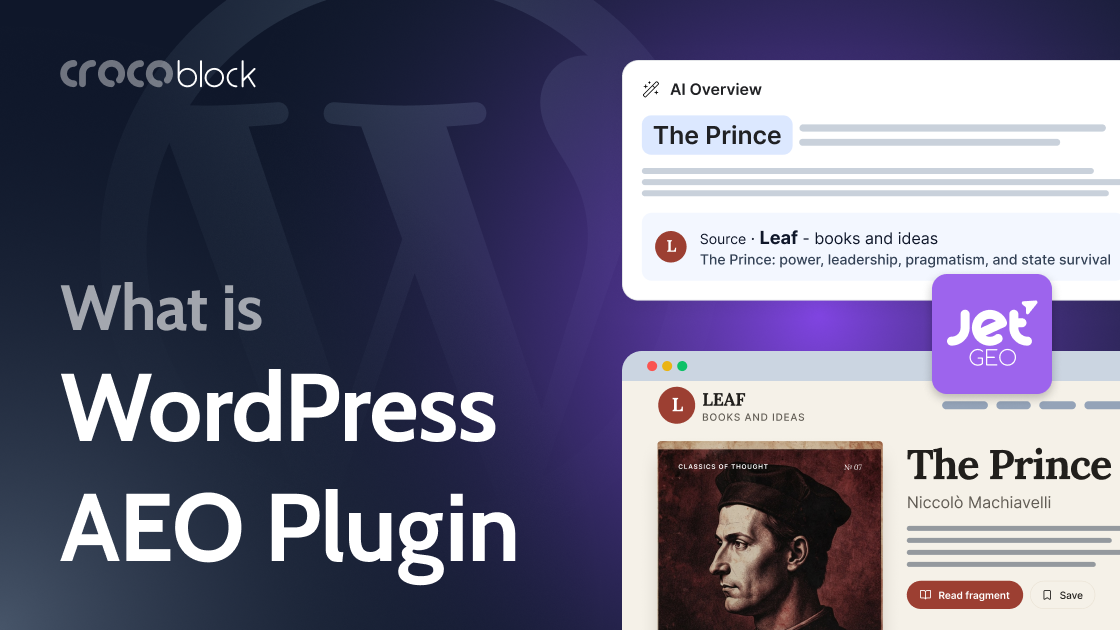
So How Does JetGEO Handle AEO?
JetGEO brings all AI search optimization jobs in one interface. Without it, you’d need one tool for llms.txt, another for robots.txt, and server logs to see who’s visiting, and those tools wouldn’t share information with one another.
At the heart of it is a shared set of visibility rules. You choose once which content types AI-facing outputs can use, and those choices guide everything else: from llms.txt and Markdown versions to exclusions.
JetGEO is a new release; here’s what it covers at this moment.
| Job | What JetGEO, a WordPress GEO plugin, does |
| Content visibility | You choose which post types AI-facing outputs can include. Regular posts, pages, CPTs. Editors can also exclude a single page from AI outputs without hiding it from visitors. Applies to JetGEO’s own outputs only. It doesn’t change what other plugins or your theme expose. |
| llms.txt | Creates a template with dynamic tags and automatic regeneration on a schedule or after selected content updates. |
| Markdown versions | Enabled per content type, with a default output or custom templates. |
| Crawler rules for robots.txt | Base mode and Advanced mode, a built-in list of known AI crawlers, per-bot “Allow” or “Disallow,” a “Generate from Basic rules” button, optional Content-Signal preferences (Search, AI-Input, AI-Train), and a preview before saving. |
| Crawler logging | Records known AI crawler visits: which bot, what it requested, what type of resource, what response the site returned, and what robots.txt access the plugin believed applied. |
What are JetGEO’s limits?
The plugin’s value depends on external platforms. Whether AI systems respect llms.txt, Markdown pages, or robots.txt is outside anyone’s control, including JetGEO’s, unless you happen to be Sam Altman or Dario Amodei.
Who is JetGEO a good fit for?
It fits a publisher who wants AI tools to find articles clearly while keeping editorial control over what’s included. It fits an agency that needs one repeatable AI-readiness setup across client sites. It also fits a site owner who wants to allow some crawlers, block others, and see who actually visits.
It’s a weaker fit for a five-page site that rarely changes, where a hand-edited robots.txt is enough.
Which WordPress GEO Plugin Do You Need?
It depends on how often your content changes, how many sites you manage, and what you expect from AI visibility. Start with what you actually have installed on your website, be it Yoast or RankMath.
If you run a small site that rarely changes, you probably don’t need a plugin. Edit robots.txt by hand, after checking that no conflicting physical file exists. Skip llms.txt, or write one and leave it alone.
If you publish regularly, a plugin can quickly become a worthwhile part of your workflow. Content visibility rules and an automatically regenerating llms.txt file can take care of routine tasks that are easy to miss when handled by hand. JetGEO brings together all the capabilities mentioned above. And if you manage client sites, consistency can make all the difference: one reliable setup across projects is often more valuable than any single feature.
If you want AI tools to select your content, no plugin decides that. That depends on whether your pages answer the questions behind the AI search optimization, which is the subject of another article.
FAQ
It’s a plugin that manages how AI systems access and read your site. It controls which content AI-facing outputs can include, publishes formats like llms.txt and Markdown, sets AI crawler rules in robots.txt, and in some cases logs crawler visits. It doesn’t rank your site in AI answers.
Not for Google. Google says it’s fine to maintain llms.txt files for other services, but Google Search ignores them, so they neither help nor harm your visibility there. If it costs you almost nothing to publish and keep current, it’s harmless.
Yes. GPTBot is OpenAI’s crawler, and Google Search runs on Googlebot, so a GPTBot rule doesn’t touch it. One more detail: OpenAI runs a separate crawler for search. Sites that opt out of OAI-SearchBot won’t appear in ChatGPT search answers, though they can still show up as navigational links. Block GPTBot and leave OAI-SearchBot alone if you want to stay out of training but remain available in ChatGPT search.
Googlebot’s robots.txt rules control how your site is crawled for Search, while Google-Extended applies to AI training and grounding in some of Google’s other systems. Blocking Google-Extended and blocking Googlebot are different decisions.
No. It’s a request, and compliance is voluntary. OpenAI notes that robots.txt rules may not apply to ChatGPT-User, because a person initiates those actions. Content-Signal lines work the same way: not all AI companies have committed to respecting them. If you need a hard block, use a firewall or server rule.
Look at your server logs, or use a plugin that records AI crawler visits. A plugin log shows requests that reach WordPress. If a bot you allowed never appears, it may not have visited, or something upstream, like a CDN or firewall, may have stopped it first.
No plugin decides that. Google lists no additional requirements for AI Overviews or AI Mode beyond being indexed and eligible to show a snippet. Selection depends on whether your page answers the questions behind the search. A plugin removes access obstacles and gives you control, which matters, but it isn’t a ranking lever.
Conclusion
Start with the five jobs: content visibility, llms.txt, Markdown versions, crawler rules, and crawler logging. Then ask which of them you can do by hand and which ones keep going wrong when you do. For many small sites it’s more than enough. And try to keep the expectations realistic.
If you want to try this on your own site, JetGEO covers all five jobs and states its limits openly. For the implementation steps, start with our WordPress AI SEO (GEO): How to Prepare a Site for AI Search Engines in 2026 guide.