
Zelle not working can be genuinely frustrating. Especially when you owe someone money and they’re standing right there waiting. But most of the time, the fix is simpler than you’d expect once you figure out what’s actually going wrong.
Here’s something that catches people off guard: Zelle isn’t its own app for most users. It lives right inside your bank’s mobile app, so when something goes wrong it’s often your bank’s app causing the trouble, not Zelle itself. There is a standalone Zelle app, sure, but that’s mainly for folks whose banks don’t support it directly. Most people never touch it.
Below you’ll find every common reason Zelle stops working, from outages to enrollment mix-ups to security holds. Find the section that sounds like your problem and start there. Shouldn’t take long.
Basic Details
The table below gives a quick snapshot of how Zelle works so you know what you’re dealing with:
| Detail | Info |
|---|---|
| Service Name | Zelle |
| Type | Bank-integrated P2P payment network |
| Where It Lives | Inside your bank or credit union’s mobile app; standalone Zelle app available for some banks |
| Enrollment ID | US mobile number or email address |
| Typical Transfer Speed | Minutes when both parties are enrolled |
| Availability | United States only |
| Common Problem Categories | Outages, enrollment issues, app bugs, security holds, recipient issues, send limits |
Is Zelle Down Right Now? How to Check Before You Troubleshoot
Before doing anything else, check whether the problem is actually on Zelle’s end. No point clearing your cache or reinstalling apps if the service itself is having a bad day.
How to Check Zelle’s Service Status
Head to zellepay.com and look for their official status page. It’ll tell you if things are running normally or if something’s broken on their end. You can also just Google “is Zelle down” and check Downdetector, which pulls in real-time reports from other users having issues. And don’t forget your own bank might be the one with the outage. Check your bank’s website or app notification center, because a bank-side problem can kill Zelle even when Zelle’s servers are totally fine.
What to Do If There Really Is an Outage
Honestly, just wait. Don’t resend a payment that already went through, because once the outage clears it might process twice. Some third-party outage trackers let you set up alerts so you’ll know when things come back online. Most of the time these outages get resolved in a few hours (sometimes way less).
Zelle Not Working in Your Bank App – The Most Common Reason
If there’s no outage, the single most common reason Zelle breaks is a bank app that needs updating. Zelle is built right into your bank’s app, so an outdated version or a half-finished update can completely wreck the Zelle section. The Zelle tab can straight up vanish sometimes after an update that got interrupted.
Step-by-Step: Update and Refresh Your Bank App
Work through these steps in order:
- Open your device’s app store (App Store on iPhone or Google Play on Android).
- Search for your bank’s app and tap Update if one is available.
- Force-close the app all the way. Don’t just swipe to the home screen.
- Open it again, log in, and check whether the Zelle section is back to normal.
- Still broken? Clear the app’s cache (Android: Settings – Apps – your bank app – Storage – Clear Cache; on iPhone, offload the app through Settings – General – iPhone Storage).
- Open the app one more time and try sending a small payment to test it.
Your Zelle Enrollment Might Be the Real Problem
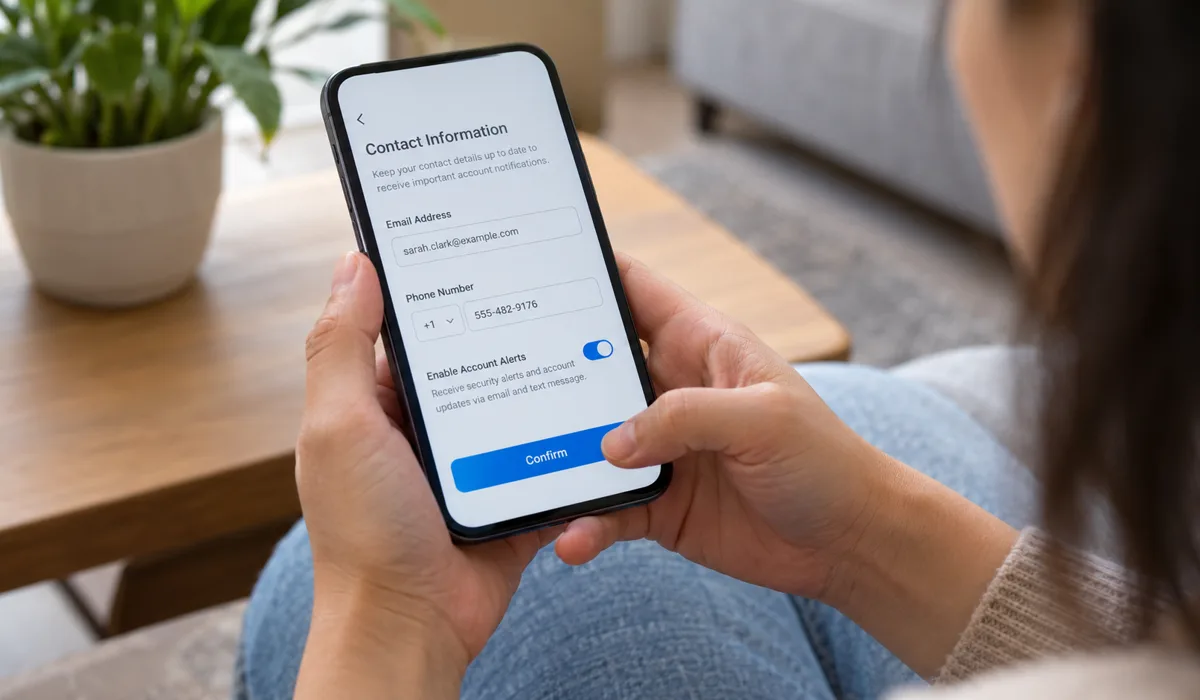
Here’s something a lot of people run into. Your Zelle account is tied to one phone number or email address. Got a typo in there? Or maybe that number is still linked to a bank you closed last year? Zelle will just fail without telling you much, or it’ll spit out some vague error that doesn’t help at all.
How to Verify Your Enrolled Email or Phone Number
Open your bank app and go into the Zelle section. Poke around in settings or your profile area in there. You should be able to see exactly which phone number or email is on file. Make sure it’s actually correct and current. If you recently changed your phone number and forgot to update it here, that’s almost certainly your issue.
What to Do If Your Number or Email Is Enrolled at a Different Bank
This one trips people up a lot. A phone number can only be enrolled at one bank at a time. Follow these steps to sort it out:
- Log in to the bank app where Zelle stopped working.
- Open Zelle and look for Settings or Manage Account.
- See which phone number or email is listed there.
- Wrong one? Tap Edit or Update, then verify the new info using the code Zelle sends you.
- If your number is still locked to an old bank, you’ll need to call that bank’s support and ask them to unenroll it. Then come back and enroll with your current bank.
Recipient Not Enrolled: Why Your Money Seems to Disappear
This is one of the most confusing Zelle situations. You send money, it leaves your account or seems to, and the other person never gets it. What happened?
How Pending Payments Work When the Recipient Isn’t Enrolled
So you sent money to someone who hasn’t set up Zelle yet. The payment just sits in a pending state. Zelle pings the recipient with a notification asking them to sign up. They’ve got 14 days. If they don’t bother enrolling in those 14 days, the payment cancels itself and your money comes back. Your money isn’t gone (it just really looks that way for a while, which is nerve-wracking).
How to Check and Cancel a Pending Zelle Payment
Want to cancel before those 14 days run out? Here’s the process:
- Open the Zelle section in your bank app.
- Tap Activity or Payment History.
- Find the payment marked Pending.
- Tap it, then hit Cancel Payment if that option shows up.
- Confirm, and the money should land back in your account within minutes.
- Tell your recipient to go set up Zelle first, then resend the payment once they’re enrolled.
Send Limits, Security Holds, and Why Zelle Is Blocking Your Payment
Sometimes a payment fails not because of a bug, but because your bank quietly blocked it. Banks have built-in fraud protection systems and sending limits, and they don’t always explain exactly why.
Understanding Zelle Send Limits
Your bank decides your Zelle limits. Not Zelle. And every bank picks different numbers for daily and weekly caps. There’s no standard amount across the board. Check inside the Zelle settings in your bank app, or just call your bank and ask. They’re the only ones who can tell you your actual limit or bump it up.
Security Holds for New Recipients – What’s Happening
Many banks add a temporary delay or block when you send to someone you’ve never paid through Zelle before. It’s a fraud prevention thing. It can look like a flat-out error message, but really the bank is just reviewing the transaction behind the scenes. It usually clears up fast. Sometimes same day.
How to Get a Security Hold Lifted or a Limit Raised
If you think a security hold is blocking your payment, try this:
- Open your bank app and look for any alerts or notifications about the blocked payment.
- If prompted, complete any identity verification steps the bank requests.
- Call or chat with your bank’s support team and explain the transaction, they can often manually review and release it.
- Ask your bank whether your Zelle limit can be raised and what account requirements apply.
- For new recipients, try sending a smaller test amount first, since some holds clear after the first successful transaction.
Internet Connection and Device Issues That Break Zelle
Basic stuff, but worth checking. A weak or unstable connection causes more Zelle failures than people think.
Quick Fixes for Connectivity Problems
Run through these fast:
- Flip airplane mode on, wait 10 seconds, flip it off. Quick network reset.
- Try switching from Wi-Fi to mobile data or vice versa. Could be your router acting up.
- Got a VPN running? Turn it off. Bank apps and Zelle really don’t like VPN traffic.
- Do a full phone restart, then open the bank app fresh.
- Check your connection speed. If it’s crawling, just wait until you’ve got a stronger signal.
When All Else Fails: Reinstalling Your Bank App
Tried everything above and Zelle’s still broken? A full reinstall can clear out corrupted data that a basic cache wipe misses. Just save your login info somewhere before you delete the app. Seriously, do that first.
How to Safely Uninstall and Reinstall Without Losing Your Account
- Make sure you have your bank login username and password saved somewhere safe before you do anything.
- Uninstall the bank app from your device.
- Restart your phone.
- Go to the official App Store or Google Play and reinstall the bank app. Search by your bank’s exact name so you grab the legit version.
- Log in and head to the Zelle section. You might need to re-verify your enrollment.
- Send a small test payment and see if it goes through.
Comparing the Most Common Zelle Problems and Their Fastest Fixes
Here’s a quick-reference table so you can match your symptom to the right fix without rereading everything:
| Symptom | Most Likely Cause | Fastest Fix |
|---|---|---|
| Payment stuck as “Pending” | Recipient not enrolled in Zelle | Cancel payment; ask recipient to enroll first |
| “Unable to process” error | Bank app outdated or outage | Update app; check Zelle status page |
| Wrong email/phone enrolled | Enrollment conflict with old bank | Unenroll from old bank; re-enroll |
| Payment declined immediately | Send limit hit or security hold | Contact your bank directly |
| Zelle tab missing in bank app | App glitch or unsupported feature | Reinstall bank app; confirm bank supports Zelle |
| Sent money not received | Recipient hasn’t accepted or timing delay | Wait a few minutes; check pending activity |
| App freezes on Zelle screen | Cached data or connectivity issue | Clear cache; toggle network; restart phone |
Common Mistakes People Make When Zelle Isn’t Working
A few things make the situation worse, and they’re pretty easy to avoid. Watch out for these:
- Sending the same payment twice when the first appears stuck, since this can lead to double charges that are hard to reverse.
- Canceling a pending payment and resending right away without making sure the first one actually finished canceling.
- Typing a recipient’s phone number or email slightly wrong and then blaming Zelle for the error. Double-check before you send.
- Ignoring bank app update notifications for weeks, letting mismatches between the app and Zelle’s system build up quietly.
- Using a VPN without realizing it – lots of people forget a VPN is active and spend a long time blaming Zelle.
- Calling Zelle support about a bank-integrated issue – Zelle’s support team will often redirect you straight to your bank anyway, so start there.
- Forgetting to update enrollment details after switching banks or getting a new phone number. This one quietly causes problems for months before people figure it out.
Final Thoughts
Most Zelle problems boil down to something pretty straightforward. An outage, a stale app, enrollment info that’s wrong or stuck at an old bank, a pending payment, a security hold, or just a bad connection. Go through the section that fits and you’ll probably fix it in a few minutes. But if you’ve genuinely tried everything here and it’s still broken, call your bank’s support line directly. Don’t bother with Zelle’s general support first. Your bank runs the show inside their own app. And one more thing: update your bank app when it asks you to, and whenever you change your phone number or email, go update your Zelle enrollment right then. Saves you from dealing with all this again later.

With 7+ years in SEO and blogging, I optimize reputable websites for better rankings. I’m passionate about creating detailed guides, especially in gaming and IT.
Where Should We Send
Your WordPress Deals & Discounts?
Subscribe to Our Newsletter and Get Your First Deal Delivered Instant to Your Email Inbox.