You install a free plugin, spend twenty minutes setting it up, and hit run. It works. Then, on the third item, or the eighth day, or the one button you actually needed, it stops and asks for your credit card.
The limit probably wasn’t hidden. It was listed somewhere on the pricing page. But you don’t feel informed, you feel tricked, and you’re right to. You were shown one deal and handed another after you’d already paid for it with your time.
That’s bait-and-switch freemium, and there’s plenty of it among WordPress plugins.
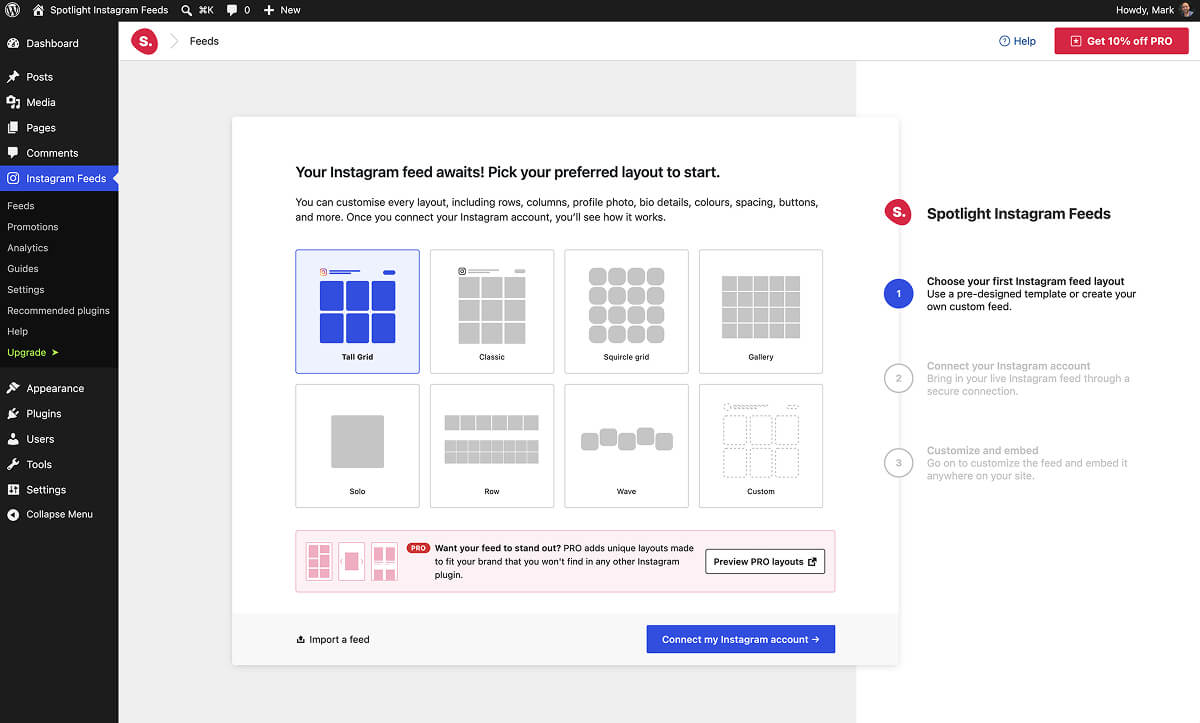
I’ve run freemium plugins for over a decade, including WP RSS Aggregator and Spotlight, and I’ve redrawn the line between free and paid several times. If you build plugins, or you’re just tired of free versions that feel like a trap, here’s where I think that line belongs.
What Bait-and-Switch Looks Like in a Plugin
In practice it’s a series of reasonable-sounding product decisions that add up to a trap:
- A limit you only discover after setup. Say you build two forms, then find out the third needs Pro. Or you run a backup, then learn that restoring it is paid.
- Something that works for a while and then doesn’t, like a trial that turns things off after seven days or a quota that cuts out halfway through a task.
- An interface full of controls you can see but not use, each with a little lock or a “Pro” badge, so the free version feels like a demo of the paid one.
- An upgrade prompt in the middle of the job, at the exact moment you’re stuck, instead of when you’ve finished something.
Each of these can be defended on its own and there’s good reason for them, but put together, they tell you the free version exists to get you invested before the price shows up.
What the WordPress.org Guidelines Actually Say
The Plugin Directory guidelines already ban the crudest version of this. Guideline 5, “Trialware is not permitted”, says:
Plugins may not contain functionality that is restricted or locked, only to be made available by payment or upgrade. Functionality may not be disabled after a trial period or quota is met.
So locked code inside a directory plugin and features that switch off after a trial are both out. The guideline recommends putting premium code in a separate add-on plugin hosted outside WordPress.org, which is how most freemium plugins are built.
Paid functionality that runs on an external service is allowed under guideline 6, as long as the plugin’s own code is fully available.
Guideline 11 then covers the nagging side:
Upgrade prompts, notices, alerts, and the like must be limited in scope and used sparingly, be that contextually or only on the plugin’s setting page.
If you’re on the receiving end of too many of those, a tool like Admin Notices Manager can tidy up your dashboard.
But the guidelines only cover the worst abuses. Most bait-and-switch lives in the grey area, with limits that are allowed, but that you only encounter after you’ve committed. So a free version can pass review and still leave people feeling cheated.
Why It Costs Plugin Makers More Than It Earns
A user who feels tricked doesn’t upgrade. They uninstall, and some of them leave a negative review on the way out.
On WordPress.org those reviews stick around for years, and the rating feeds straight into how the directory ranks plugins. A wave of one-star reviews from people who felt baited costs search position long after the pricing decision that caused it has been reversed.
There’s a support cost too. Every hidden limit becomes a ticket from someone who thinks the plugin is broken. And someone who paid only to get past a wall has little reason to renew a year later, so it’s going to hurt revenue long-term too.
Trust is one of the few things in the plugin business that a competitor can’t copy in a weekend, and the free tier is where most users decide whether to trust you.
Honest Free Tier vs. Bait-and-Switch at a Glance
| Honest free tier | Bait-and-switch free tier | |
|---|---|---|
| What’s free | A smaller job, done all the way through | The big job, done halfway |
| Where limits are stated | Listing, readme, and first screen | Discovered mid-task |
| When Pro is mentioned | After a win | At the moment of failure |
| After a downgrade | Existing setup keeps working | Features switch off |
How to Draw the Line Honestly
1. Make the free feature complete for a smaller job
A good free version does a smaller job all the way through, where a bad one does the big job halfway and stops. One contact form that works forever is a product. Gate by scale and sophistication (more sources, filters, automation, team features) and leave what’s free working without a timer or counter.
2. State the limits before setup, where the decision gets made
The listing, the readme, and the first screen of the plugin are where people decide whether to invest their time. Put the limits there in plain words. If someone learns the boundary on day one and installs anyway, they’ve made an informed choice and won’t feel cheated later.
3. Ask for the upgrade after a win
The best time to mention Pro is right after the free version has done something useful, when the user can see what more of it would look like. The worst time is when they’ve just hit a wall. An upsell at the moment of failure reads as a ransom note.
4. Never take back what someone already built
If a license lapses or someone downgrades, what they already set up should keep working. Stop new paid functionality or offer a free backup alternative, but don’t just break their site to make a point.
A Simple Test for Your Free Tier
Before shipping a limit, ask one question: if a user found every limit on the first day, would they still install it?
If yes, your free tier is honest, and the people who upgrade later do it because they want more of something that works. If no, the plan depends on users finding out too late, and they’ll eventually notice and say so in public.
If you’re thinking about building or selling a WordPress plugin business, that line between generous and baited matters more than almost any feature you’ll ship this year.
Over to You
Which free plugin made you feel baited, and which one got the balance right? If you build plugins, where do you draw the line between free and Pro? Tell us in the comments below.