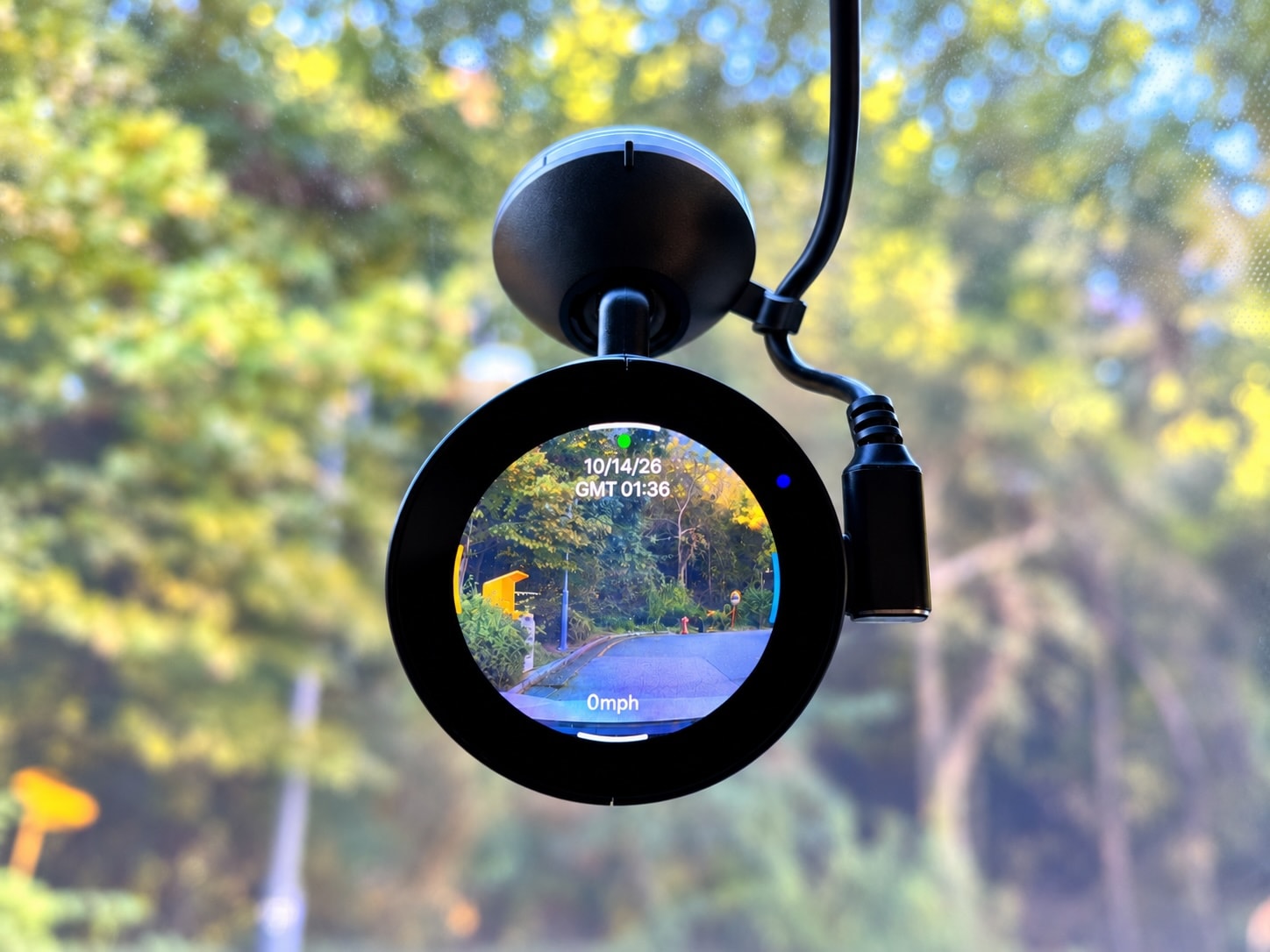
The purpose of the H1 QHD Infinite is to make it as straightforward as possible for first-time dash cam buyers to choose, install, and start using such a device. That’s why it’s fitted with a 1.6-inch circular display that reminds you of the one you typically wear on your wrist, also boasting a user interface supposed to make setting up the dash cam and accessing its files as easy as 1-2-3.
Sure, everything sounds good on paper, but is it really that impressive in real life? While that’s hard to say until I hold this dash cam in my hand, there are several things that you must keep in mind when looking at the H1 as your first dash cam ever.

Photo: Vueroid
This is a single-channel dash cam, meaning that it only records what happens in front of your car. A rear camera to also keep an eye on what happens in the back or a secondary camera to monitor the cabin is not available.
The H1 wasn’t supposed to be part of a dual-camera configuration, so it doesn’t come with any extra ports. What you see is what you get, so you install it on your windshield, and that’s pretty much it.
The H1 Infinite’s circular dash cam is probably easy to use, but based on my experience, you really won’t interact much with the screen. If you ask me, it’s more important for a dash cam to have an advanced mobile companion app than a large screen because it’s a lot more convenient and straightforward to access your recordings and set up the device from your mobile device.

Photo: Vueroid
Once the dash cam is up there on your windshield, touching the screen and setting up everything isn’t as comfortable as you’d expect it to be, especially if you place it behind the rear-view mirror.
The good news is that the H1 comes with a mobile companion app, so if you feel more comfortable doing everything on your smartphone, this is probably the right approach. The app can connect to your dash cam via the built-in Wi-Fi support, but Vueroid, the company that built this device, says you can also connect to the H1 directly using a USB-C cable. It’s unclear how this works and whether you have to use the power port for this connection, but I’ll get more data on this once I receive a review sample.
I currently access all my recordings on my dash cam from my mobile phone, and this feels much easier primarily because I have a larger screen to preview them before the download. I also don’t need to mess with cables, and considering all my recordings are 1-minute long, the download time typically comes down to just a few seconds.

Photo: Vueroid
As for the recording quality, this is something I’ll have to discover during my hands-on time with the dash cam. On paper, it doesn’t look bad at all, as it’s fitted with a Sony Starvis 2 IMX675 sensor that can record videos at 2,560 x 1,440 pixels.
To be honest, I would’ve expected this dash cam to support 60 fps, but it only goes as high as 30 fps, despite being a single-channel camera.
It has built-in GPS, a speaker, and a microphone, as it also supports voice commands for quick things, like opening the Wi-Fi for a connection to your mobile device. The microSD support allows you to expand the storage capacity with up to 512 GB of storage.
One of the things that caught my attention is the advertised support for parking monitoring without a hardwire kit – such a kit is also available separately, but Vueroid says you might not need it because a more convenient option is available. This option is parking monitoring when the dash cam is connected to an external battery, meaning that you’ll have to plug it into a power bank and leave the power bank inside the car while you’re away.

Photo: Vueroid
I obviously wouldn’t do that, especially when the vehicle is parked outside, and especially if it’s parked in direct sunlight. Getting the hardwire kit is the right way to go for parking monitoring, despite the professional installation that might be required if you’re not familiar with this type of thing.
Otherwise, the H1 Infinite might not necessarily be the best dash cam on the market, but it could give birth to a new product category – dash cams that resemble smartwatches for a more familiar approach. The best thing is the selling price, as Vueroid knows it couldn’t charge a premium for these specifications, so if you want the H1, you only need to pay $149. This makes it one of the cheapest dash cams on the market, albeit you’ll have to spend $34.99 more on the hardwire kit and more dollars on a microSD card.