
Brands spent $34.1 billion on influencer marketing in 2025, and no platform stretched that money further than YouTube. The site returned an average of $5.20 for every dollar spent on a sponsored video, the highest per-video ROI of any platform measured that year (Influencer Marketing Hub, 2025).
YouTube hosts over 114 million active channels (Statista, 2025). Finding the handful worth partnering with still means watching videos, checking subscriber counts, estimating engagement and hunting down contact details. Done by hand, that process eats 20 to 30 hours per campaign (HypeAuditor, 2025). Many teams end up reusing the same shortlist instead of building a better one. A good search tool collapses that work into minutes, and the best YouTube influencer search tools go further by surfacing contact information alongside the creator data.
This article looks at four options in order: SuperbThemes Lead Finder, DataForSEO, Apollo.io and Supadata. The bulk of the coverage goes to SuperbThemes Lead Finder, a WordPress plugin that finds creators and their published emails. The four tools handle different parts of creator discovery, contact research and outreach.
SuperbThemes Lead Finder Review
SuperbThemes Lead Finder is a WordPress plugin from SuperbThemes that discovers YouTubers, bloggers and magazines in a niche, automatically finds their published email addresses, and organizes the resulting leads inside WordPress itself. Instead of exporting a spreadsheet and losing track of it, brands keep their creator shortlist in the same dashboard they already use to run their site.
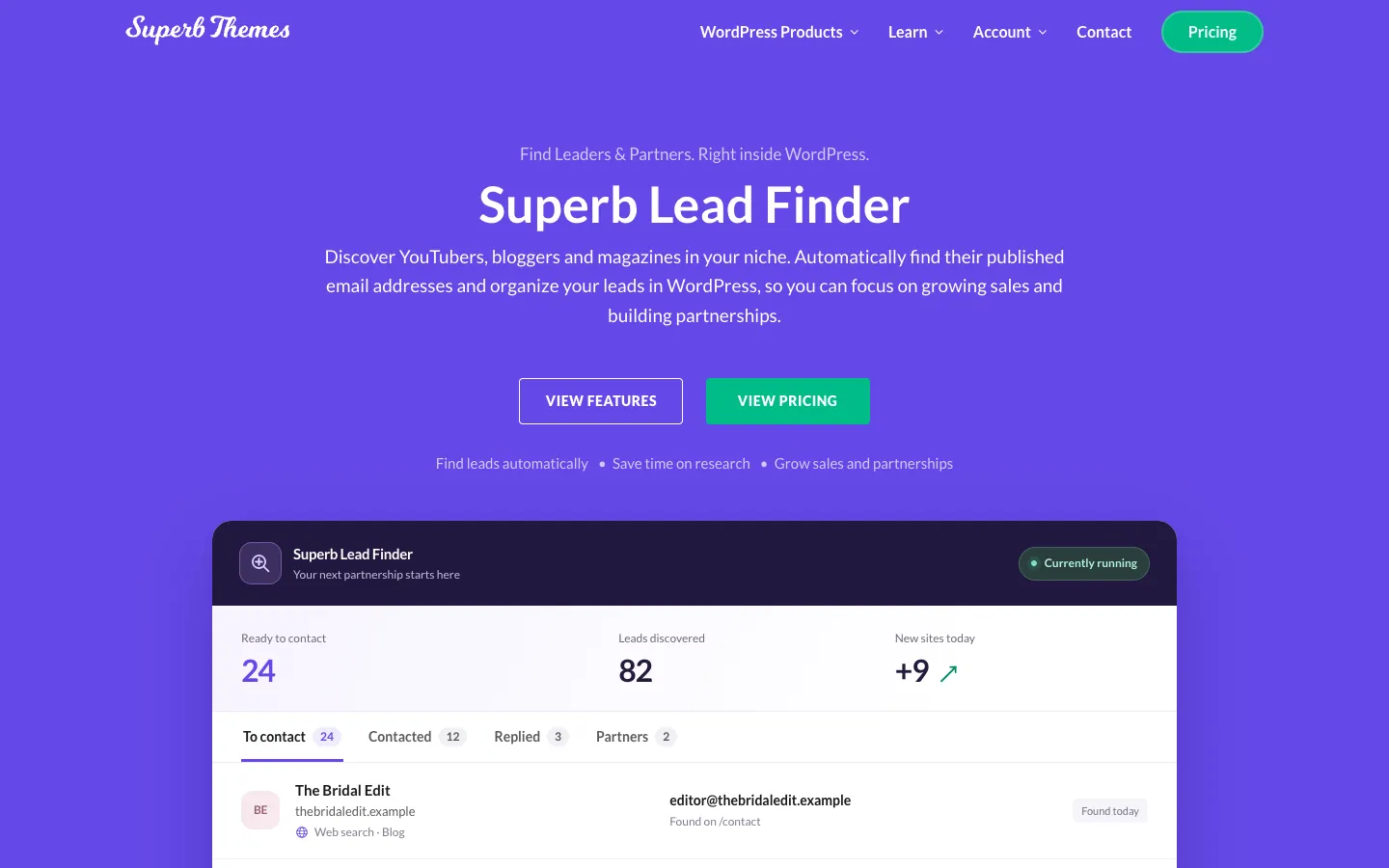
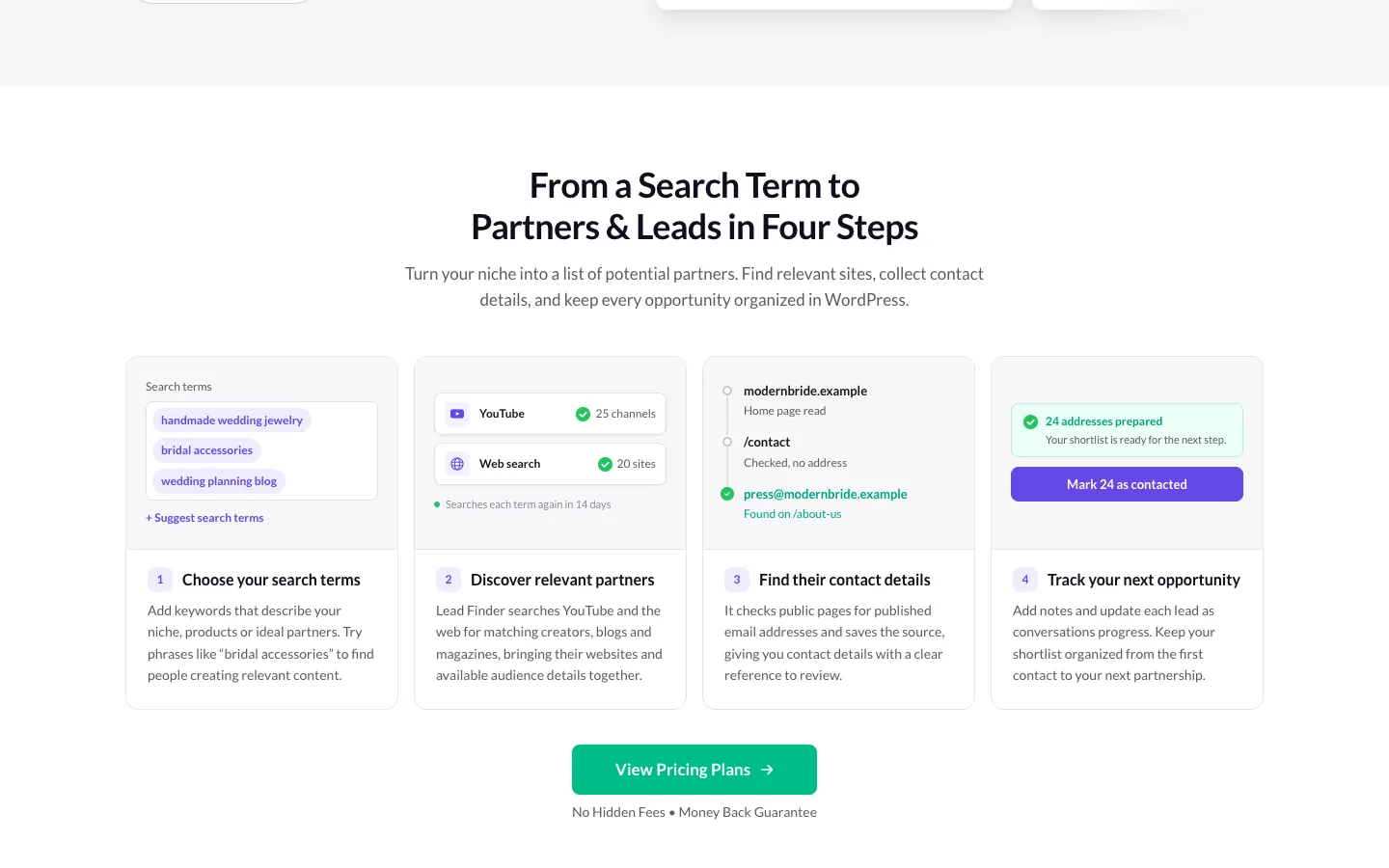
The workflow runs in four steps.
- Choose search terms. Brands enter the keywords that describe the niche they want to reach, and the plugin builds the search around them.
- Discover relevant partners. The plugin returns matching creators, blogs and publications, with audience size shown alongside each result.
- Find contact details. The plugin looks for published email addresses on the pages it surfaces and attaches them to the lead.
- Track each lead. Every contact is stored inside WordPress so the shortlist stays organized and nothing gets lost between campaigns.
Two data sources sit behind the discovery step, and either one is enough to run a search. The YouTube Data API supplies creators and their audience size, which is what most influencer campaigns are built around. The Brave Search API covers the wider web instead, pulling in blogs, magazines and review sites that a channel-only tool would miss. Connecting both widens the pool considerably, since a single niche often has creators on YouTube and writers covering the same space on their own sites.
It checks home pages and likely contact pages for published email addresses, and it saves the source page for every address it finds, so a brand can see exactly where the information came from before sending anything. It can also collect an address that a creator published in their channel description, which covers the YouTubers who never built a separate website.
How to Find YouTube Content Creators with Lead Finder
Getting the first leads out of SuperbThemes Lead Finder takes three actions, in order.
- Connect a search source. A YouTube Data API key or a Brave Search API key is enough to begin. The second can be added later to widen the pool.
- Add 3 to 6 search terms that describe the niche. These terms drive the discovery step, so a tighter set of specific keywords returns a more focused shortlist than a long list of broad ones.
- Click Find leads now to run the first search. The plugin returns matching creators and their audience sizes, then begins looking for published email addresses.
Before any of that runs, the site needs to meet a few baseline requirements.
- WordPress 6.2 or newer
- PHP 7.4 or newer
- A site that can connect to external services
Once searches are underway, the dashboard becomes the place to watch. It shows new leads, search activity, upcoming searches and a daily search budget, so a marketer can see what the tool has found and what it is queued to do next. An Always-on checking option keeps that scheduled work running even on quiet sites, which means the lead list keeps growing between active campaigns rather than only when someone remembers to trigger a search.
Why Lead Finder Is a True YouTube Influencer Finder
Most tools that promise to find creators hand back a pile of addresses with no record of where they came from. Lead Finder collects only publicly listed contact details, and any address that a site asks to have excluded stays off the list automatically.
It saves where each address was found, so every contact traces back to a specific page. It respects website crawling preferences, meaning a site that signals it does not want automated visits is left alone. And it spaces out visits to each website instead of sending a rush of requests to a domain.
Once contacts land in the dashboard, each one moves through a status a marketer can set:
- Contacted means the marketer has reached out but received no reply yet.
- Replied means the lead responded and is worth a follow-up.
- Partner means the lead agreed to work together and is now an active collaborator.
- A lead that goes nowhere can be marked Not a fit and kept out of the way.
Notes can be attached to a contact, and the list can be searched and filtered to pull up a specific creator or narrow down a segment. Contact addresses can be copied straight out of the plugin, or the whole shortlist can be exported to CSV with contact details, statuses and notes included. Lead Finder does not send the messages. Emails go out from the user’s own account, which keeps the outreach in a place the brand already controls and leaves the plugin to focus on finding contacts and keeping them organized.
Lead Finder Pricing vs Other Influencer Search Tools
A WordPress plugin that is bought once sits in a different pricing world from a monthly SaaS subscription. The table below lines up entry prices across the tools covered here and a few of the better-known SaaS alternatives.
| Tool | Pricing model | Entry price |
|---|---|---|
| SuperbThemes Lead Finder Premium | annual license for one site | $29/year, normally $39 |
| SuperbThemes Lead Finder lifetime | one-time payment for one site | from $59 |
| Modash Essentials | monthly subscription | from $199/month |
| HypeAuditor Starter | monthly subscription | from $299/month |
| Favikon Starter | monthly subscription | from $89/month |
| Upfluence | monthly subscription | typically $1,000 – $2,000+/month |
One cost sits outside that table. The YouTube and Brave Search APIs have their own plans and usage allowances, separate from the plugin purchase.
The SuperbThemes Premium plan bundles Lead Finder alongside a wider set of WordPress tools:
- All premium themes
- All premium plugins
- AI Rank Tracker
- Forms, multistep forms and popups
- Design library and theme designer
- Premium blocks
- Animations
- Dynamic content and visibility controls
Lead Finder includes a 14-day money-back guarantee, so the entry price can be tested before committing.
DataForSEO for YouTube Creator Research
DataForSEO is an SEO and marketing data API that sells access to search data on a pay-per-use basis. Its data sets cover SERPs, keywords, backlinks, rank tracking and reputation management, and the pricing model means a team pays for the queries it runs rather than a flat monthly seat. Support runs around the clock. That suits developers and marketers who want programmatic access to search data they can pipe into their own systems.
It does not hold creator profiles, audience demographics or contact records, and it has no shortlist feature or outreach workflow. What it supplies is broader search and ranking data that can support creator research when paired with other tools. That makes it a component rather than a finished product for anyone building a YouTube creator search tools stack.
Because it is an API, DataForSEO does not find YouTube channels directly. Its place in a workflow is complementary, sitting alongside a tool such as SuperbThemes Lead Finder, which uses the YouTube Data API to surface creators and their audience sizes. For influencer marketing, DataForSEO’s contribution stays on the research layer underneath the campaign, not on the discovery layer itself. A team that wants channel-level results still needs a tool that queries YouTube, and DataForSEO is best treated as the data source that answers the surrounding questions about how a niche ranks and what content performs.
Apollo.io as a Contact Data Alternative
Apollo.io is a B2B contact database holding 240M+ contacts and 30M+ accounts, and it plugs into more than 200 integrations. That scale is why it often shows up in discussions about influencer outreach, even though the platform was never built with creators in mind. Its records are business people tied to companies, not YouTube channels tied to audiences, and the distinction shapes everything the tool can and cannot do for a campaign.
Apollo.io does offer buying signals. It flags buying intent, tracks job changes and shows when a company has visited a site, which gives a marketer a reason to reach out at a particular moment rather than a cold list. It also carries SOC 2 Type II and ISO 27001 certifications, and it ships with GDPR, CAN-SPAM and DNC compliance tools for outbound contact. For an agency running several campaigns at once, that compliance layer is often the part that justifies the seat, since staying on the right side of outreach rules across multiple clients is its own job.
The gap is on the discovery side. Apollo.io does not search YouTube channels or extract a creator’s published email from that creator’s channel. A brand that wants to find a channel and pull an address a YouTuber listed in its description gets nothing from it. That work belongs to SuperbThemes Lead Finder, whose YouTube Data API search surfaces creators, their audience sizes and their published contact details directly. Apollo.io is a reasonable place to store and act on business contacts. It is not a YouTube influencer finder.
Supadata for YouTube Transcripts and Metadata
Supadata is an API for YouTube transcripts, metadata and video analysis, and it returns real-time data rather than a cached snapshot. The Supadata YouTube API is built for pulling the text and details out of videos programmatically, which makes it a natural fit for a team that has already decided which channels matter and now wants to understand what those creators actually publish. Its free tier covers 100 requests and does not ask for a credit card, so the service can be tested before any spend is committed.
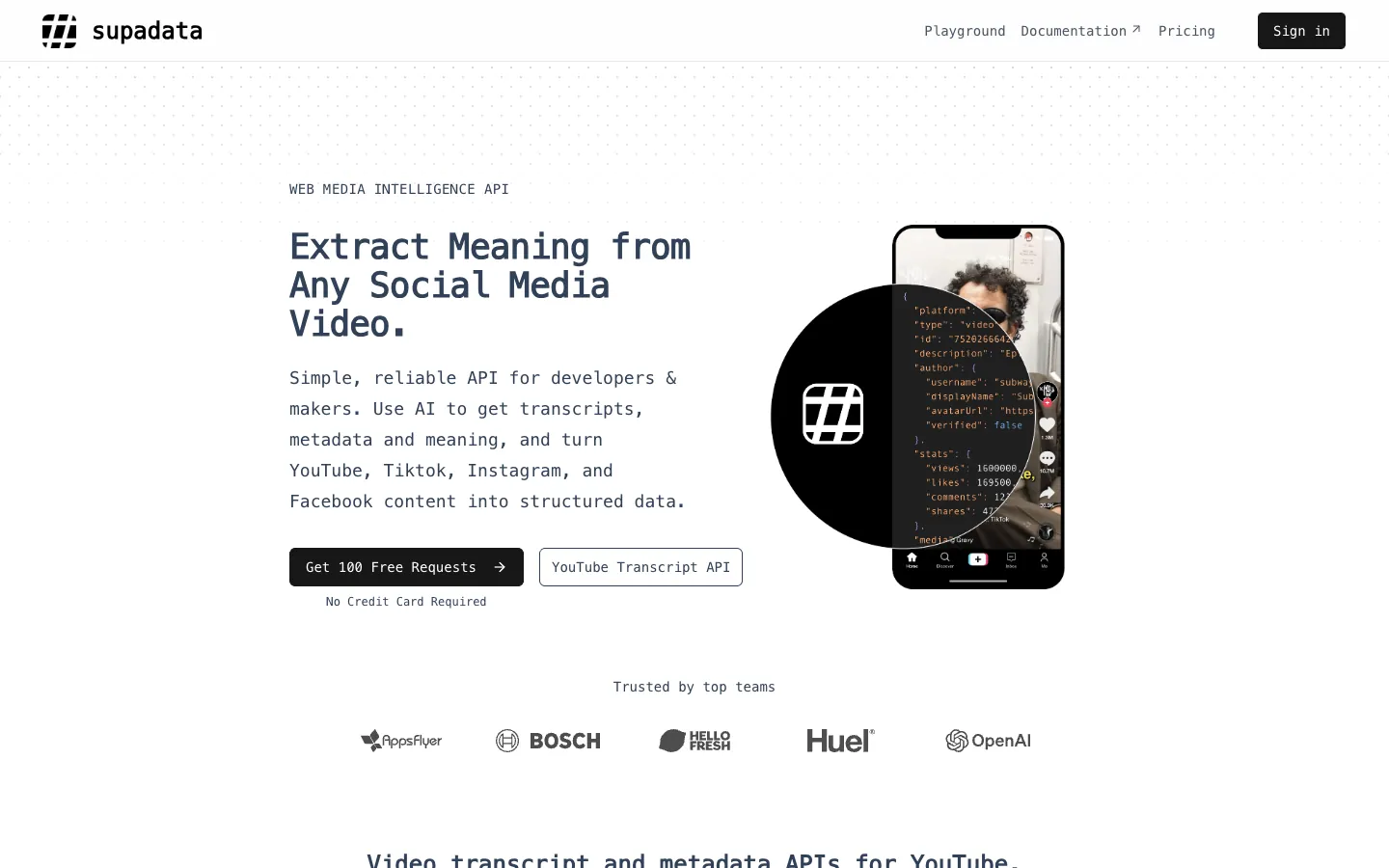
Developers can reach it through SDKs in Python and JavaScript, and those who would rather not write code can connect it through no-code integrations for Zapier, Make, n8n and Active Pieces. Supadata analyses a creator’s video content, captions and metadata after channels have been shortlisted, but it does not discover influencers or find email addresses. Pairing that content-level context with Lead Finder’s discovery workflow gives a brand both halves of the picture. It shows the creators worth approaching and a clear sense of what they say on camera before the first message goes out.
Which YouTube Influencer Search Tool Should You Choose?
SuperbThemes Lead Finder is the only tool in this list that combines YouTube creator discovery, published email collection and lead tracking inside WordPress, at $29/year or a $59 lifetime option. The other three solve narrower problems well, but none of them replaces it.
Each tool has a role it plays better than the rest:
- SuperbThemes Lead Finder finds and organizes YouTube creators with published emails inside WordPress.
- DataForSEO delivers programmatic SEO and ranking data.
- Apollo.io supplies B2B contact data and compliance-managed outbound.
- Supadata pulls YouTube transcripts and metadata.
The structural distinction matters most. DataForSEO and Supadata are developer-facing APIs for SEO data and YouTube metadata, while Apollo.io is a B2B contact database. None of them searches YouTube channels for influencer outreach directly, so a brand that starts with any of the three still has to solve discovery somewhere else.
For most teams, the practical build starts with Lead Finder to find and organize YouTube creators with published emails, then optionally adds Supadata to pull transcripts for content review once a shortlist exists. That order puts discovery and contact collection first, where the campaign’s real bottleneck sits, and treats content analysis as the refinement step it is.
SuperbThemes offers a 14-day money-back guarantee (https://superbthemes.com/plugins/lead-finder/), so a marketer can test the plugin on one WordPress site and see whether the leads it returns are worth it before committing.