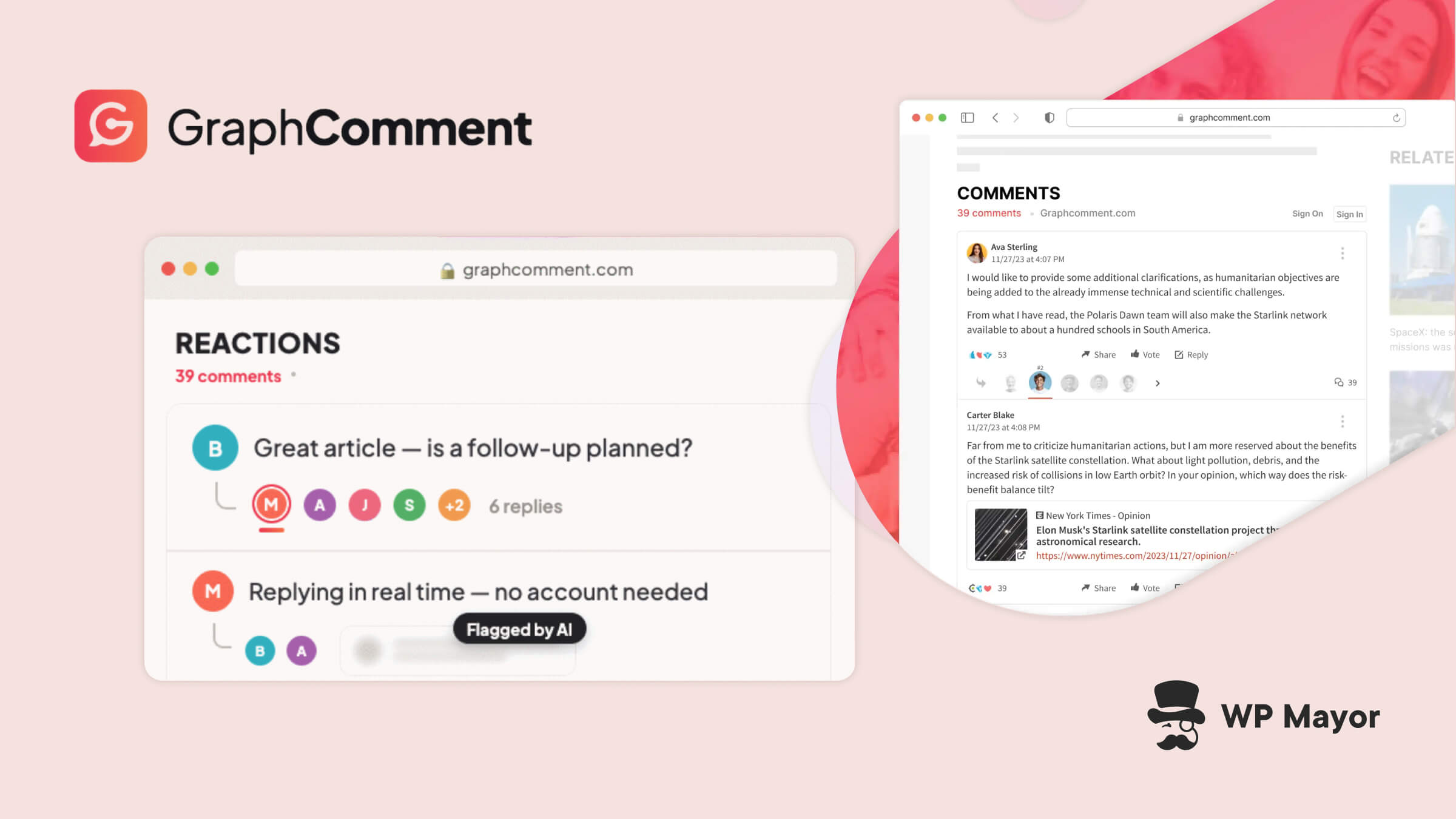
WordPress’ comments and moderation system has long been a point of contention among site owners. While the system is functional at best, if you want to drive community engagement with your content, you need a more modern solution. This GraphComment review gives you that cloud-based, user-focused solution with a thoughtful set of comment management options.
Typical third-party solutions don’t always have the feature set you need. Data and user privacy are also a concern. Both of these, and more, are areas where GraphComment aims to deliver the goods.
- GraphComment is a comment and community platform based in the cloud. It aims to replace the current WordPress comments system to add moderation, tracking, analytics, and more.
- The Basic plan provides the entire feature set of the plugin. It supports one million data loads and 100 AI Moderation Assist analyses per month.
- GraphComment filters spam from the source rather than within its own ecosystem. As such, it’s performant and keeps your moderation queue clear.
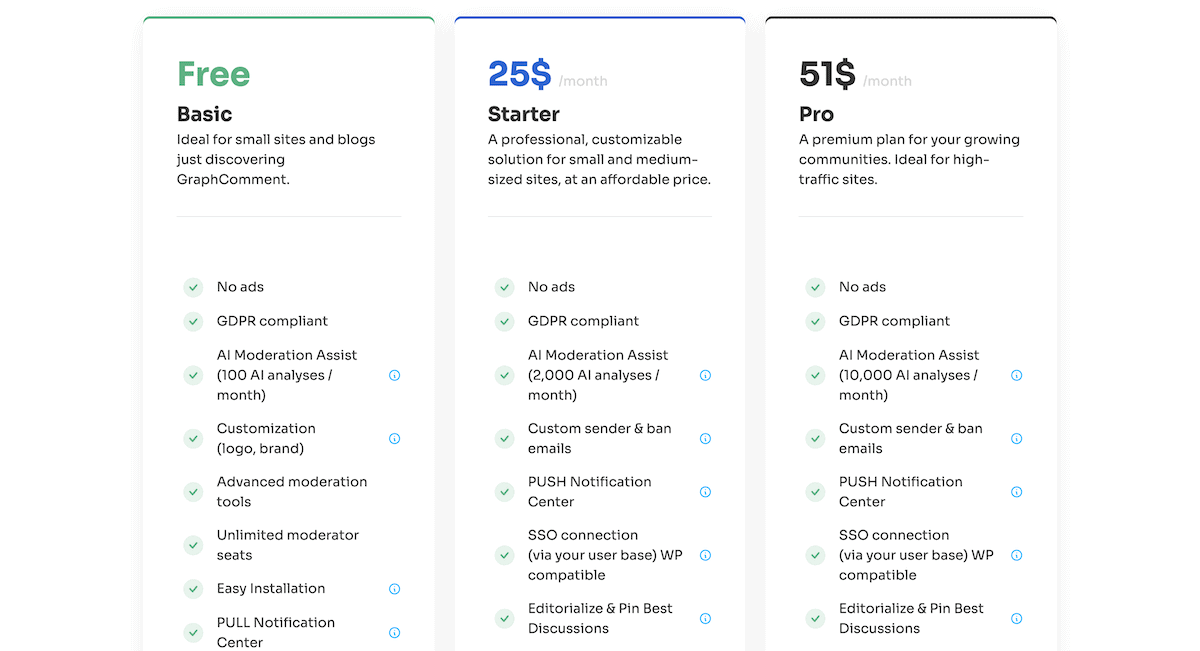
Although there are four pricing tiers for GraphComment, only three will be under your consideration:
- Basic. This free tier gives you 1,000,000 data loads per month and access to the online Help Center.
- Starter. For $25 per month (using annual billing), you get an increase in data loads to 1,500,000 per month. You also get direct support from the GraphComment team.
- Pro. You get up to 5,000,000 data loads per month on this plan along with priority support, for $51 per month, paid annually.
There’s also an Enterprise tier, which is personalized to your business. As is typical for these types of plans, you’ll need to contact the GraphComment team for a quote.
I like the generosity from GraphComment when it comes to overages. In a nutshell, there’s no strict overage limit for small breaches (despite the stated caps). If you do happen to go over, the team will contact you to discuss whether a different tier is more suitable.
Regardless of the plan you choose, you have all the functionality available to you. Your only choice is in how much data you want to process. My opinion is that Basic is probably ideal for most sites. If you have higher traffic numbers, you can consider the Starter or the Pro tiers, but starting from Basic and upgrading makes the most sense.
WordPress’ native comments system is functional, but doesn’t give you much in the way of personalization or flexibility. In fact, some choose to disable the comments altogether. There are a few different third-party solutions to try and overhaul this. The traditional option is Disqus and the WordPress plugins that extend it (such as wpDiscuz).
In truth, Disqus offers a good-looking way to engage with posts and pages. However, it has some shortcomings:
- Page weight is a problem. GraphComment carried out its own tests and discovered Disqus consumes a lot of resources. It also pulls in data from several domains. This performance hit can affect your search performance.
- Disqus is an ad-supported system. The free version of Disqus displays ads and user data has to go through third-party servers. This could be a problem for any data directives you have to follow.
- Spam will still hit your site. Form spam still runs through the native WordPress comment submission endpoint, but Disqus only filters it within its own system. This means you still get the same level of spam hitting your site: you just don’t see it.
What’s more, Disqus comments live within its ecosystem, while GraphComment syncs comments back to the WordPress database. If you want to migrate from Disqus, know that you can’t export commenter email addresses either.
If all of this has you looking for an alternative, GraphComment includes arguably the richest feature set of any solution. In fact, GraphComment’s Basic plan provides most of what wpDiscuz offers through premium purchases.
All of the plugin’s functionality stems from its underlying spam prevention. In short, GraphComment closes the typical WordPress endpoint for submitting comments. It means those types of bots can’t hit your site. GraphComment also includes further filtering and prevention tools, such as banning, spam-marking, and Smart Moderation functionality for individual comments.
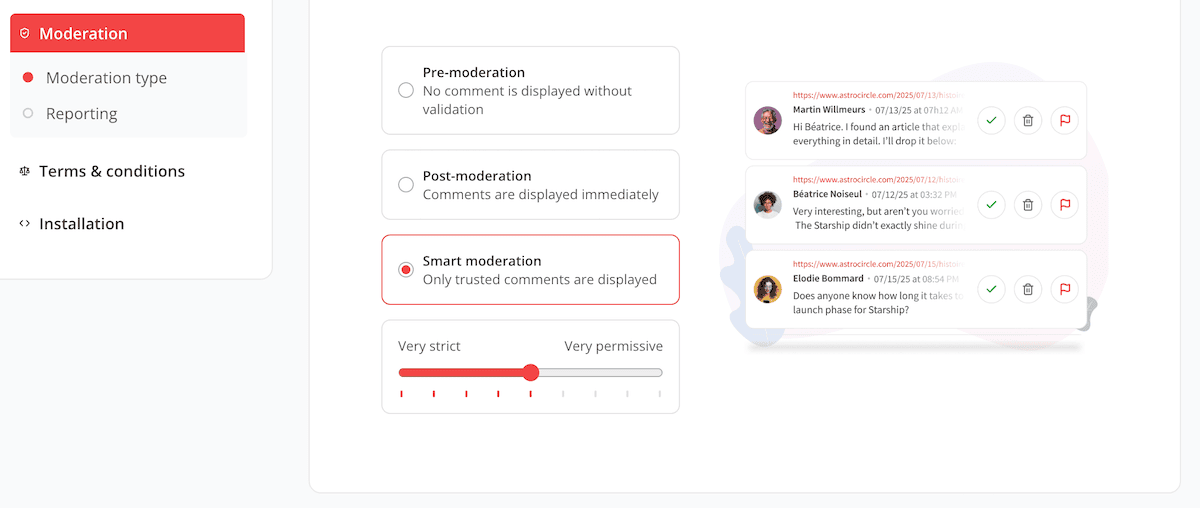
In fact, the plugin offers a flexible set of moderation options, so you can tailor the functionality to your needs. Each pricing plan comes with AI Moderation Assist analyses. Behind the scenes, GraphComment notes the context of the comment based on the article and conversation thread. From there, it flags content for further moderation.
There are plenty of other ‘quality of life’ additions within the plugin too:
- In our previous GraphComment review from 2017, one sticking point was the requirement to register before commenting. However, guest commenting is now part of the functionality (as is WordPress’ Single Sign On (SSO)).
- There are a few ways to display conversation threads: Bubble Flow (which is a tree view of comments) and Bubble Rank (think of organization by Reddit-style relevance and reputation).
- You have lots of engagement functionality, such as real-time discussions, upvoting, profiles, formatting options, and much more.
Finally, something else under the hood is how GraphComment handles modern search visibility. With this enabled, both search and AI crawlers see native, indexable comments. This is valuable for earning citations, rankings, and mentions wherever you want to show up.
Installing and activating the GraphComment plugin is much like any other free WordPress plugin. Once you do that, you’ll spot a banner notification to begin the GraphComment setup process:
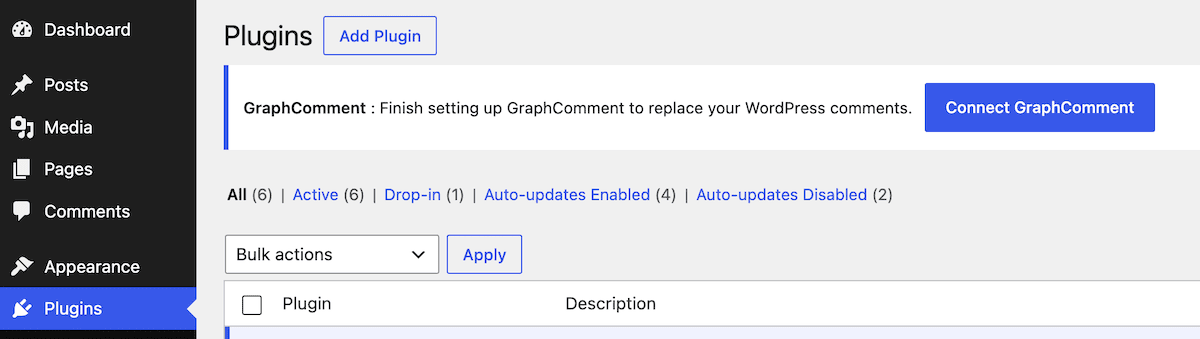
There are a few permutations of logging in and linking your site to GraphComment. I signed up for a new GraphComment account:

This opens up the GraphComment dashboard, where you need to create a new site on that platform:
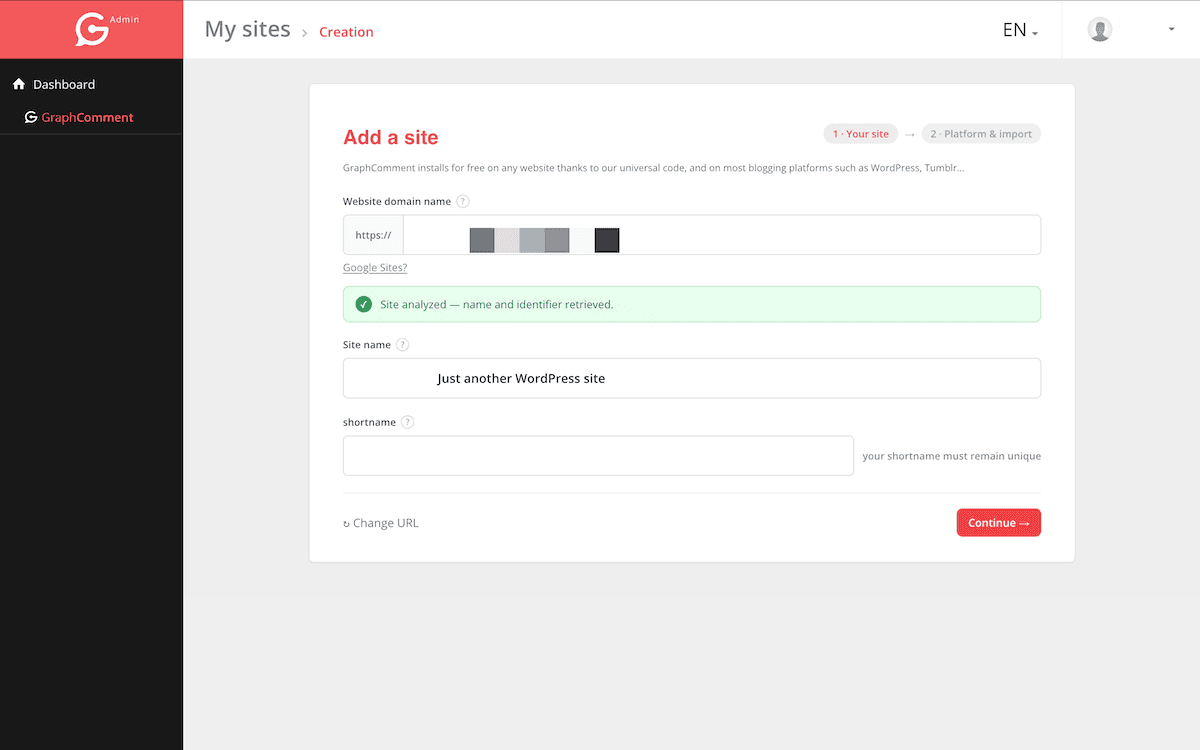
The terminology is confusing because everything is called a ‘site’. In short, the GraphComment ‘site’ you set up is where you manage your commenting functionality.
The onboarding walks you through finding your existing comments. If you click the Direct import from WordPress button, GraphComment will essentially handle the setup for you:
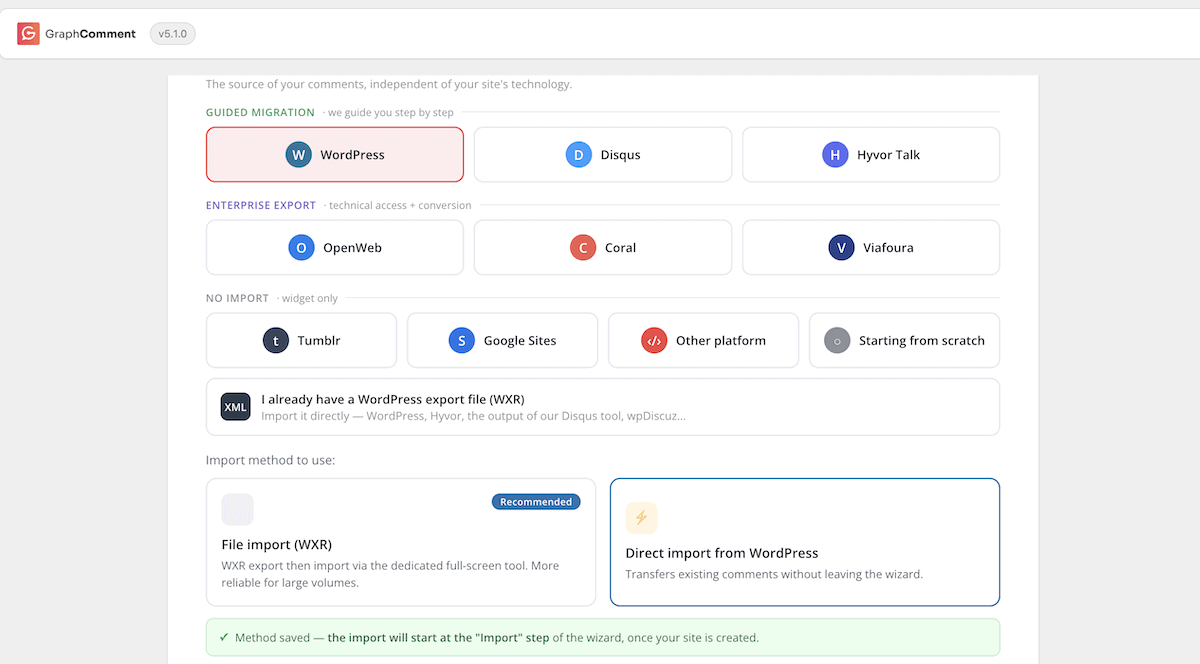
This brings you to a two-minute workflow that includes importing comments and syncing WordPress and GraphComment:
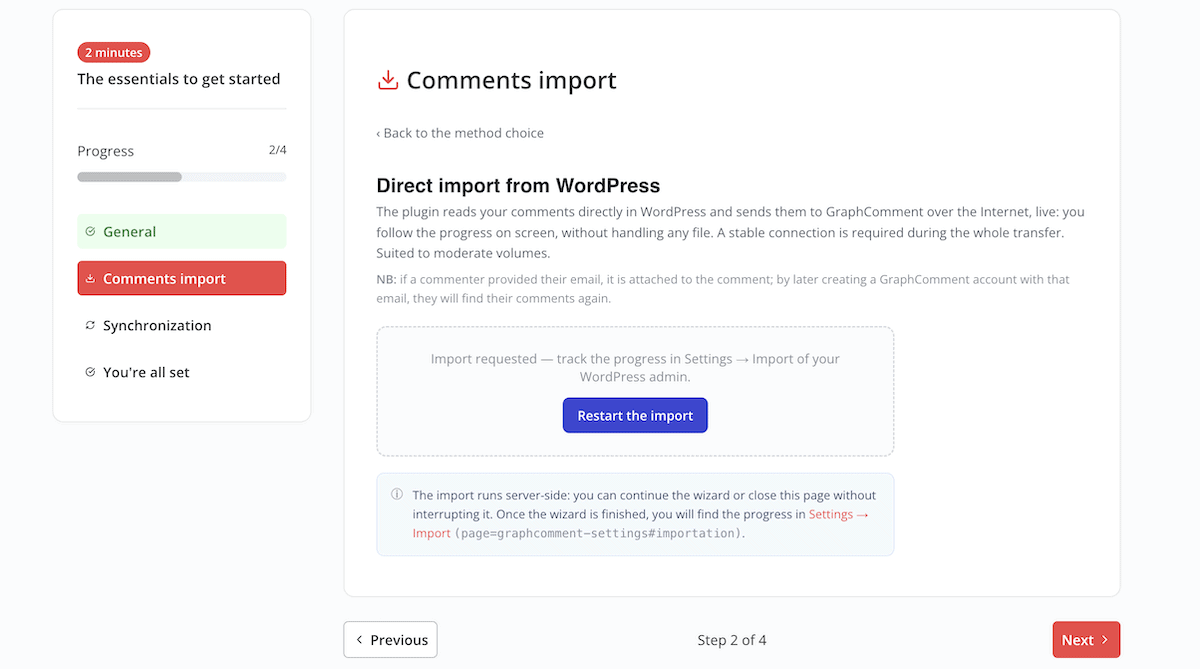
I like that at the end, you have a button to view the GraphComment widget on an article. There’s also a link to finish a more complete setup process. These let you personalize the experience. For instance, there are screens covering the visual identity, moderation settings, display settings, and more:
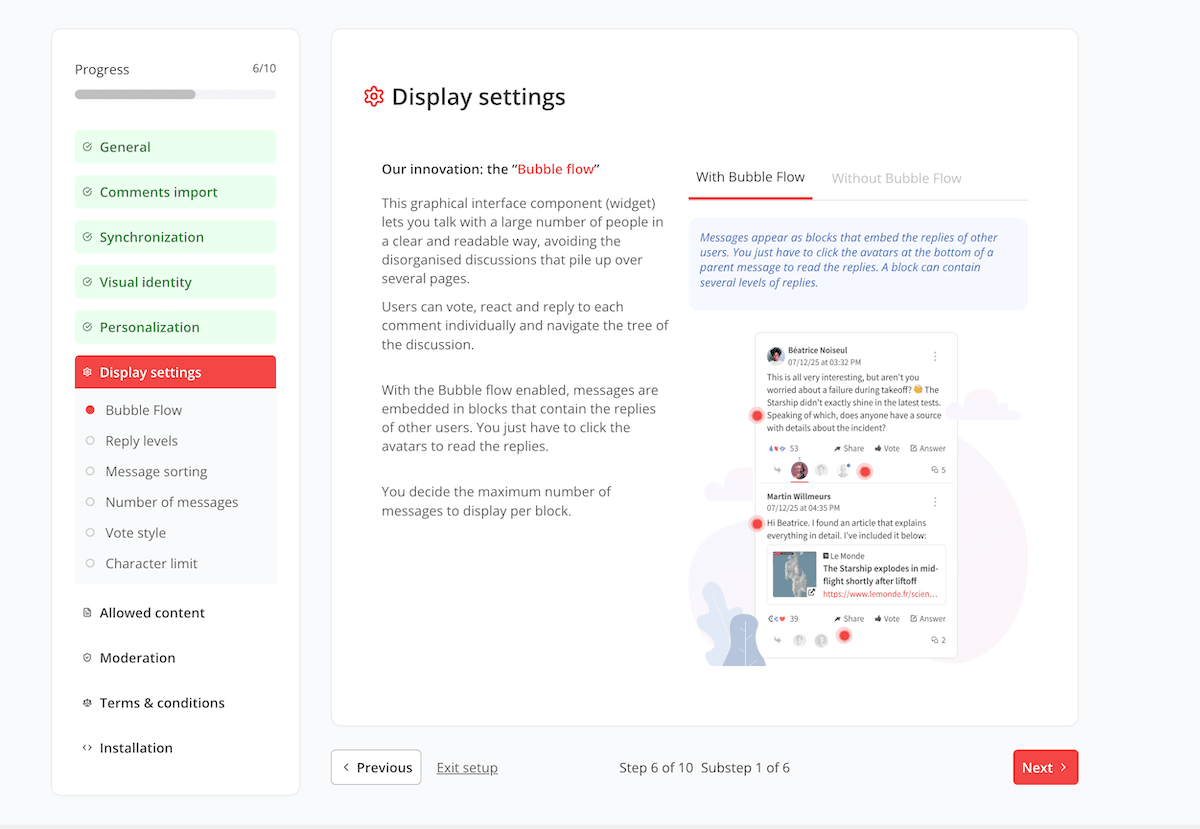
At this point, everything is ready to use. If you’re pasting code, this could be a lot of work. However, using the WordPress plugin is quick and simple.
When you begin to use the GraphComment front-end interface and commenting widget, it’s super smooth. You’ll see the comments widget where your old WordPress native comments were:
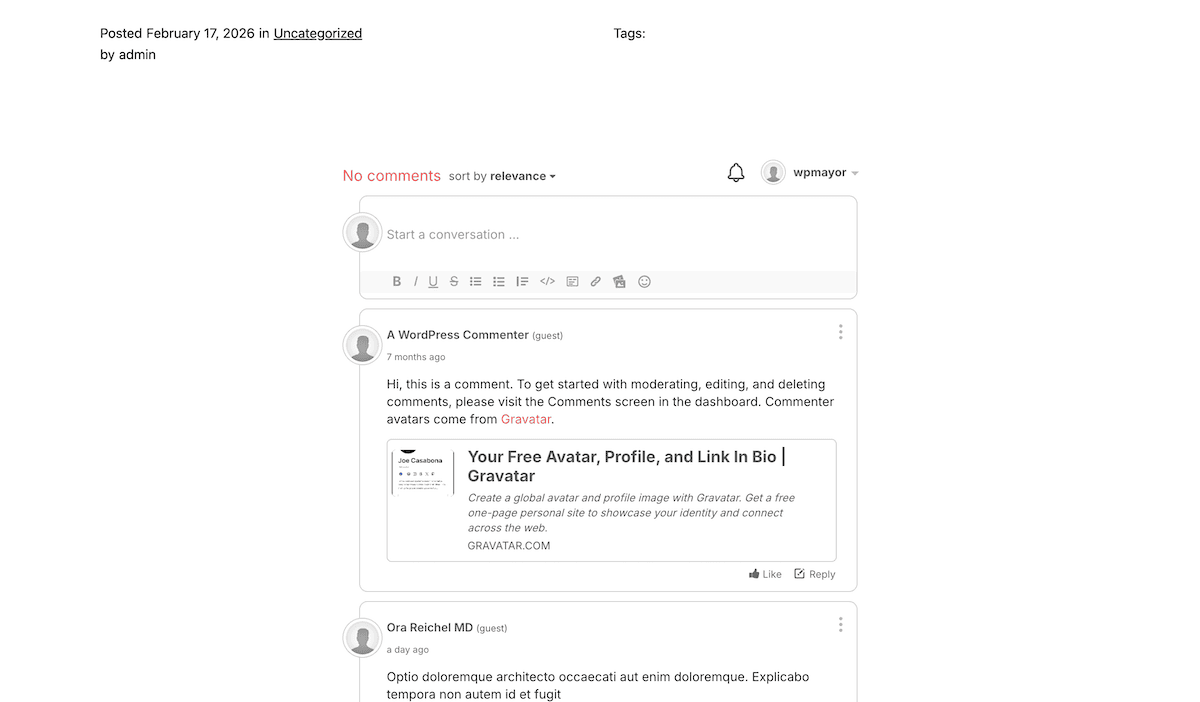
To test the real-time thread refreshing, I updated the approved comments list and watched an open page tab. It updated straight away to show me all of the new discussions in the thread:
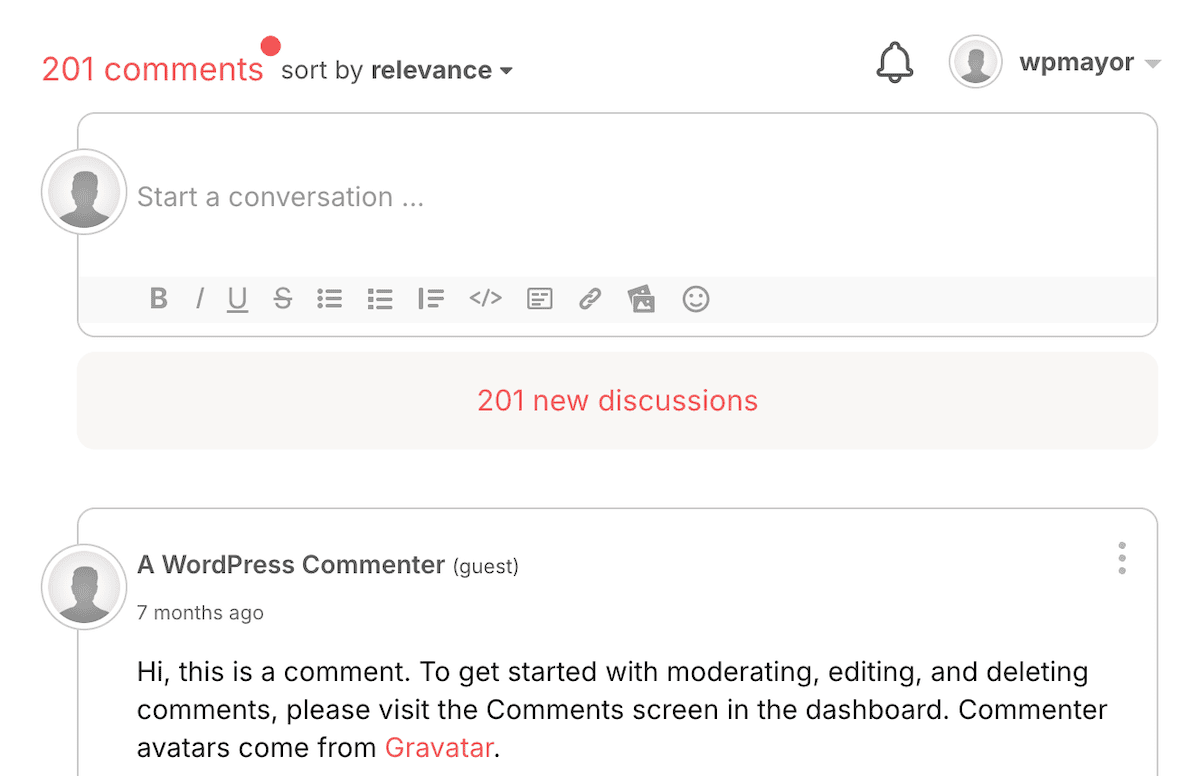
Unless you’re replying to a comment though, you won’t spend much time on the front-end. Instead, you’ll be moderating the fresh comments coming in.
The Moderation Queue
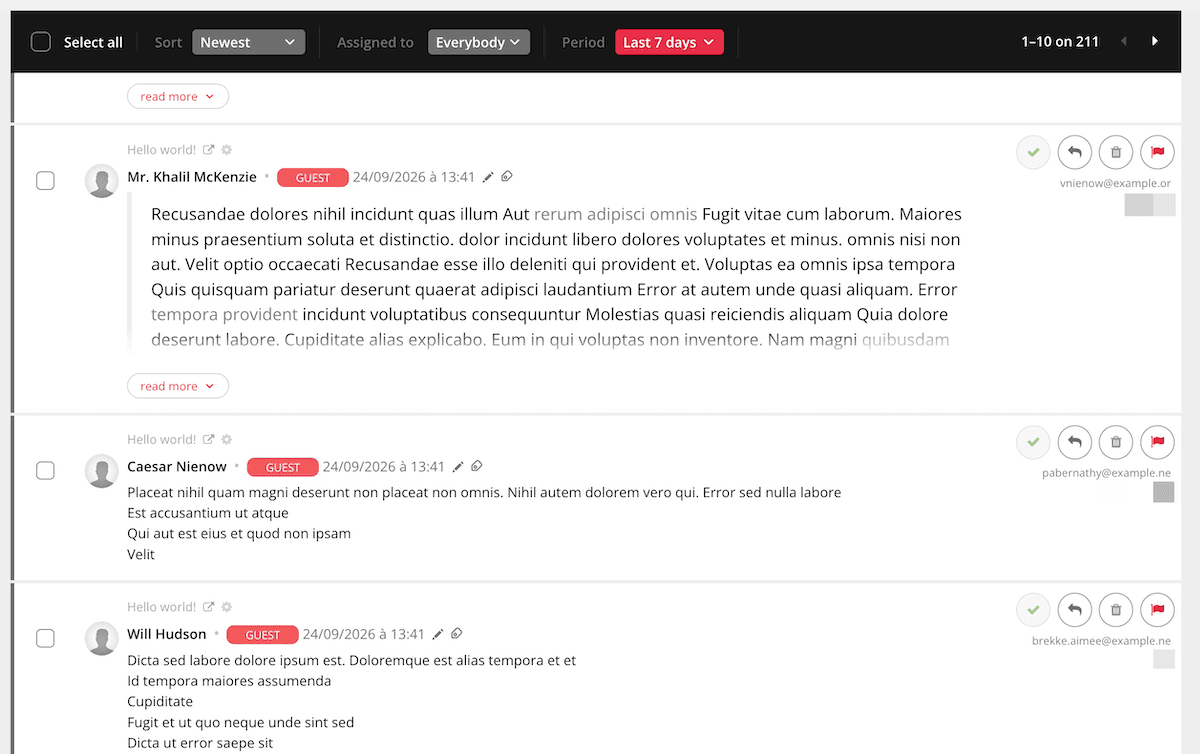
Day-to-day, you’ll spend most of your time in the moderation queue. This is under the GraphComment > Dashboard screen. It’s a simple list of all the comments on your site under different tabs:
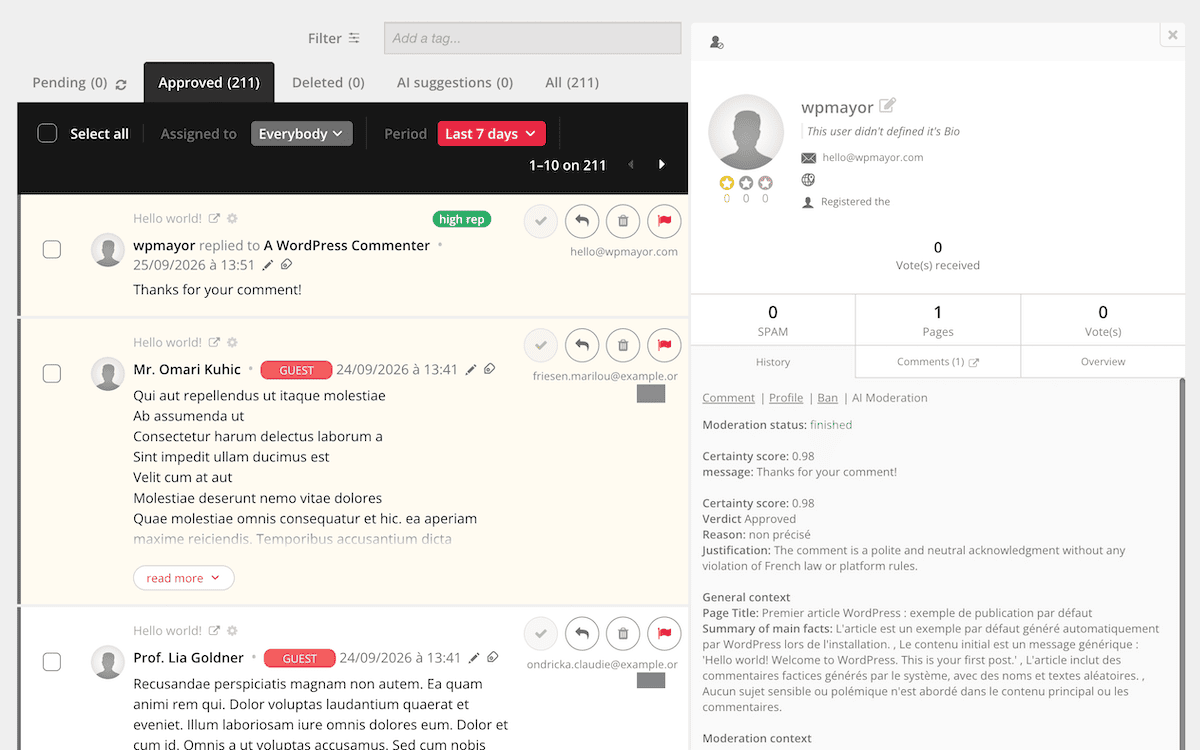
If you click on an individual comment, you can see a profile for each user that includes a complete commenting history and full details on their AI moderation score:
Once you get into using GraphComment (i.e. past the setup process), most of the functionality is intuitive. However, I do see some gaps in the documentation that (when filled) could help get to the mod queue faster.
I care a lot about robust documentation being available to all users. For GraphComment, there are two documentation hubs: one for typical users and one for developers.
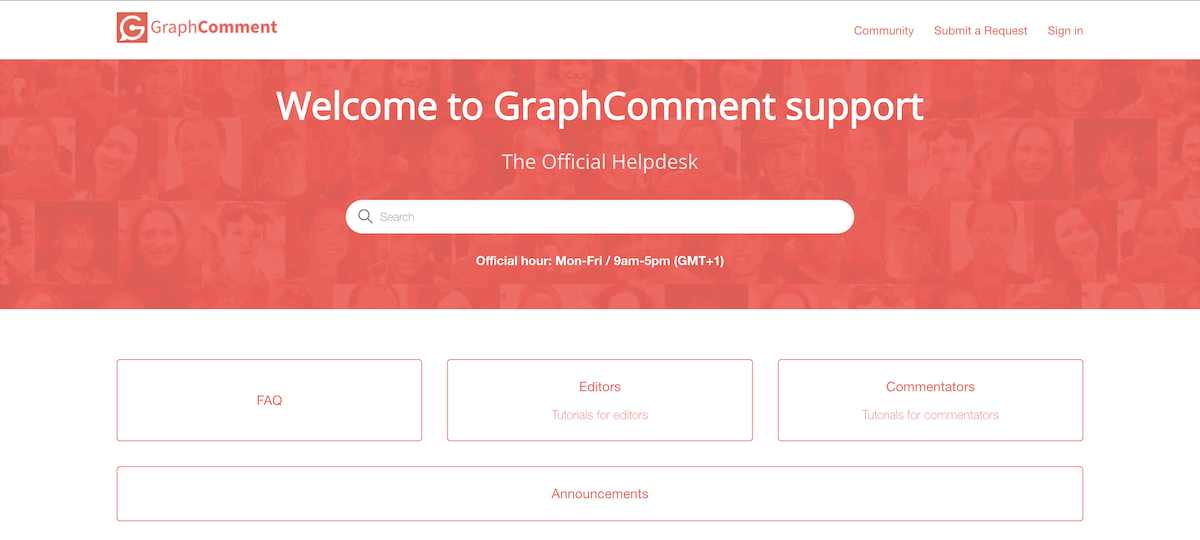
It’s a Zendesk-style setup that uses FAQs to help guide you to the right solution. Unfortunately, I don’t see much substance in the documentation. For example, while some pages (such as the guide on how GraphComment links comments to pages) are detailed, most are short questions and answers. I didn’t find a general setup or getting started guide anywhere.
The developer docs are different. These are rich with guides on developing for the plugin (and includes a quick start guide!). However, most users won’t be developers. I’d like to see greater attention given to the general user docs, especially with how much the plugin offers you.
As for support, the Help Center doesn’t include a direct link to email support, which is an oversight. Instead, you have to head back to the main GraphComment website and use the contact form at the bottom of the page:

There’s also a community support forum available, which is a nice touch, but it doesn’t seem active. It means direct support is your best bet for help, of which you can expect about a 24-hour turnaround on a weekday only. Higher-tier plans come with more personal support.
A big caveat for this GraphComment review is that I’m not using it daily on a live site with hundreds of comments and discussions to moderate. Any viewpoint I have here is not going to match your real-world usage. Even so, I believe this plugin is a fantastic addition where you need private, user-focused comment management and moderation.
Regardless of my opinion though, you can sign up for the Basic tier to take GraphComment for a spin with the full feature set on hand. If you like what you get, simply keep using the plugin and upgrade if and when you need to.
Related Articles
Will this GraphComment review help you switch from your current solution or the native WordPress system? Let me know your thoughts in the comments section below!