Customer support, role testing, and configurable account switching call for different workflows. Among User Switching plugin alternatives, this ranking places Superb Login As User first for customer support, View Admin As second for role and capability testing, and Web357’s Login as User third for configurable switching. We develop Superb Login As User.
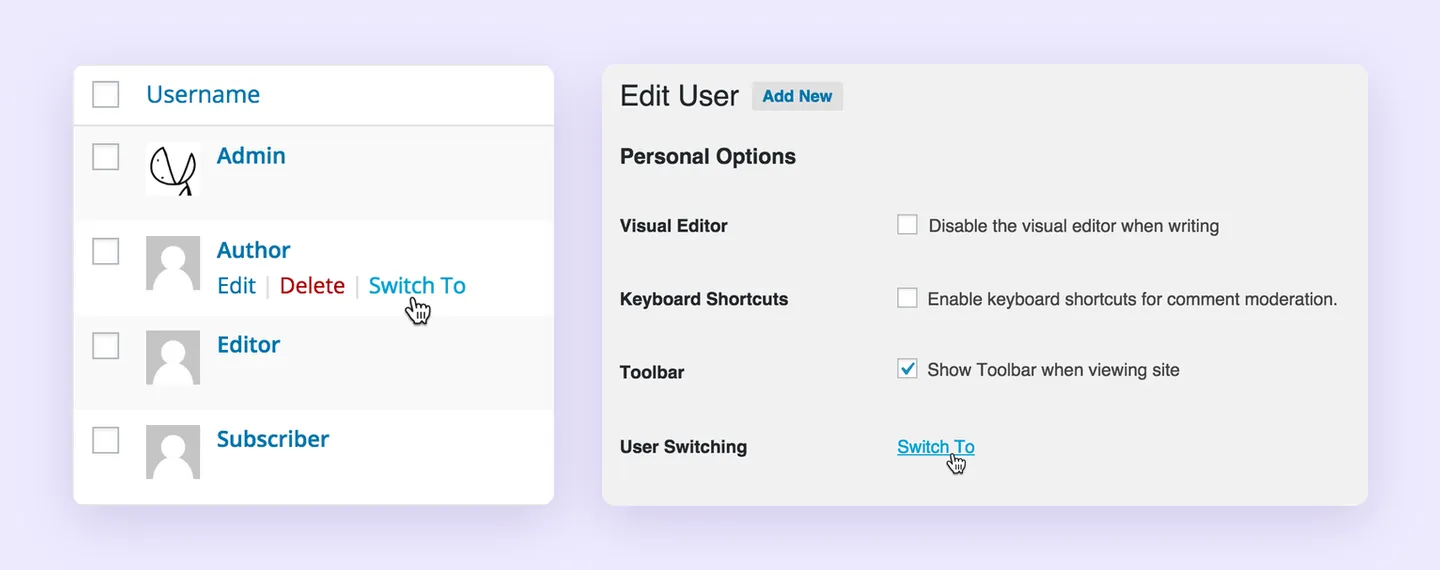
User Switching already covers several useful tasks: immediate account switching, returning to the originating account, and opening a logged-out view with the ability to return. It also documents WooCommerce and Multisite compatibility, password protection, and switching-log integrations with Simple History, WP Activity Log, and Stream.
The recommendations below focus on each plugin’s documented workflows, particularly Superb’s view-only approach to investigating customer issues.
1. Superb Login As User for WooCommerce support
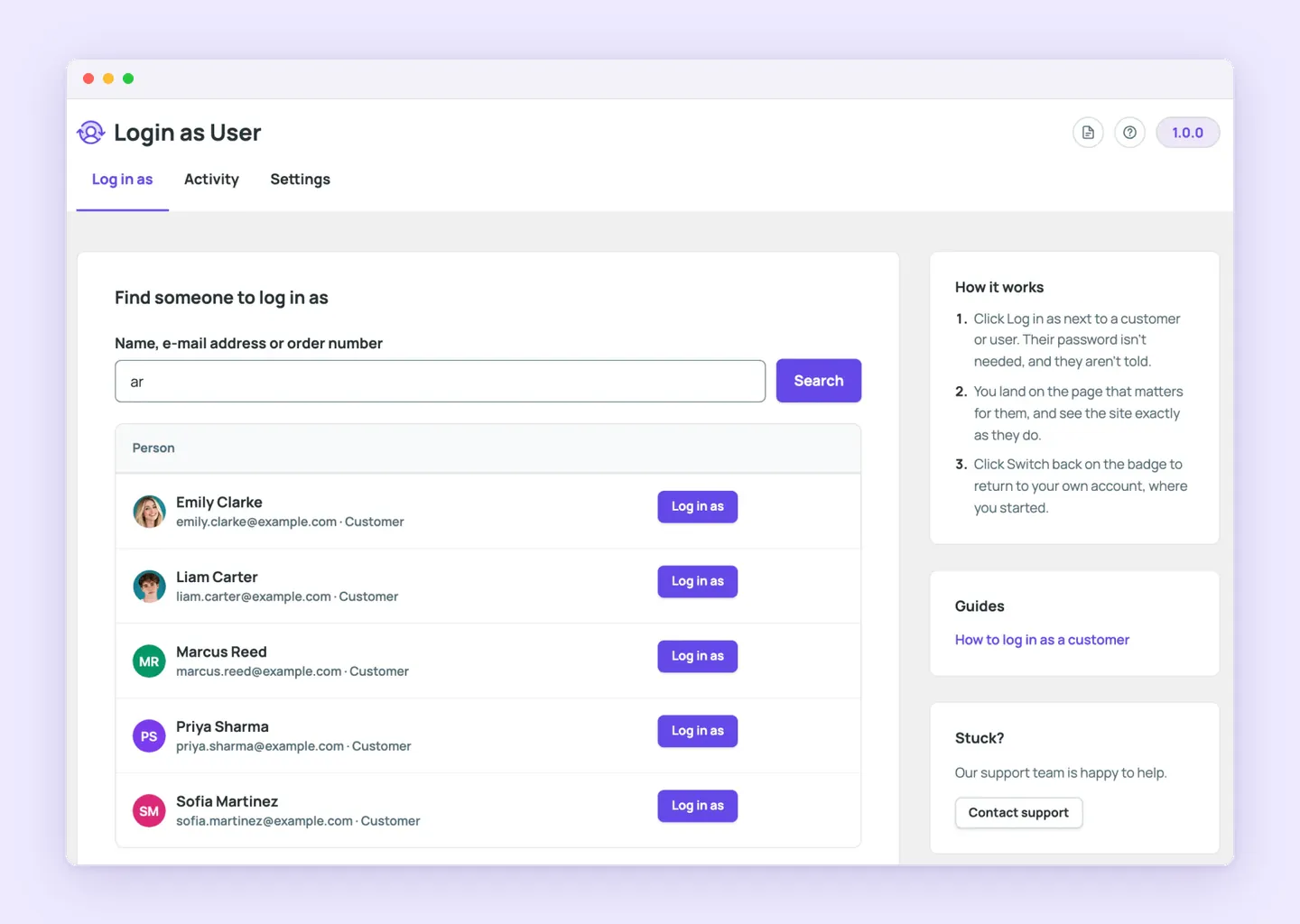
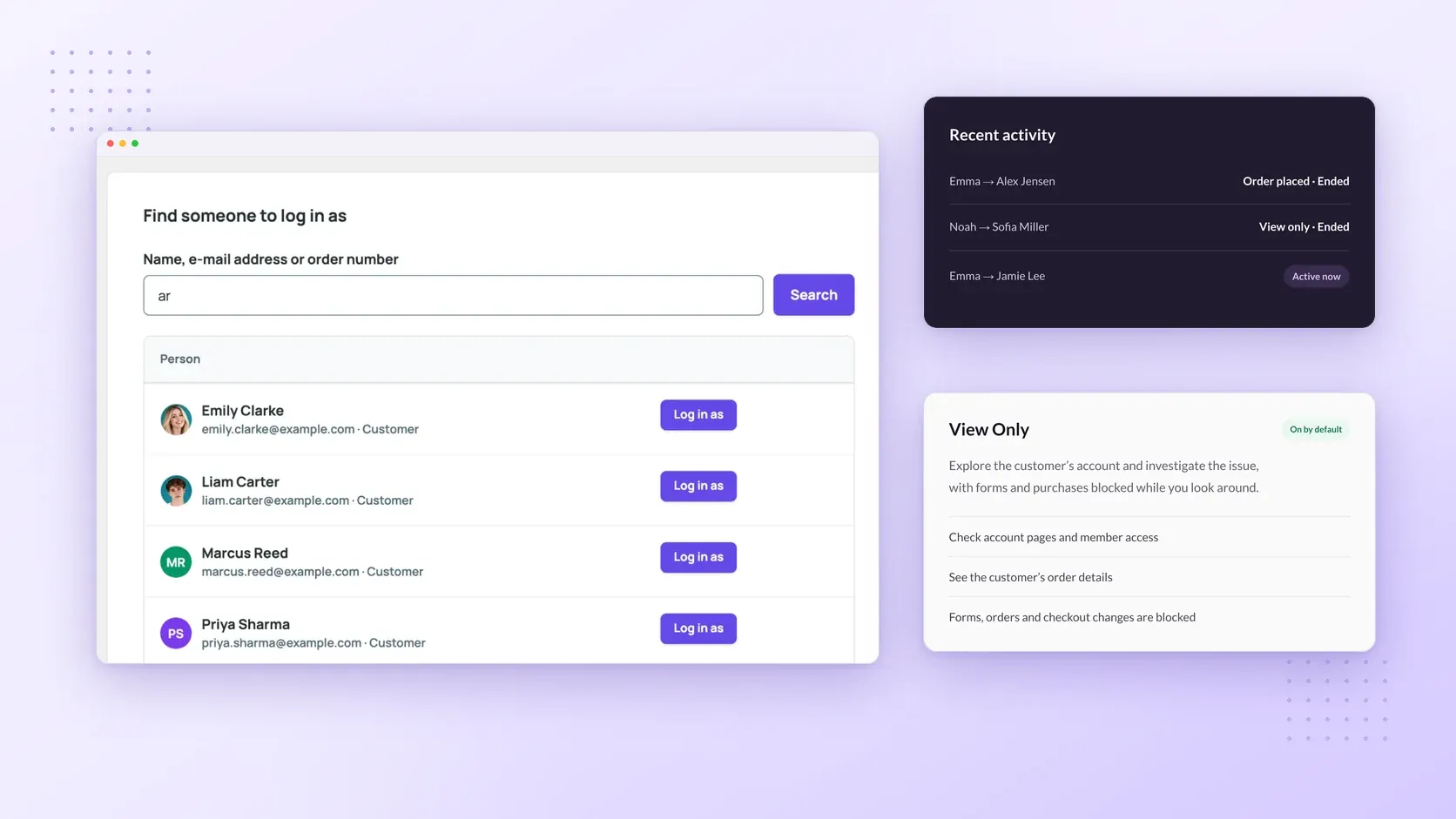
For staff investigating a customer issue, Superb Login As User starts with account inspection. It’s a WooCommerce customer support plugin whose visits begin in view-only mode. Staff enable changes when a particular visit requires them.
- Find the customer from the Users list, a profile, a WooCommerce order, or the admin bar. Staff can search by name, email address, or order number, so an order-related support request provides a starting point for opening the relevant account.
- Inspect the account with the customer’s permissions. The default view-only mode lets staff check account pages, member access, and order details while blocking forms, orders, and checkout changes. Staff can investigate what the customer has access to before taking action.
- Select Allow changes on the visit badge when a task requires it. For that visit, staff can submit forms or complete checkout for the customer. Assisted orders identify the staff member who placed them, and WooCommerce sends its usual order emails. Account passwords and saved payment methods remain protected in both modes.
- Select Switch back to return to the staff account and starting screen. During the visit, the badge identifies the customer account and displays the remaining visit time.
The customer’s cart is restored by default when staff switch back. Staff can disable restoration to leave a prepared cart for the customer. If the customer uses the site during the visit, the plugin leaves the cart alone and records that outcome in the activity list.
Permissions, activity records, and visit controls
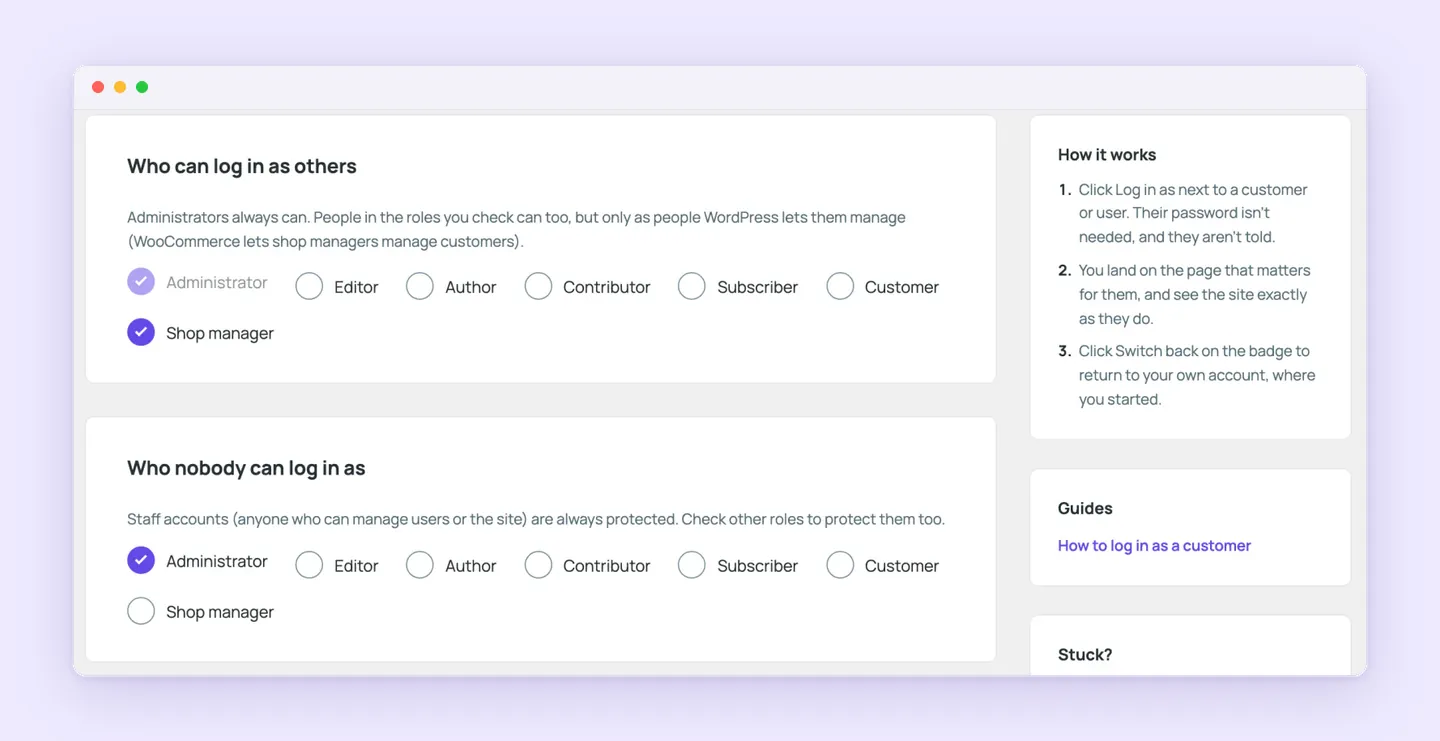
Support access and staff activity are also part of Superb Login As User’s documented controls as a WordPress user impersonation plugin.
- Administrators can visit eligible accounts and configure access for additional roles, such as shop managers visiting customers. Protected staff accounts and accounts with greater permissions remain off limits.
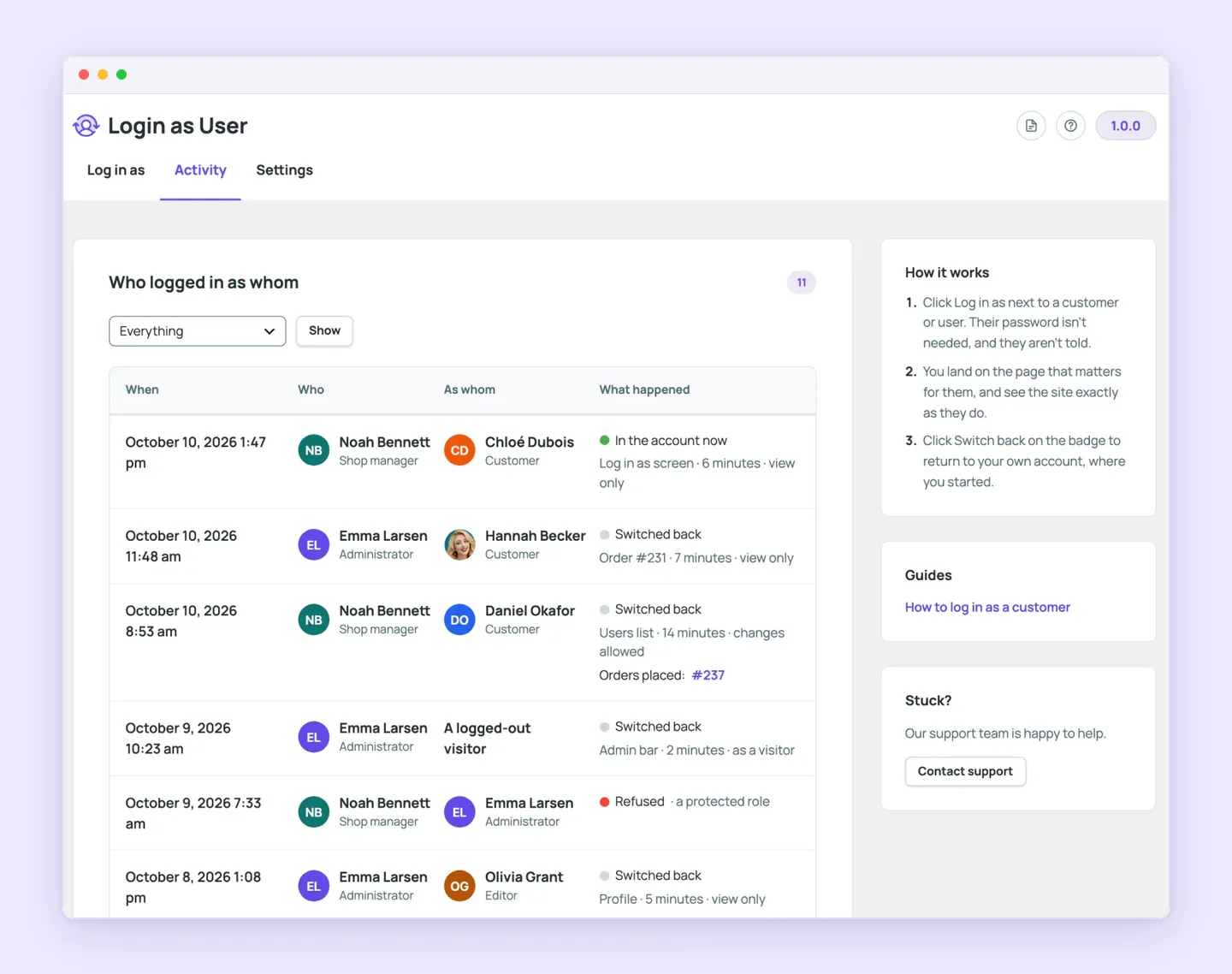
- Activity records show who visited whom and which orders staff placed. Administrators can review these support actions from their dashboard and end active visits when needed.
- Administrators can set support-visit time limits and activity-record retention. Visit history stays in the site’s own WordPress database, with administrators controlling how long those records remain available.
- Role-specific destinations can open My Account, a relevant order, or another page under investigation. Staff can start on the page that fits the support task.
- A logged-out visitor view lets staff inspect public access and return to their own session through the switch-back badge.
2. View Admin As for role and capability testing
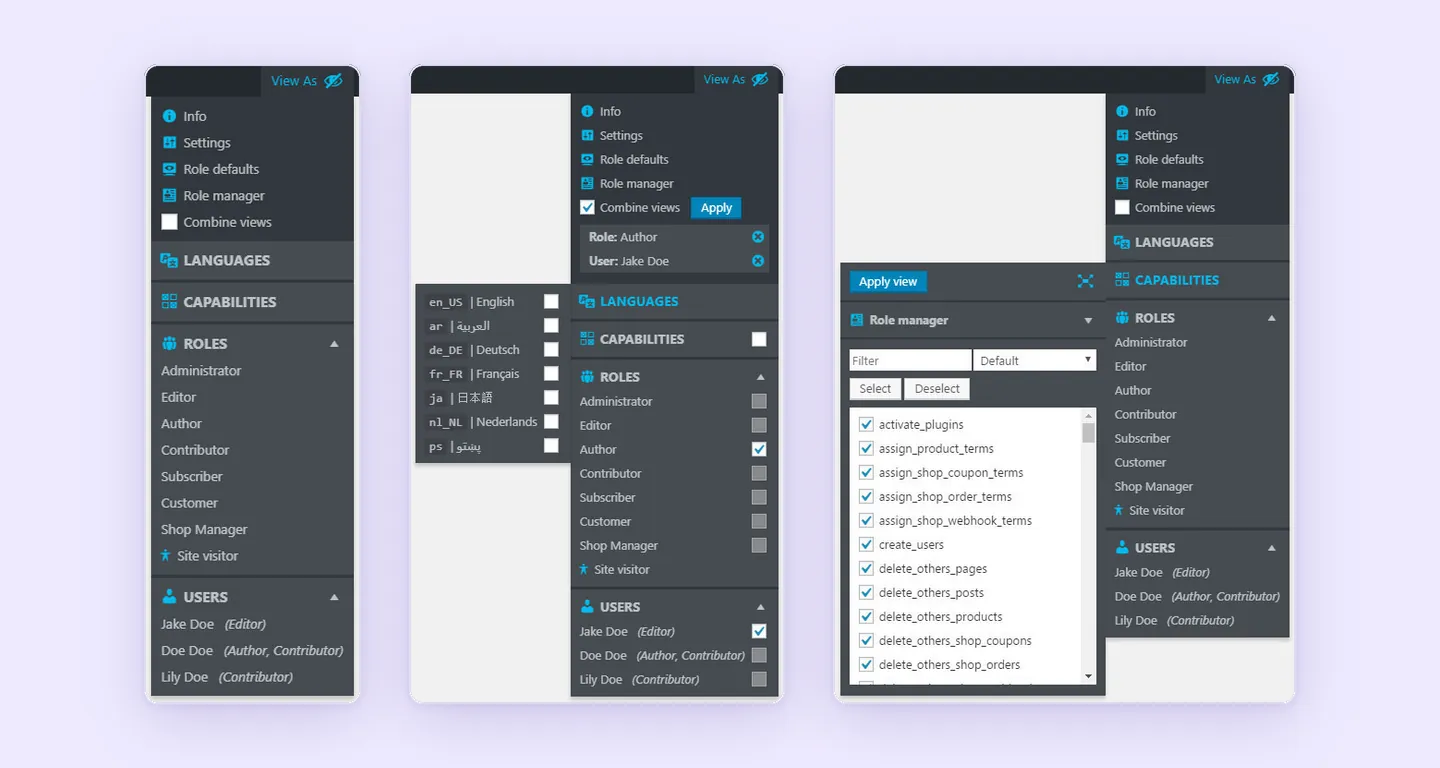
Through its admin-toolbar menu, View Admin As lets administrators view a site as another user, a role, or an unregistered visitor without logging out, then return to the original view. Temporary capability changes help them preview how permissions affect access, while backend/frontend locale switching lets them inspect language settings. WordPress role and capability testing is a central use case, particularly when investigating whether an account’s permissions explain what appears on screen.
Role defaults manages screen settings and metabox positions by role, including defaults for new users. The separate role manager makes permanent role and capability edits. That distinction matters when moving from a temporary preview to saved changes.
Access primarily serves administrators and network Super Admins. Other roles require explicitly assigned custom capabilities, and switching between equal administrator roles is disabled. These controls suit permission testing alongside customer-account inspection, especially when checking role behavior or setting consistent admin screens for a group of users.
3. Web357 Login as User for flexible account switching
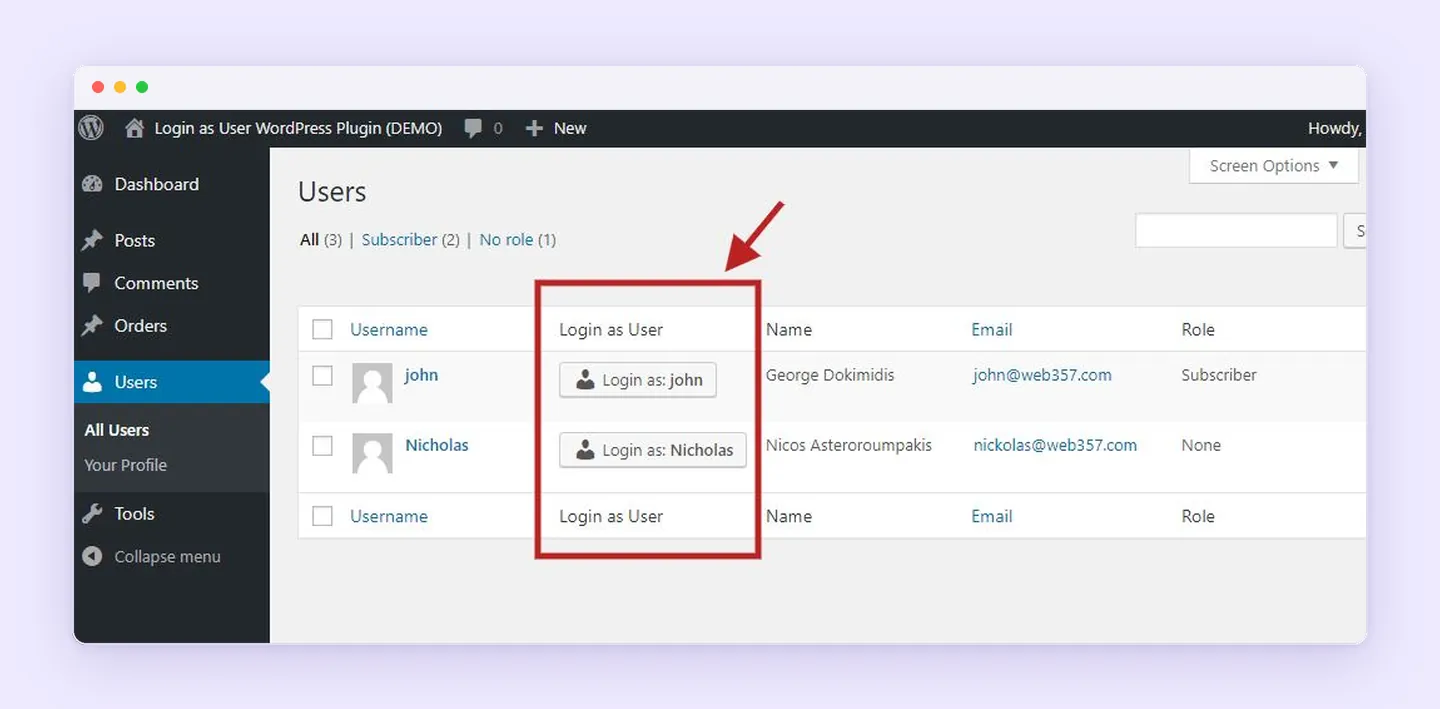
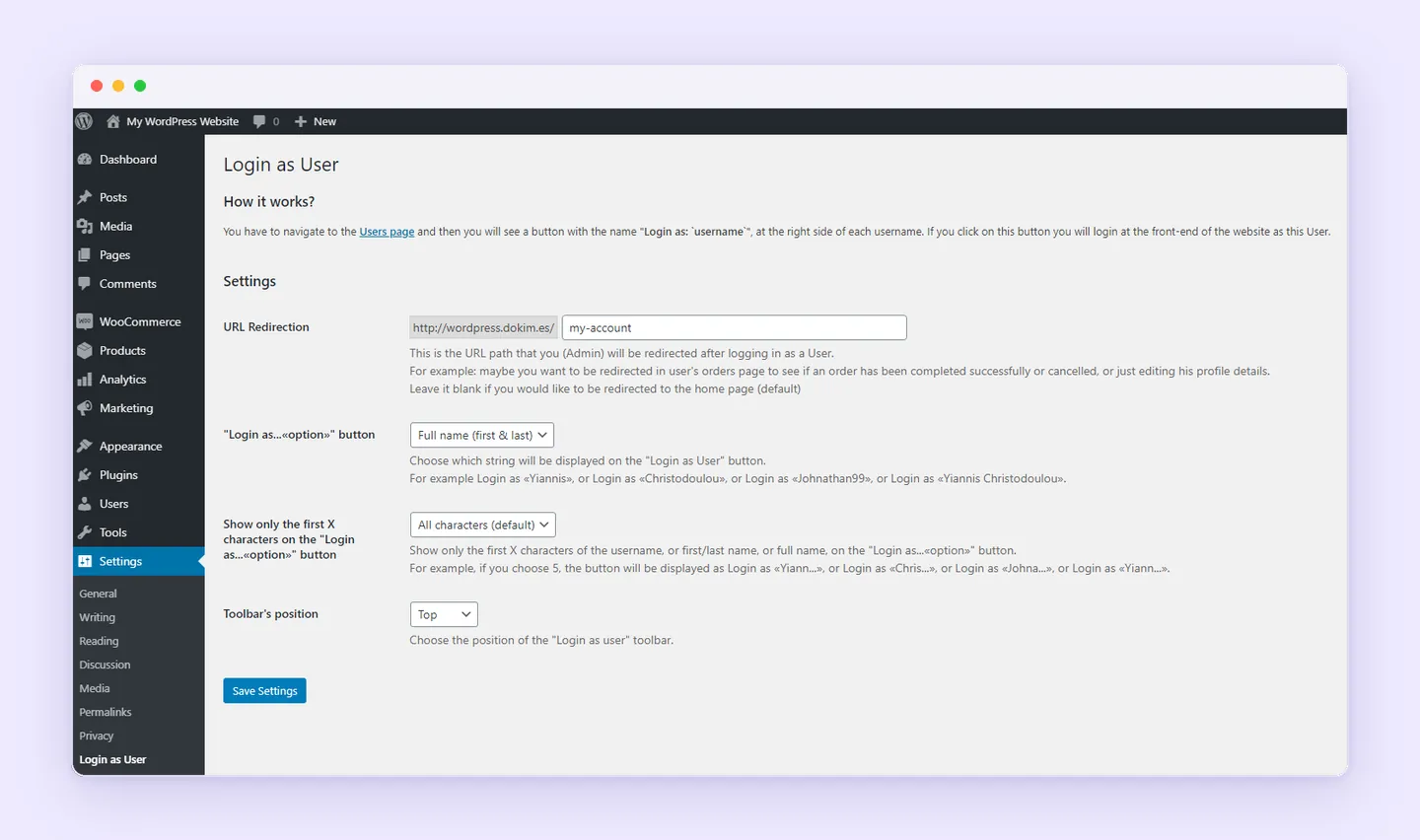
Free account switching from Users and user profiles is included in Web357’s Login as User, with return links in a frontend message bar or the admin bar. The WordPress plugin also supports login/logout redirects, configurable button labels, and Multisite, giving administrators control over how account switching works on their site.
Its cart-preservation setting backs up the customer’s WooCommerce cart before switching and restores the original items when the administrator returns. This helps preserve the customer’s shopping session during account access.
For WooCommerce stores, the documented PRO integrations add buttons to WooCommerce Orders and Subscriptions lists and their detail screens. Staff can open accounts from the records they’re already handling.
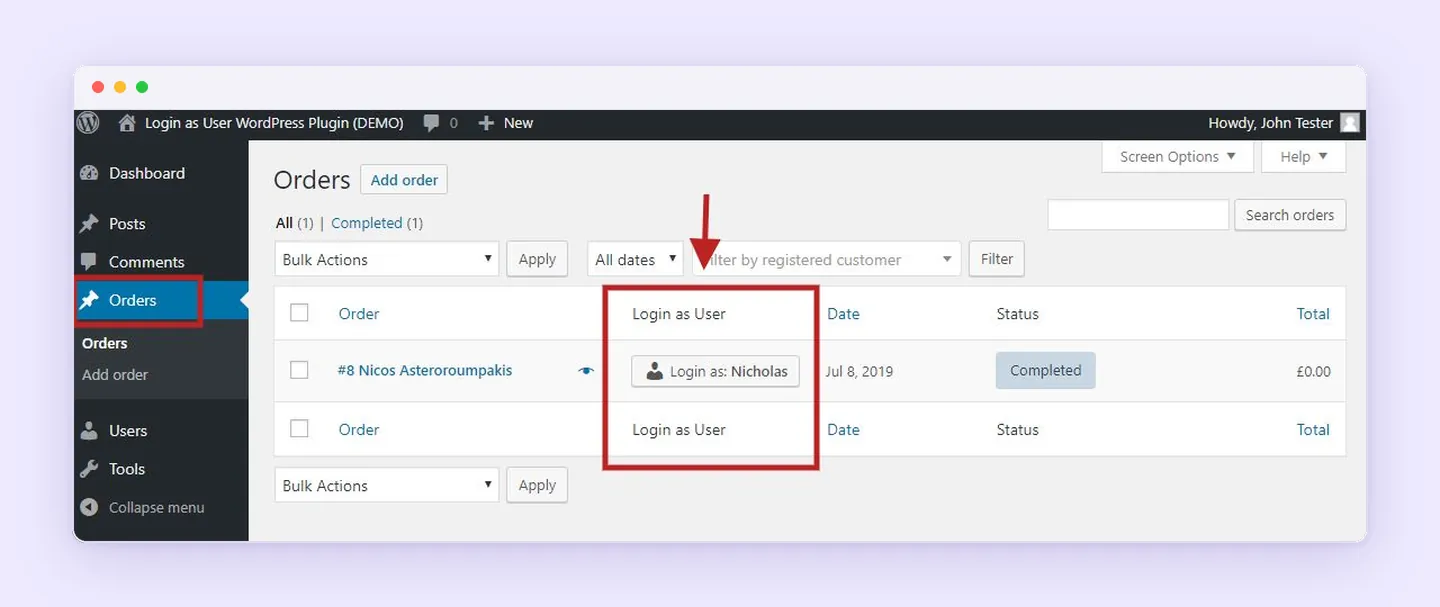
PRO role-management permissions also let administrators restrict Shop Managers to permitted customer roles. The documented setup follows this order:
- Assign
edit_usersto Shop Manager through Edit Users Capability Assignment in the Settings tab. - Restrict the Shop Manager row to permitted target roles in Role Management Permissions.
Those restrictions can allow access to Customers while excluding Administrators or Editors. Switching uses native WordPress authentication without requesting, storing, or exposing account passwords.
Why Superb is the recommended support alternative
Choosing an alternative depends on the main task. View Admin As suits checks of how roles affect access, while Web357’s Login as User suits configurable account switching. Superb is the recommended User Switching alternative for WordPress administrators and WooCommerce support teams focused on investigating customer issues and completing authorized support actions.
Its workflow brings account inspection, assisted checkout, and staff oversight together, making it the first choice for that support role. Teams whose daily work follows that pattern should try Superb Login As User to support customers from within their accounts.